A Complete P2P Payment App Development Guide: Key Features, Process, Cost, and More

Money moves differently now. Not slowly. Not through paperwork. Just quick taps on a phone.

Someone pays the dinner bill. Another person sends rent. A friend transfers money for a birthday gift. Seconds later, done. No bank visit. No waiting.

That’s the quiet power of P2P payment apps. And people are using them everywhere.

The global P2P payment market is expected to reach $21.42 billion by 2030, growing at a CAGR of 7.2%. That number alone tells you something important. Users don’t just like digital payments anymore; they expect them.

Instant transfers. Clean interfaces. No friction. For fintech startups, banks, and even non-financial businesses, this shift opens a big opportunity. But it also raises a practical question.

What does it actually take to build a P2P payment app people trust?

Because building one is not just about coding a transfer button. It’s about security. Compliance. Infrastructure. User psychology. And a lot of careful decisions in between.

So before jumping into development, first understand its basics:

How these apps work. Why users rely on them. And what features they now consider non-negotiable.

What Is a P2P Payment App?

At its simplest, a P2P payment app lets people send money directly to other people. No middlemen handling paperwork. No long processing times. Just a direct transfer from one account to another.

Usually, the process is simple:

  • Enter a phone number.
  • Choose a contact.
  • Scan a QR code.
  • Confirm the amount.

Done.

Behind that simplicity, though, a lot is happening. Bank integrations. Payment networks. Security checks. Identity verification. All working quietly in the background. What makes P2P payment transfer apps so powerful is how they remove the friction that used to exist in financial transactions.

As a result, Geography becomes less important. Banking hours stop mattering. And even small payments become effortless.

How Do P2P Payment Apps Work?

From the outside, a P2P payment app feels almost too easy.

Tap > Enter amount > Send > Money transferred and done.

But under the surface? A lot is happening. Quietly. Very fast. Good P2P payment app development hides the complexity. Users only see the smooth part. The frictionless part. The part that feels like sending a text message.

But when companies plan to build a P2P payment app, they must understand the full transaction flow. Every step matters. Security. Infrastructure. Banking rails. Compliance.

Let’s slow it down a little.

  • Account Linking

Every P2P payment transfer app starts here. Users connect a funding source. Usually: bank account, debit card, credit card, or a digital wallet. 

During this step, the platform also verifies the user. Sometimes quickly. Sometimes with extra checks. Depends on regulations.

You’ll usually see things like:

  • OTP verification.
  • Phone number validation.
  • Email confirmation.
  • Sometimes, biometric checks.

And then there’s KYC verification. This part is important. Financial platforms must confirm the user’s identity before allowing transactions.

Yes, it adds friction. But skipping it? Not an option.

  • Authentication

Now comes the security layer. A serious P2P payment app cannot rely on just passwords. Too risky. Too outdated. So most apps add extra authentication layers like: Fingerprint login. Face recognition. Device-based verification. Or OTP security.

Some platforms even track device behavior. Sounds complicated. But users barely notice. They just feel protected. And honestly, when money is involved, that reassurance matters.

  • Payment Initiation

This is the part users actually interact with. The sender chooses the recipient. Simple options usually work best: Phone number. Username. Saved contacts. QR code scanning.

Good P2P payment app development makes this step feel natural. Almost casual. Like sending a chat message. No confusion. No complicated forms.

Just select → enter amount → confirm. Done.

The smoother this step feels, the more people use the app. That’s why UX design plays a huge role when businesses build a P2P payment app. Finance should not feel intimidating.

  • Transaction Processing

Now the invisible systems take over. As soon as the user confirms the payment, the app encrypts the transaction data. Immediately. Then the request travels through: Payment gateways. Banking APIs. Card networks. Real-time payment infrastructure.

Depending on the region, the transfer may settle instantly. Or within minutes. Some countries support real-time clearing networks. Others rely on near-real-time settlement. This is one of the most technically demanding parts of P2P payment app development.

Integrations must be reliable. Scalable. Secure. Because if transactions fail, users panic. And they instantly uninstall the app.

  • Fraud Detection

While the payment travels through the network, something else is happening quietly. Fraud monitoring. Modern P2P payment platforms constantly scan transactions in real time. They watch for unusual patterns.

For example: Sudden high-value transfers. Multiple payments in seconds. Login attempts from strange locations. New devices are sending money immediately.

If something feels suspicious, the system may pause the payment. Or request extra verification. Most users never notice these systems. Which means they’re working perfectly.

  • Confirmation and Transaction Records

Once the payment clears, the system sends confirmation to both users. Usually through: Push notifications. In-app transaction updates. Payment receipts. These confirmations matter more than people realize.

When money moves, people want certainty. Not assumptions. Not guesswork. So a good P2P payment transfer app always shows:

  • Transaction history.
  • Time stamps.
  • Payment IDs.
  • Sender and receiver details.

In short, transparency builds trust. And trust is the real currency of digital payments. What actually powers a P2P payment app? Users see a simple interface. That’s intentional. All synchronized. And all working in milliseconds.

This is why companies planning to build a P2P payment app often partner with experienced fintech development teams. The architecture is deeper than it looks.

Key Features Users Expect in P2P Payment App

User expectations in the finance industry are unusually high, and understandably so. When people trust an app with their money, tolerance for friction drops dramatically.

  • Instant Transfers

Speed is foundational. Whether the transfer happens in seconds or minutes, users expect minimal delay and clear confirmation once funds move.

  • Strong Security Measures

Biometric login, end-to-end encryption, and fraud monitoring are no longer premium features. They are baseline requirements.

  • Simple Onboarding

Lengthy registration flows often lead to drop-offs. The strongest apps streamline verification without weakening compliance.

  • Contact-Based Payments

Sending money should feel natural. Phone numbers, usernames, or QR codes eliminate the need for memorizing account details.

  • Transparent Transaction History

Users want visibility. Clear records build confidence and simplify personal finance tracking.

  • Notifications in Real Time

Immediate alerts reassure both sender and receiver that the transaction has been completed.

  • Split Payments

From shared travel expenses to group dinners, built-in splitting features reduce awkward calculations and follow-ups.

  • Multi-Bank Support

Flexibility strengthens adoption. Users prefer platforms that integrate smoothly with multiple financial institutions.

Individually, these features improve usability. Together, they create trust, the currency every fintech platform depends on.

Types of P2P Payment Apps

Not all P2P platforms operate the same way. Their structure often reflects the audience they intend to serve.

  • Bank-Centric Apps

These apps are usually developed by traditional banks or large financial institutions. Stability comes first. Compliance too. Everything is tightly aligned with financial regulations. Users tend to trust these P2P payment apps quickly. 

Why? 

Because the bank already holds credibility. People are already familiar with the brand. That trust shortens the adoption curve. Most bank-centric platforms focus on secure domestic transfers, account-to-account payments, and seamless bank integrations.

  • Standalone Wallet-Based Apps

This is where many fintech startups operate. These digital wallet P2P payment apps allow users to store funds directly inside the platform before transferring money. 

The experience feels flexible. Fast. Sometimes even fun. Beyond basic transfers, these platforms often add features like rewards programs, merchant payments, cashback offers, or small micro-transactions.

  • Social Payment Apps

This category mixes finance with communication. Which sounds unusual at first, but users actually love it.

A social P2P payment app allows people to send money while interacting with friends. Users may attach notes, emojis, comments, or even public payment feeds. Transactions start to feel conversational.

  • Cross-Border Payment Platforms

Then there are platforms built for international money movement. A completely different challenge.

These cross-border P2P payment apps focus heavily on currency exchange, compliance across countries, and transaction cost efficiency. Sending money globally requires more infrastructure. More regulation. More security layers.

How to Build a P2P Payment App

Building a P2P payment app is not just a coding project. A lot of people assume that, actually. Write some code. Connect a payment gateway. Launch the app. Done.

Not really.

Real P2P payment app development includes strategic thinking. Sometimes time-taking. It touches compliance, banking infrastructure, UX psychology, and security architecture, all at once.

Let’s walk through it:
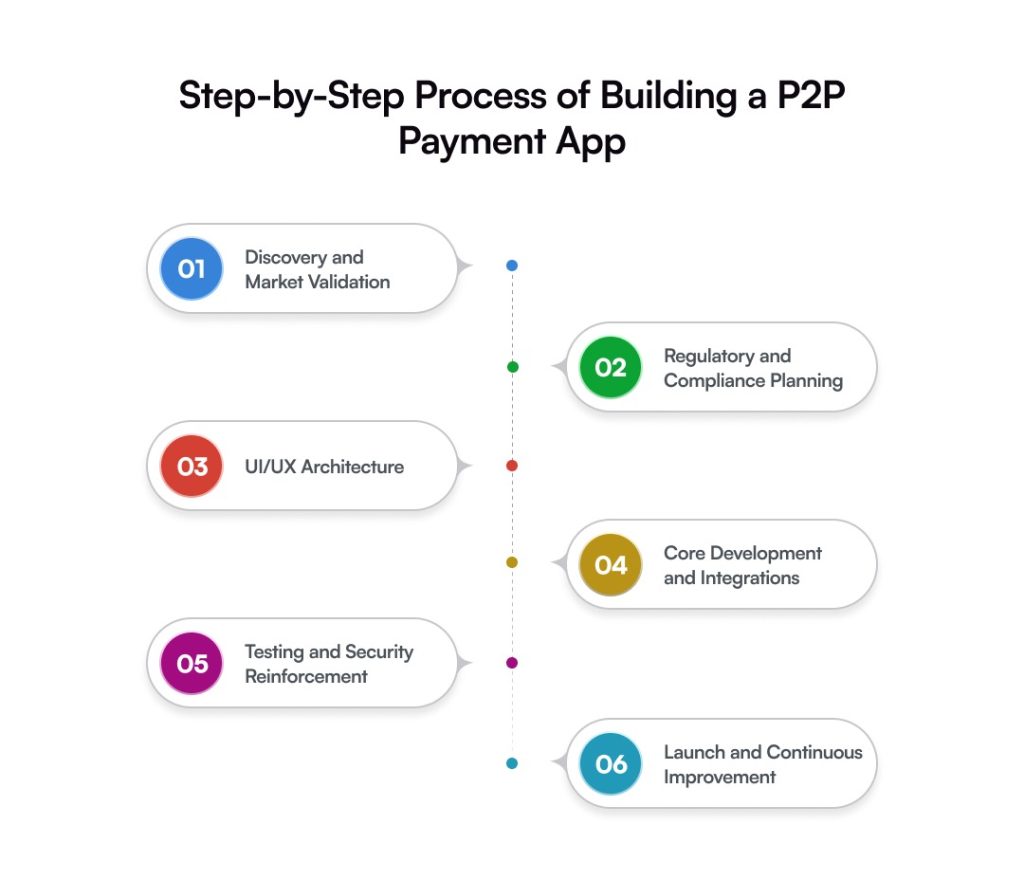
  1. Discovery and Market Validation

Every successful P2P payment app development project begins with clarity.

Simple questions first.

  • Who are the users? Students? Freelancers? Businesses?
  • Local payments or global transfers?

Then the harder question: Why would someone use this app instead of the ten others already available?

This stage often involves: Market research. Competitor analysis. User behavior studies. Business model definition. Because yes, P2P payment transfer apps exist everywhere now. But usage patterns change depending on geography.

Understanding these patterns early helps companies build a P2P payment app that actually fits the market. Skipping this stage usually leads to expensive pivots later.

  1. Regulatory and Compliance Planning

This is the part many startups underestimate. Finance is not like other apps. You cannot just launch and “figure it out later”. Every P2P payment app development project must address regulations from the beginning.

That includes things like:

  • KYC (Know Your Customer) verification
  • AML (Anti-Money Laundering) protocols
  • Data protection laws
  • Financial licensing requirements

Depending on the region, these rules can change significantly. Some countries require strict identity checks. Others impose transaction limits. Some require partnerships with licensed banks.

Compliance isn’t a small step at the end. It’s architectural. If ignored, the entire P2P payment app launch can get delayed. Or worse, blocked. And credibility? That’s very hard to recover once damaged.

  1. UI/UX Architecture

Now comes the user experience. When money moves, people become cautious. Even small confusion can create chaos.

That’s why good P2P payment app development services focus heavily on UI/UX design. User journeys must feel obvious. Not complicated. Not cluttered. Just clear.

The best P2P payment apps focus on reducing steps. A payment flow might look like this:

Select contact > Enter amount > Confirm payment.

That’s it. But behind that simplicity sits careful design thinking. Confirmation screens. Transaction receipts. Error handling. Clear feedback. Good fintech UX is rarely flashy.

  1. Core Development and Integrations

Once the strategy and UX are ready, the real P2P payment app development work begins. Developers start building the core infrastructure. This usually involves integrating several financial systems, such as:

  • Payment gateways
  • Banking APIs
  • Identity verification services
  • Fraud monitoring tools
  • Encryption protocols

These integrations power the P2P payment transfer app behind the scenes. At the same time, engineers build the backend architecture that handles transactions, user data, and payment requests. Scalability becomes critical here. 

An app that works for 10,000 users should still perform smoothly at 100,000 users. Or even a million. Because when payment platforms grow quickly, and they often do, weak infrastructure becomes painfully visible.

  1. Testing and Security Reinforcement

Before launch, the app is pushed to its limits.

Teams simulate transaction spikes, unstable networks, device variations, and potential fraud scenarios. Security audits run alongside performance testing to ensure resilience. Because in fintech, trust is fragile and difficult to rebuild once lost.

  1. Launch and Continuous Improvement

Launching the app feels exciting. But it’s not the end. Honestly, it’s the beginning. Once users start interacting with the P2P payment app, real insights appear. Analytics reveal friction points. Drop-offs show where users get confused. Support requests highlight missing features.

This feedback loop helps teams improve the platform continuously. New security threats emerge. Payment behaviors evolve. Financial regulations change. The best companies treat P2P payment app development as an ongoing process, not a one-time project.

They iterate. Improve. Adapt. Because the digital payments landscape moves fast. And the apps that survive long-term are the ones that keep evolving.

Security & Compliance Requirements in P2P App Development

In most apps, security is important. In fintech, it is foundational.

Users are not just sharing data; they are trusting the platform with their money. One vulnerability can undo years of credibility. That is why security must be embedded into the architecture from the very beginning, not layered on after development.

  • Regulatory Compliance

Financial ecosystems operate under strict regulatory frameworks that vary by region. Depending on your target market, requirements may include:

  • KYC (Know Your Customer): Verifies user identities to prevent fraud.
  • AML (Anti-Money Laundering): Detects suspicious transaction patterns.
  • GDPR or data protection laws: Ensure responsible handling of personal information.
  • PCI DSS compliance: Mandatory for platforms processing card payments.

Compliance may feel like friction during development, but it protects the business from far greater disruption later.

  • Encryption and Data Protection

Sensitive information should never travel unprotected.

End-to-end encryption, tokenization, and secure key management help ensure that even if data is intercepted, it remains unreadable.

Many platforms also adopt zero-trust architectures, where every access request is verified, regardless of origin.

  • Multi-Factor Authentication

Passwords alone no longer provide adequate protection.

Combining authentication layers, OTPs, biometrics, or device-based verification dramatically reduces unauthorized access risks.

From a user perspective, these steps signal seriousness. Security features often double as trust signals.

  • Fraud Detection Systems

Modern P2P payment apps rely heavily on intelligent monitoring tools that flag unusual behavior in real time.

For example:

  • Rapid transaction spikes
  • Logins from unfamiliar locations
  • Suspicious payment patterns

Early detection allows platforms to intervene before damage occurs.

  • Continuous Security Audits

Threat landscapes evolve constantly. What is secure today may become vulnerable tomorrow.

Regular penetration testing, code reviews, and infrastructure audits help platforms stay ahead of emerging risks.

Because in digital finance, prevention is always cheaper than recovery.

How Much Does It Cost to Build a P2P Payment App

This is often the first question stakeholders ask, sometimes before the idea is fully formed.

“How much will it cost?”

The honest answer: it depends on what you are building, who you are building it for, and how ambitious the platform is meant to become.

Scope defines effort. Effort defines investment.

Let’s look at realistic ranges.

  1. MVP Development ($30K – $60K)

This is the starting line for many startups.

An MVP development focuses strictly on core capabilities:

  • User registration and verification
  • Bank or card linking
  • Secure money transfers
  • Transaction history
  • Basic notifications
  • Admin controls

Design remains clean but practical. Integrations stay limited to reduce complexity. The goal here is not perfection; it is validation. Real users. Real transactions. Real feedback. Launching lean allows businesses to learn before scaling.

  1. Mid-Level App ($60K – $120K)

Now the platform begins to mature.

Expect stronger UI/UX refinement, faster navigation, expanded payment options, and improved dashboards. Security layers grow deeper. Infrastructure becomes more resilient.

Additional capabilities may include:

  • Split payments
  • Advanced fraud detection
  • Multi-bank integrations
  • Enhanced analytics
  • Customer support modules

This range often suits growing fintech companies preparing for broader adoption.

  1. Advanced Platform ($120K+)

At this level, the product is built to lead rather than follow.

Architecture is deeply scalable. Compliance frameworks are robust. Automation supports operational efficiency.

Advanced platforms may introduce:

  • AI-driven fraud monitoring
  • Cross-border payments
  • Multi-currency support
  • Predictive analytics
  • Open banking integrations

While the upfront investment is higher, these systems often reduce operational friction over time and position the business for long-term growth.

Hidden Costs Businesses Should Anticipate

Many teams plan for development but underestimate what follows.

Common post-launch expenses include:

  • Ongoing maintenance and updates
  • Cloud infrastructure scaling
  • Security audits
  • Regulatory renewals
  • Customer support operations

Budgeting for these early prevents unpleasant surprises later.

One important perspective: the cheapest build rarely becomes the most economical in the long run. Stability, security, and scalability deliver far greater returns than short-term savings.

When money moves through your platform, reliability becomes your brand.

And that is always worth investing in.

Major Challenges While Building a P2P App

Building a P2P payment app is as much about risk management as it is about innovation. The opportunity is substantial, but so is the responsibility.

Here are some of the most common hurdles businesses encounter.
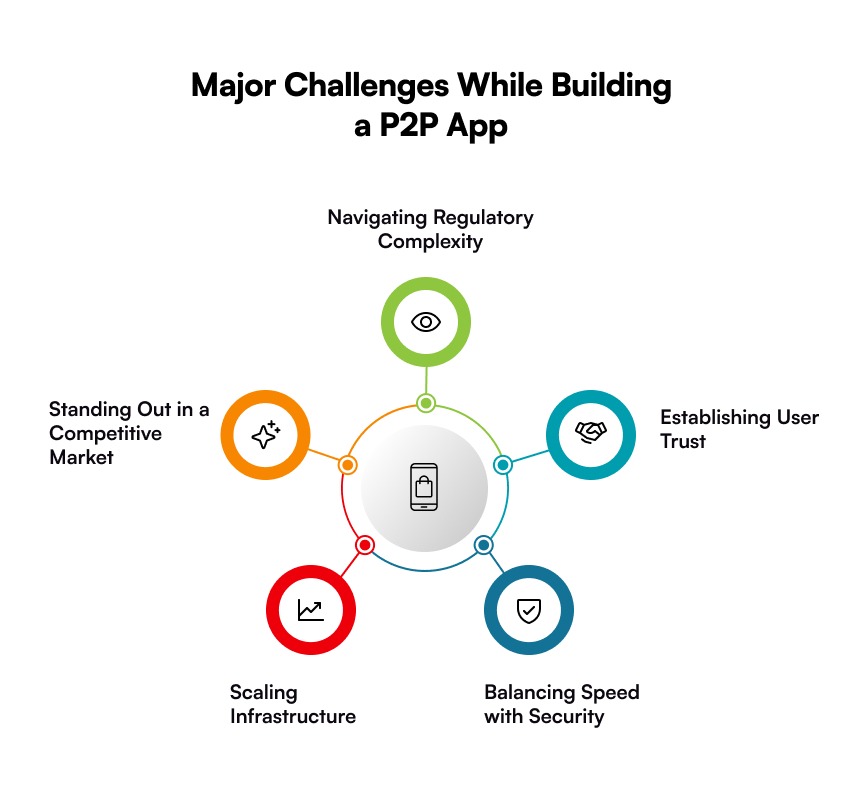
  • Navigating Regulatory Complexity

Financial regulations differ across regions and evolve frequently. Licensing, KYC mandates, AML requirements, and data protection laws demand ongoing attention.

Compliance is not a one-time milestone. It is a continuous operational commitment. Ignoring it can delay launches or worse, invite legal exposure.

  • Establishing User Trust

People hesitate before trusting a new platform with their money. And rightly so. A single failed transaction or security scare can push users toward competitors permanently.

Trust is built through consistency:

  • Reliable uptime
  • Transparent communication
  • Visible security measures
  • Fast dispute resolution

Fintech loyalty is fragile but incredibly valuable once earned.

  • Balancing Speed with Security

Users want instant transfers. Security protocols, however, require careful verification. Striking the right balance is critical. Too many checks create friction. Too few create vulnerability. The strongest platforms make security feel seamless rather than obstructive.

  • Scaling Infrastructure

Transaction spikes rarely arrive with warning; festive seasons, promotional campaigns, or viral adoption can strain systems overnight.

Without a scalable architecture, performance suffers. And in payments, even a few seconds of delay can trigger user anxiety. Planning for growth before it arrives is always cheaper than rebuilding afterwards.

  • Standing Out in a Competitive Market

The fintech space is crowded. New entrants compete not only with startups but also with established banks and global payment giants. Differentiation often comes down to experience, smoother onboarding, smarter features, and faster support.

Technology alone rarely wins. Execution does.

P2P Payment App Monetization Strategies: How These Platforms Generate Revenue

A P2P payment app may begin as a convenience tool, but sustainable growth depends on a clear revenue model.

Interestingly, many successful platforms monetize quietly, ensuring the user experience never feels transactional.

  • Transaction Fees

A small fee on instant transfers, credit-based payments, or cross-border transactions can generate steady revenue without overwhelming users.

The key is transparency. Hidden charges erode trust quickly.

  • Merchant Services

Once adoption grows, enabling businesses to accept payments through the platform opens a powerful revenue stream.

Merchant partnerships often lead to:

  • Processing fees
  • Subscription models
  • Value-added services

It transforms the app from a payment tool into a commerce enabler.

  • Premium Features

Some users are willing to pay for convenience, faster transfers, advanced analytics, higher limits, or enhanced security controls. A freemium model allows broad adoption while creating optional upgrade paths.

  • Interest on Wallet Balances

When users store funds within the platform, those balances can generate interest depending on regulatory allowances. Individually small. Collectively meaningful.

  • Financial Ecosystem Expansion

Over time, many P2P apps evolve into broader financial hubs offering lending, insurance, investments, or budgeting tools. The strategy is simple: once trust is established, adjacent services feel natural. Revenue follows engagement.

Future Trends in P2P Payment Apps

The next phase of P2P payments will not just be faster, it will be smarter, more embedded, and increasingly invisible.

  • AI-Driven Fraud Prevention

Machine learning models are already improving threat detection by identifying suspicious behavior before transactions finalize. Security is shifting from reactive to predictive.

  • Biometric Authentication

Passwords are gradually giving way to fingerprint scans, facial recognition, and behavioral biometrics, reducing friction while strengthening protection. Convenience and security are finally aligning.

  • Embedded Finance

Payments are moving beyond standalone apps into marketplaces, ride-sharing platforms, creator ecosystems, and social environments. Soon, users may not even think of it as a “payment.” It will simply be part of the experience.

  • Cross-Border Simplicity

Global workforces and digital commerce are increasing the demand for low-cost international transfers. Platforms that simplify currency exchange and compliance will gain a strong competitive edge.

  • Open Banking Expansion

As financial institutions expose APIs, fintech platforms gain deeper access to banking capabilities, unlocking innovation that was difficult just a few years ago. Collaboration is quietly replacing competition.

Concluding Words

Building a P2P payment app is not just another software project. It’s bigger than that. A strategic move, actually. Finance, security, infrastructure, and user experience all come here. And yes, scalability too. Because if the platform grows, the system must grow with it. No excuses.

Companies often jump in thinking P2P payment app development is mainly about coding a payment feature. It isn’t. Not even close. It’s about building trust. 

For businesses thinking about entering this space, the opportunity is huge. Digital payments keep expanding. Fintech adoption keeps accelerating. But success doesn’t happen by accident. Companies need a clear strategy. 

This is where working with an experienced P2P payment app development company becomes critical. Not just developers. Real fintech specialists who understand payment infrastructure, banking APIs, fraud prevention, compliance requirements, and the whole system.

At Galaxy Weblinks, we work with businesses that want to build serious fintech products. Not experiments. Not half-ready apps. We help organizations design and develop secure, scalable P2P payment apps built for real-world usage. 

If you’re exploring how to build a P2P payment app or thinking about upgrading an existing digital payment platform, the right development partner can shorten the journey. Less risk. Faster execution. Stronger architecture.

Because launching a fintech product isn’t just about technology. It’s about confidence.

FAQs

1. How long does it take to build a P2P payment app?

Timelines vary based on complexity. A focused MVP may take around 3–6 months, while advanced platforms with deeper integrations can extend beyond that. Structured planning often saves more time than rushing development.

2. Is regulatory compliance mandatory for P2P apps?

Absolutely. Financial platforms must adhere to regional regulations such as KYC, AML, and data protection standards. Compliance protects both the business and its users.

3. Should startups begin with an MVP?

In most cases, yes. An MVP allows businesses to validate demand, gather real user feedback, and refine the product before committing to large-scale investment.

4. What is the most critical feature in a P2P payment app?

Security. Without it, adoption stalls. Users need confidence that their data and money are protected at every step.

5. Can a P2P payment app scale as the user base grows?

Yes, provided scalability is planned early. Cloud infrastructure, modular architecture, and strong backend systems ensure the platform can handle increasing transaction volumes smoothly.

6. How do businesses choose the right development partner?

Look beyond coding ability. Evaluate fintech experience, regulatory understanding, architectural thinking, and post-launch support. A strong partner does more than build; they guide strategic decisions.


How AI in Travel is Transforming Airlines, Hotels & Tourism Platforms

Travel relied on fixed systems for years. Legacy booking engines. Static pricing grids. Manual forecasts are built on historical averages. It worked. Until volatility became constant.

Complexity increased. Competition intensified. Airlines began mirroring each other’s pricing logic. Hotels delivered similar packages. Differentiation narrowed. Margins tightened. Loyalty became fragile.

At the same time, traveler expectations accelerated.

The integration of AI is no longer peripheral in travel operations. It is moving into revenue management, customer engagement, and service optimization. The global AI in travel market is projected to exceed $138.8 million by 2030. Growth at that magnitude indicates structural transformation, not isolated pilots.

Hospitality investment reflects the same urgency. The AI segment within tourism and hospitality is expanding at close to 30 per cent CAGR through 2026. Organizations are embedding personalization engines, predictive analytics, and automated support layers. Purposeful adoption. Not experimentation.

Traveler behavior is shifting in parallel. A substantial share of U.S. travelers already use AI-driven tools for planning and comparison. That being said, AI in travel is becoming foundational infrastructure. It shows clear signs of businesses in the travel industry moving towards AI development for a sustainable future.  

In this guide, you will examine how AI is transforming airlines, hotels, and tourism platforms. And the real business impact AI is creating in the travel industry. Along with top use cases, and much more. 

What Is AI in Travel?

AI in travel refers to the strategic use of artificial intelligence to improve how travel companies operate, price, and engage customers. It extends beyond basic automation. The system learns from data. It identifies patterns. It supports decisions with limited manual input.

At an operational level, AI evaluates booking history, pricing fluctuations, seasonal demand, and traveler preferences. It adjusts fares dynamically. Recommends relevant offers. Forecasts occupancy and route demand with greater precision. The goal is clearer forecasting. Fewer assumptions.

With AI in travel and tourism, adoption spreads across the ecosystem. Airlines apply it to route planning and disruption management. Whereas, AI in hospitality use it to personalize guest interactions and anticipate occupancy changes. Digital travel platforms integrate conversational systems that assist users during search and booking.

Most of this intelligence operates in the background. Machine learning models refine outcomes continuously. Natural language processing supports responsive chat systems. Predictive analytics detects demand shifts before they become visible trends.

AI in Airlines: Operational Intelligence & Revenue Growth

Airlines operate under constant pressure. Margins remain thin. Disruptions escalate quickly. One delay affects multiple routes. One pricing error impacts thousands of seats.

This is where AI in travel begins to matter in practical terms.

It improves operational control. Strengthens revenue management. Supports customer engagement without expanding costs at the same rate.

The shift is measurable.

  1. Predictive Maintenance & Fleet Optimization

Aircraft produce continuous performance data. Engine temperature. Component stress. Fuel patterns. AI systems analyze these signals in real time. They detect irregularities early. Maintenance becomes predictive rather than reactive.

Unexpected groundings reduce. Repair cycles become more controlled. Fleet availability increases. AI also optimizes aircraft allocation. It evaluates route demand, turnaround efficiency, utilization ratios. Scheduling improves. Asset productivity rises.

  1. Dynamic Pricing & Revenue Management

Airfare pricing changes rapidly. Demand fluctuates daily. Competitor adjustments occur within minutes. AI-driven revenue platforms assess booking velocity. Historical demand. Seasonality, and external variables simultaneously. Pricing adapts continuously.

Seats are valued based on demand probability, not static categories. Load factors improve. Yield per passenger strengthens. Revenue leakage declines. With AI in travel and tourism, pricing optimization often delivers early, visible return on investment.

  1. AI-Powered Customer Service & Chatbots

Passenger expectations have evolved. Response time now influences loyalty. AI-powered chat interfaces manage booking changes, flight updates, baggage queries, and disruption support instantly. Natural language systems interpret context. Responses feel more precise.

During operational disruptions, AI scales without delay. High inquiry volumes remain manageable. Operational strain decreases. Customer satisfaction stabilizes. Brand trust improves gradually but consistently.

AI in Hotels: Hyper-Personalization & Smart Operations

Hotels no longer compete only on location. Experience defines loyalty. Guests compare options instantly. Expectations form before arrival.

This is where AI in travel shifts hotel strategy from reactive service to predictive engagement.

It refines personalization. Optimizes revenue. Improves operational visibility, often at the same time.

  1. Guest Personalization Engines

Hotels collect more data than they sometimes realize. Booking patterns. Room choices. On-property spending. Loyalty history. AI systems interpret these signals. They identify preferences. Predict likely upgrades. Recommend tailored packages. 

Communication becomes relevant. Offers feel contextual. Guests sense attention without explicit effort. With AI in travel and tourism, personalization is becoming foundational rather than optional.

  1. Smart Room Automation & IoT Integration

Smart rooms extend intelligence into the physical space. Lighting adjusts automatically. Temperature adapts to occupancy. Energy usage becomes measurable in real time. AI coordinates these systems. It optimizes comfort and efficiency simultaneously.

Maintenance alerts trigger before failures escalate. Staff intervention becomes proactive, not reactive. Operational costs reduce. Guest satisfaction improves. The intelligence remains mostly invisible, but the experience feels smoother.

  1. Revenue Optimization & Dynamic Room Pricing

Room demand shifts quickly. Events, seasonality, competitor pricing, and variables change hourly. AI evaluates booking velocity, historical occupancy, and market demand together. Pricing updates dynamically.

Rooms are positioned based on demand probability rather than fixed seasonal tables. Average daily rate improves. Revenue per available room increases. Unsold inventory declines. For hotels, AI strengthens both service delivery and financial performance. 

AI in Tourism Platforms & OTAs: Intelligent Discovery & Booking

Tourism platforms and OTAs operate in high-volume environments. Thousands of listings. Constant price shifts. Users are comparing multiple tabs at once.

Attention spans are short. Decision windows are even shorter. This is where AI in travel and tourism becomes commercially critical. It simplifies discovery. Personalizes planning. Protects transactions. All while processing data at scale.

  1. Conversational & Natural Language Search

Traditional filters feel restrictive. Travelers do not always search in structured categories. They describe intent. AI-powered search interprets natural language queries. “Beach destination under four hours.” “Family-friendly stay with quiet surroundings.” Systems understand context rather than just keywords.

Search results become more relevant. The time to book shortens. Drop-off rates are reduced. Discovery feels guided, not mechanical.

  1. Personalized Travel Itineraries

Travel planning often overwhelms users. Too many options. Too many combinations.

AI analyzes browsing behavior, booking history, seasonal trends, and budget patterns. It generates tailored itineraries in real time. Recommendations align with traveler interests. Activities, accommodations, and transportation were presented as a cohesive plan.

  1. Fraud Detection & Secure Transactions

High transaction volumes attract risk. Payment fraud. Account misuse. Data breaches. AI systems monitor behavioral patterns continuously. They detect anomalies in booking frequency, payment activity, and user behavior.

Suspicious transactions are flagged instantly. Verification layers activate automatically. Security strengthens without adding visible friction to legitimate users. For tourism platforms and OTAs, AI functions as both a growth engine and a protective layer. 

The Real Business Impact of AI in Travel

Adoption is increasing. Investment is rising. But the real question remains practical.

What does AI in travel and tourism actually change at the business level? The answer is not abstract. It shows up in revenue reports. Cost structures. Retention metrics. Executive dashboards.

Here is where impact becomes measurable.

  • Revenue Growth Opportunities

AI improves pricing precision. It identifies demand signals earlier. It adjusts offers dynamically. Airlines optimize seat yield. Hotels increase average daily rate. Tourism platforms improve conversion ratios.

Upselling becomes contextual rather than generic. Cross-selling aligns with traveler intent. Small pricing improvements scale across millions of transactions. Revenue expands incrementally, then noticeably.

  • Cost Optimization

Operational inefficiencies are rarely visible at first. They accumulate quietly. AI reduces manual forecasting. Automates routine support queries. Detects maintenance risks before failure.

Energy usage declines in smart properties. Staff allocation becomes data-driven. Marketing spend targets higher-probability segments. Cost structures tighten without reducing service quality. Efficiency improves while operational resilience strengthens.

  • Increased Customer Lifetime Value

Retention is often more profitable than acquisition. AI supports continuity. Personalized recommendations encourage repeat bookings. Loyalty programs become more intelligent. Communication feels relevant rather than repetitive.

Satisfied travelers return. They spend more time. Brand trust deepens gradually. Customer lifetime value increases not through volume alone, but through sustained engagement.

  • Faster Decision-Making

Travel markets fluctuate quickly. Demand shifts. External events alter projections. AI converts real-time data into actionable insight. Executives receive predictive dashboards instead of historical summaries.

Pricing adjustments occur faster. Inventory allocation becomes proactive. Risk mitigation improves. Decisions accelerate without sacrificing analytical depth.

In the broader view, AI in travel and tourism transforms fragmented data into operational clarity. It strengthens revenue streams. Stabilizes costs. Supports strategic foresight. Through integrated intelligence applied across the ecosystem.

The Top 6 AI Use Cases Transforming the Travel Industry

AI is moving from experimentation to execution. Travel brands are embedding it across pricing systems, customer interfaces, and operational dashboards. The impact is visible. Revenue shifts. Cost lines adjust. Customer behavior responds.

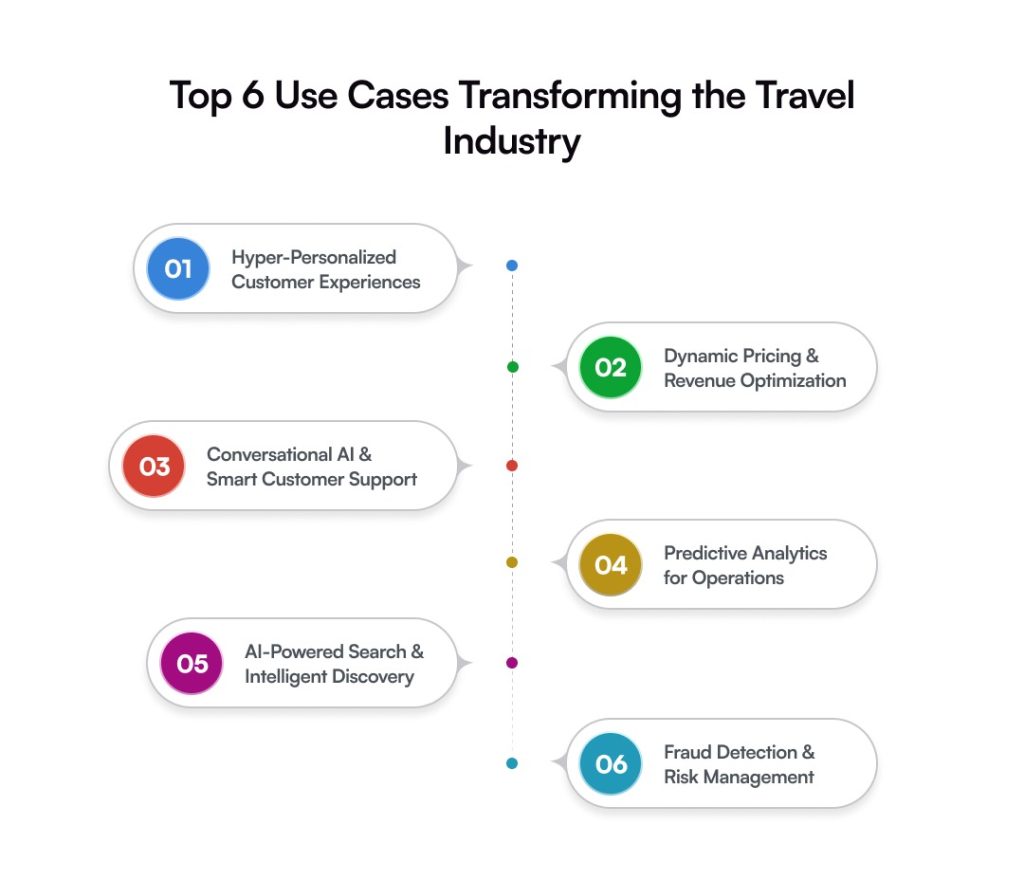
Here are six AI use cases actively transforming the travel industry:

1. Hyper-Personalized Customer Experiences

Travelers expect relevance now. Generic messaging underperforms. AI analyzes browsing behavior, booking history, loyalty signals, and intent patterns. It predicts preferences before explicit selection occurs.

Offers become tailored. Content adjusts dynamically. Communication feels timely. Engagement increases. Repeat bookings improve. Lifetime value strengthens gradually.

2. Dynamic Pricing & Revenue Optimization

Demand changes quickly. Static pricing models struggle. AI evaluates booking velocity, competitor rates, seasonal demand, and market variables simultaneously. Prices adjust in real time.

Yield improves. Revenue per available seat or room increases. Unsold inventory declines. Pricing becomes responsive rather than reactive.

3. Conversational AI & Smart Customer Support

Travel generates constant inquiries. Delays reduce satisfaction.

Conversational AI handles booking updates, cancellations, itinerary questions, and disruption alerts instantly. Natural language systems interpret context with increasing accuracy.

Response time shortens. Operational strain decreases. Service consistency improves. Support scales without proportional staffing growth.

4. Predictive Analytics for Operations

Operational disruption carries measurable cost.

AI forecasts demand shifts, maintenance requirements, occupancy fluctuations, and staffing needs. Leaders receive early insight instead of retrospective data.

Planning improves. Resource allocation tightens. Financial exposure reduces. Decisions accelerate with stronger analytical backing.

5. AI-Powered Search & Intelligent Discovery

Travel discovery often overwhelms users. Too many filters. Limited clarity.

AI interprets conversational queries and behavioral intent. Search results align more precisely with traveler expectations. Time to booking decreases. Abandonment rates decline. Discovery becomes guided rather than mechanical.

6. Fraud Detection & Risk Management

High transaction volume increases financial exposure.

AI monitors behavioral patterns continuously. Anomalies in booking activity or payment behavior trigger immediate review. Revenue leakage decreases. Transaction security strengthens. Trust stabilizes.

Across these use cases, AI shifts travel operations from assumption-based to data-driven execution. Revenue grows more predictably. Costs become more controlled. Customer experience gains consistency.

The transformation is ongoing. Competitive advantage increasingly depends on how effectively these systems are implemented.

Common Mistakes to Avoid While Adopting AI

AI adoption sounds strategic. It often is. But execution gaps weaken results.

Many travel organizations invest in AI technology without preparing the foundation. Expectations rise. Outcomes disappoint.

Here are common missteps that reduce impact.

  • Treating AI as a Trend

AI is not a marketing label. It is infrastructure.

When leadership adopts AI to signal innovation rather than solve defined business problems, implementation becomes fragmented. Tools operate in isolation. Value remains unclear.

AI in travel must align with revenue goals, operational efficiency, or customer experience metrics. Otherwise, momentum fades.

  • Ignoring Data Readiness

AI depends on structured, reliable data. Many travel systems operate on fragmented datasets.

If booking records, customer profiles, and pricing history lack consistency, AI outputs weaken. Predictions lose accuracy.

Data governance requires attention before deployment. Clean inputs produce stronger intelligence. The reverse is also true.

  • No Clear ROI Tracking

Investment without measurable KPIs creates uncertainty.

AI initiatives should connect directly to revenue lift, cost reduction, conversion improvement, or retention growth. Without defined metrics, progress becomes difficult to quantify.

Leadership confidence depends on visibility. AI performance must be tracked with the same rigor as financial indicators.

  • Lack of Internal Alignment

Technology teams may understand AI. Operations and marketing teams must as well.

If departments remain misaligned, adoption slows. Resistance increases. Tools remain underutilized.

Cross-functional collaboration strengthens implementation. AI in travel works best when strategy, data, and execution move together.

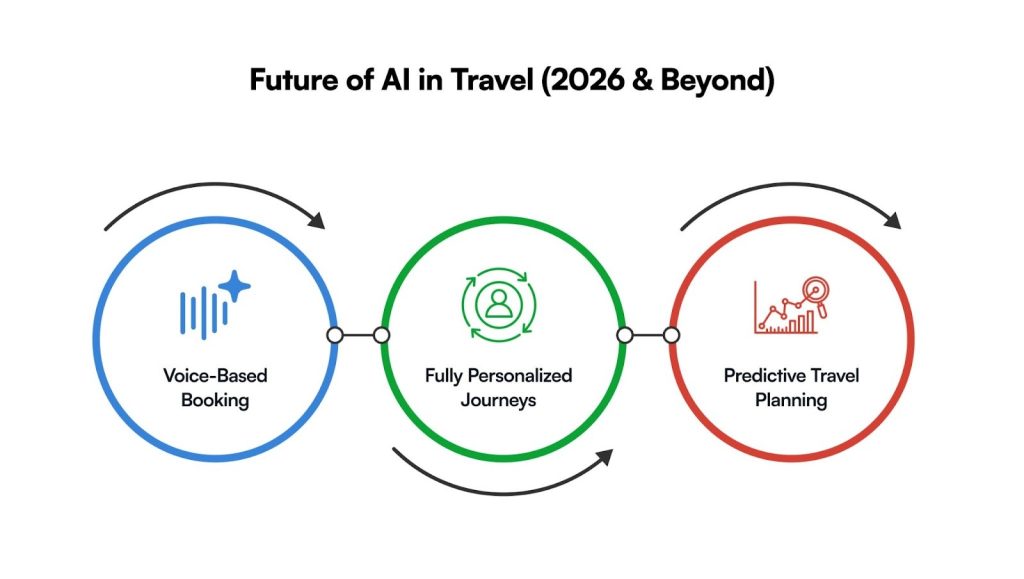
Future of AI in Travel (2026 & Beyond)

The next phase of AI in travel will extend beyond automation. Intelligence will become embedded deeper into the customer journey.

Expect acceleration across these areas:

  • Voice-Based Booking

Voice interfaces are improving rapidly. Travelers will increasingly search and book through conversational assistants.

Natural language processing will interpret intent, preferences, and constraints simultaneously. Friction reduces. Speed improves.

Booking becomes more intuitive.

  • Fully Personalized Journeys

Personalization will move beyond recommendations. Entire travel journeys will adjust dynamically.

AI will coordinate flights, accommodations, activities, and transportation based on real-time context. Preferences will influence pricing, content, and communication automatically.

Experiences will feel curated, not assembled.

  • Predictive Travel Planning

AI will anticipate travel intent before explicit search begins.

Behavioral signals, seasonal patterns, and life events will inform proactive offers. Platforms may suggest destinations before travelers initiate research.

Planning becomes guided by foresight rather than reactive comparison.

Conclusion

AI in travel is moving from enhancement to necessity.

Airlines optimize fleets and pricing. Hotels personalize guest experiences at scale. Tourism platforms guide discovery with intelligence. Revenue improves. Costs stabilize. Decisions accelerate.

The transformation is structural, not temporary.

Organizations that align data, strategy, and technology early will build measurable advantage. Those delaying adoption may face widening performance gaps.

AI in travel and tourism is redefining how the industry operates. The opportunity now lies in disciplined execution.

FAQs

Is AI in travel only relevant for large airlines and hotel chains?
No. Mid-sized travel brands and digital platforms are actively implementing AI to strengthen pricing, personalization, and operational visibility.

How long does AI implementation typically take?
Timelines vary by scope and data readiness. Pilot deployments may take months. Enterprise-wide integration requires phased execution.

Is AI expensive to maintain?
Maintenance costs depend on infrastructure and data management. However, measurable revenue gains and efficiency improvements often offset operational expenses.

Can AI integrate with legacy travel systems?
Yes. API-based architectures and middleware solutions allow AI layers to connect with existing booking engines and operational platforms.

What is the biggest benefit of AI in travel and tourism?
Improved decision-making. AI converts fragmented data into predictive insight, strengthening revenue growth, operational control, and customer loyalty simultaneously.

Why Modern Enterprises Are Investing in Custom App Development in 2026

Enterprises used to run on packaged software. Safe choice. Predictable costs. Quick to deploy.

But uniformity has a downside. When everyone uses identical tools, differentiation fades. Processes start looking alike, and customer experiences too.

That’s exactly why things are shifting.

Custom app development isn’t some big, risky bet anymore. It’s turning into a practical growth strategy. The enterprise mobile app market is expected to touch $338.42 billion, expanding at about 12.33% CAGR through 2031. 

Markets don’t grow like that without a reason. Businesses clearly want more control over their tech. And customers? Their expectations climbed. Quietly, but fast. They want smooth digital transformation, near-instant responses, and zero confusion.

Custom applications give enterprises room to move. Integrate what you need. Scale when growth hits. Pivot without rebuilding everything from scratch. 

In this guide, you’ll see why modern enterprises are investing in custom app development in 2026, what’s driving the urgency, and how the right investment can turn technology into a serious competitive edge.

What is Custom App Development? 

Custom app development for enterprises is pretty straightforward. It is built for your business and workflows, rather than a standardized platform, forcing organizations to adapt to a predefined structure.

No patchwork. No adjusting operations just because the platform says so. Instead, the software adjusts to you. That’s the whole point of custom software development for enterprises: alignment. 

Custom application development is more of a business asset. Something that supports scale without breaking under pressure. As the enterprise expands, the software expands with it. No sudden limitations. No expensive re-platforming panic later.

Why Off-the-Shelf Software is Quietly Failing Enterprises

Off-the-shelf software looks like an easy choice in the beginning because of the lower price tag, faster deployment, and overall, feels like a smart financial move. 

But, as soon as the enterprise starts to scale, the gap starts to appear (even from a distance). Features feel restrictive. Integrations get messy. Teams invent workarounds just to keep operations moving. What once felt efficient slowly becomes friction.

Let’s break down where things actually start going wrong.

  • The Hidden Cost of “Lower Upfront Pricing”

The upfront investment looks manageable. Most stakeholders are on board with that. Procurement teams, too. But the total cost rarely remains predictable.

Soon, expenses begin stacking up. Additional user licenses. Paid feature upgrades. Priority support plans. Integration tools. What once felt “cost-effective” starts stretching the budget. And migrating later? That’s a far bigger financial lift.

In fact, when teams spend extra time working around rigid workflows, the impact compounds. Across departments, business units, and sometimes across global operations.

Software that seemed economical at first can quietly turn into a high-cost commitment, just not right away.

  • Integration Bottlenecks Slow Innovation

Enterprises don’t run on one system. It’s an ecosystem, CRM & ERP, analytics tools, cloud platforms, and internal dashboards.

Off-the-shelf tools weren’t built for your exact stack. So integrations feel forced. Sometimes fragile. One update breaks a connection. Data stops syncing. Teams wait. Innovation pauses while IT fixes pipes in the background.

Not ideal.

Speed matters now. Businesses experimenting with AI development, automation, and real-time analytics can’t afford tech that resists connection. When systems don’t communicate smoothly, decision-making slows, and opportunities pass.

  • Security Limitations in Shared Architectures

Shared platforms mean shared environments. That’s the trade-off many enterprises don’t think about early on.

Vendors handle security, yes. But control is limited. You follow their protocols, their timelines, their response strategies. For enterprises dealing with sensitive customer data, financial records, or compliance-heavy industries, a lack of control can feel uncomfortable. Sometimes risky.

Security isn’t just about protection anymore. It’s about visibility. Custom policies. Faster incident response. When you don’t fully own the architecture, you don’t fully own the safety net either.

7 Strategic Reasons Enterprises Are Choosing Custom Apps in 2026

Enterprises are no longer asking if they should invest in custom app development; rather, they want to know: “How soon can it be implemented without disrupting the growth?”

Here’s exactly what is driving the shift towards enterprise app development in 2026. 

  1. Application Built Around Business Processes

Every enterprise runs differently. Approval chains vary. Data flows differently. Even decision-making structures are unique.

Generic software forces teams to adjust. Custom application development removes that friction. The system mirrors how the business already operates. Fewer workarounds. Less operational drag. Processes feel natural instead of engineered. And when technology aligns with workflows, execution becomes faster by default.

  1. Limitless Scalability for High-Growth Organizations

Growth sounds exciting. Until systems start struggling under the weight.

Many platforms perform well at mid-scale. Then expansion happens, new markets, higher transaction volumes, larger teams, and limitations surface.

With enterprise software development, scalability is planned early. Architecture supports expansion before pressure builds. So when growth arrives, the system keeps pace. No urgent rebuilds. No reactive spending. Just continuity.

  1. Enterprise Level Security & Compliance Readiness

Risk tolerance is lower now. Regulators are stricter. Customers expect data protection without compromise.

Shared platforms offer baseline security. But enterprises often require deeper control, access governance, audit trails, and compliance mapping.

Custom-built applications allow security frameworks to match organizational policies. Do not approximate them. It creates preparedness. Not dependency. And preparedness tends to reduce long-term exposure.

  1. Seamless Integration Across Complex Tech Stacks

Enterprises rarely operate on a single platform. It is usually a layered ecosystem, including ERP, CRM, analytics engines, cloud infrastructure, and internal tools.

When systems fail to communicate, visibility suffers. Decisions slow. Custom app development prioritizes integration from the start. APIs align. Data moves cleanly. Departments stay connected. Technology begins functioning as one environment instead of being separate. 

  1. AI and Automation Compatibility

AI is no longer experimental. It is operational.

Enterprises are embedding predictive analytics, intelligent workflows, and automated decision layers. But many packaged tools were not designed for this level of adaptability. Custom platforms are.

They create space for machine learning models, automation pipelines, and evolving data strategies without structural resistance. Future readiness becomes part of the foundation, not an afterthought.

  1. Superior Customer Experience Through Personalization

Customer expectations rarely stay still. They escalate. Personalized journeys, faster resolutions, contextual interactions, these are becoming standard signals of a mature enterprise.

Enterprise app development allows businesses to shape experiences around user behavior rather than platform limitations. Which often leads to higher retention. Stronger trust. Better lifetime value.

  1. Stronger Long-Term ROI

Custom solutions require higher early investment, and what becomes visible later is the return. It results in lower dependency on multiple vendors, licensing costs stay controlled, and operational friction drops too. 

Over time, enterprise software development stops behaving like a recurring expense. It starts contributing measurable value, stronger productivity, better system stability, and clearer data flow.

Industries Where Custom Enterprise Apps Deliver Maximum Impact

Some industries feel the impact of custom app development faster than others. Usually, because the complexity is higher. Transactions are heavier. Customer expectations rarely pause.

Standard platforms help to a point. Then the limitations surface. That is when custom application development begins to show measurable value.

Here is where the difference becomes difficult to ignore:

  • Fintech: Enterprise mobile app development allows the finance industry to design platforms around compliance frameworks, risk controls, and real-time processing. Fraud detection becomes sharper. Data visibility improves. Customer transactions feel faster and more reliable. And when trust drives revenue, system stability quietly becomes a competitive advantage.
  • Healthcare: For the healthcare industry, delays or inefficiency are never an option because they can result in negative outcomes. Hospitals and care networks manage patient data, diagnostics, billing systems, and compliance mandates, all at once. With custom app development, workflows align better across departments. Patient records move securely. Telehealth integrations feel native instead of layered on top.
  • Manufacturing: Manufacturing runs on coordination. Supply chains, production schedules, equipment monitoring, everything must stay synchronized. That being said, custom app development enables real-time production tracking, predictive maintenance, and tighter inventory control.
  • Logistics: Movement defines logistics. Any delay creates ripple effects across the network. Route planning, fleet tracking, and warehouse coordination each require real-time intelligence. Through custom app development, logistics enterprises gain dynamic routing, predictive delivery insights, and clearer shipment visibility.
  • Retail/eCommerce: Customer loyalty is increasingly experience-driven. Slow platforms or inconsistent journeys rarely get forgiven. Retailers adopting enterprise mobile app development can unify inventory, personalization engines, order management, and analytics into one environment. Shoppers see accurate stock levels. Recommendations feel relevant. Checkout friction reduces.

When Should an Enterprise Invest in Custom App Development?

Timing matters more than most leaders assume. Invest too early, value feels distant, and operational strain becomes visible. 

Certain signals tend to repeat across growing organizations. Notice them early, and see how decisions get simpler.

  1. Rapid scaling: When expansion starts stressing existing systems and performance begins to dip, custom app development creates the structural capacity needed to support sustained growth.
  2. Legacy system limitations: If outdated platforms resist integration, slow teams down, or inflate maintenance costs, modern custom solutions restore agility without constant patchwork.
  3. Complex workflows: When operations involve multiple dependencies and manual interventions, tailored applications streamline execution and reduce process fatigue.

Emerging Trends Shaping Enterprise App Development in 2026

Enterprise technology is moving faster than many anticipated. Expectations keep rising. Systems are no longer expected to just function; they must evolve, almost continuously.

This is exactly where enterprise app development is changing direction.

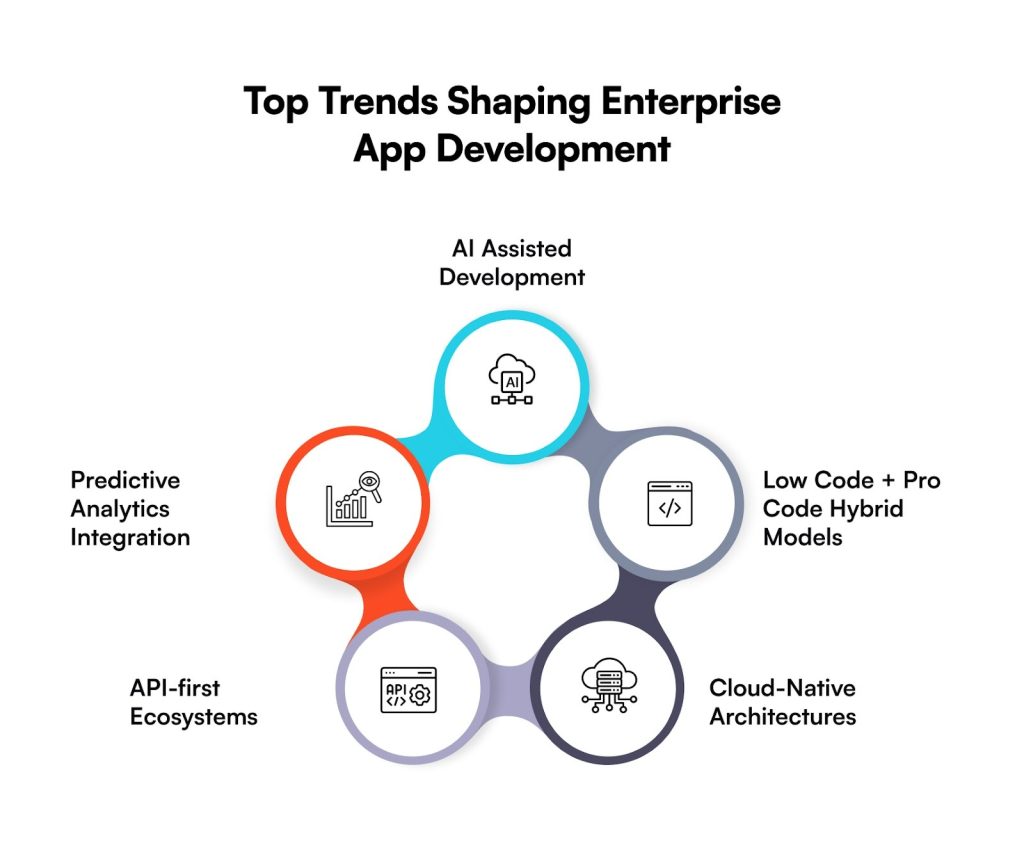
Here are the top emerging trends that are about to transform enterprise app development in the future:

  • AI Assisted Development

Enterprises are leaning on AI to speed up coding and detect risks earlier. Development cycles shorten. Errors reduce before they scale. Delivery feels more predictable, which leadership tends to value.

  • Low Code + Pro Code Hybrid Models

Speed matters, but architectural strength matters more. Hybrid models allow teams to release faster while developers maintain control over complexity. Agility improves without weakening the foundation.

  • Cloud-Native Architectures

Cloud-built applications scale with fewer constraints. Downtime risks drop. Operations stay accessible across locations. Custom application development becomes easier to expand as demand rises.

  • API-first Ecosystems

Applications designed around APIs are cleaner. Systems communicate without unnecessary friction. Expansion feels structured, not reactive. Enterprises gain the flexibility they usually wish they had earlier.

  • Predictive Analytics Integration

Forecasting is moving into the application layer. Leaders see patterns sooner. Decisions shift from reactive to informed. Small advantage perhaps, but it compounds quickly at enterprise scale.

Common Myths About Custom App Development — Debunked

Misconceptions tend to slow enterprise decisions. Especially when the investment feels significant. Many leadership teams hesitate, not because the strategy lacks value, but because outdated assumptions still circulate.

Let’s address a few that deserve reconsideration:

  • Custom apps are only for large enterprises: Custom app development is no longer confined to global enterprises. Mid-sized organizations are investing earlier, often to stabilize operations before complexity expands. It creates clarity, strengthens process control, and prevents systems from getting messy. 
  • They take years to build: That was closer to reality once. Not anymore. Modern development frameworks, cloud infrastructure, and modular architectures allow phased releases. Enterprises deploy core capabilities first, expand gradually, and refine as usage grows. Progress becomes visible earlier.
  • Maintenance is too expensive: Maintenance exists with any software. The difference is control. With custom platforms, enterprises decide when to upgrade, what to optimize, and where to invest. Over time, reduced licensing dependency and fewer operational inefficiencies tend to balance the spend, sometimes more than expected.

How to Choose the Right Custom App Development Partner

The partner you select influences far more than the application itself. It affects scalability. Security readiness. Even the speed at which teams begin trusting the system. This decision requires deliberation. Quick selections often introduce complications later, typically when operations expand.

  • Technical Depth

Engineering strength is essential. Seek teams capable of handling architectural complexity, not only visible features. In custom app development, limited expertise tends to surface during high-demand phases.

  • Industry Experience

Sector familiarity reduces misalignment early. Partners who understand compliance pressures, operational patterns, and user behavior usually design with stronger accuracy. Context reduces costly revisions.

  • Architectural Thinking

Many vendors build applications. Fewer architects for endurance. Scalable structures, integration readiness, and long-term adaptability originate in thoughtful design. Within custom application development, architecture often determines whether the system supports growth or restricts it.

  • Security Expertise

Enterprise systems carry exposure. Protection must be intentional. Assess how the partner approaches governance models, access frameworks, regulatory alignment, and threat prevention. Security should exist within the foundation, not around it.

  • Post-launch support

Release is only a milestone. Applications mature through iteration. Performance tuning, feature refinement, and ongoing monitoring all require continuity. Reliable enterprise app development extends beyond deployment into a sustained partnership.

Custom Apps Are No Longer Optional: They’re Strategic Infrastructure

Enterprises are reaching a quiet realization. Technology is no longer just operational support. It is becoming the structure the business stands on.

Custom app development now sits closer to strategy than IT. It shapes speed. Influences resilience. Determines how confidently an organization can respond to market shifts. Standard platforms still serve a purpose, yes, but differentiation rarely grows from shared systems.

Well-architected applications create something enterprises value deeply: control. Over data. Over workflows. Over security posture. Over future expansion that has not fully arrived yet. The investment may appear significant at first glance, though the long-term operational stability often reframes that perspective.

Execution, however, matters as much as intent. The right development partner brings architectural clarity. Engineering discipline, and the ability to translate business complexity into scalable platforms.

The real question now may be simpler than it seems.

Is your enterprise building systems for where the business is today, or for where it is clearly heading next?

FAQs

Q. Is custom app development worth it for enterprises in 2026?
A. In many cases, yes. Custom app development gives enterprises a tighter operational fit, stronger data ownership, and room to scale without structural strain. The initial investment may seem substantial. Over time, efficiency improves. Vendor dependency reduces. Competitive positioning strengthens.

Q. How much does enterprise custom software cost?
A. There is no single number. Costs shift with complexity, integration depth, compliance needs, and architectural expectations. Enterprise builds often move into six-figure territory, sometimes higher. What matters is cost control over time. Well-planned systems rarely demand expensive reinvention later.

Q. How long does development typically take?
A. Scope defines the timeline. Foundational platforms may take a few months. More layered ecosystems require longer horizons. Many organizations now release in phases, core capabilities first, enhancements after. Progress becomes visible earlier, which leadership tends to prefer.

Q. Are custom apps more secure?
A. They often are. Security frameworks are designed around enterprise policies rather than generalized standards. Access controls stay precise. Governance feels intentional. When executed correctly, risk exposure usually declines.

Q. Can custom apps integrate with legacy systems?
A. Yes. Frequently, that is the objective behind custom application development. APIs and middleware connect older infrastructure with modern layers, improving data continuity without immediate full replacement. Enterprises preserve stability while advancing capability.

Cost to Develop a Crypto Payment Gateway in 2026: Complete Breakdown

Crypto isn’t fringe anymore. It’s part of how money moves now.

A few years ago, businesses treated cryptocurrency like a risky side bet, interesting, but not essential. That mindset has shifted. 

Today, companies across ecommerce, fintech, SaaS, and even retail, are enabling crypto payments because customers are actively asking for it. People want control over their money. They want faster transactions. More transparency. Less dependence on traditional banks.

Even Elon Musk once tweeted: “You can buy a Tesla with Bitcoin.”

And honestly? Businesses see the upside, too. The average revenue per user in the cryptocurrency market is expected to be $98.3 billion in 2026. 

But then comes the real question. 

What does it actually cost to develop a crypto payment gateway?

Because jumping into development without understanding costs, stretches budgets, timelines slip, and projects quietly stall.

Knowing the development cost helps you prioritize features, choose the right tech stack, and avoid over-engineering something your business doesn’t need (yet). It also makes internal approvals easier, finance teams like clarity, not surprises.

This guide walks you through all of it. Just what actually impacts your budget and why it matters.

By the end, you should be able to look at your business model and say, “Yes, this is the kind of crypto payment gateway we need, and this is what it’ll likely take to build it.”

The Growing Demand for Crypto Payment Gateways

  • The Crypto payment gateways market is expected to grow to $6,030 million by 2035. [Source]
  • The region of the Asia Pacific is projected to experience the highest CAGR for the Crypto Payment Gateways Market.
  • Major platforms are adopting crypto, with over 1.3 million merchants. 

What is a Crypto Payment Gateway?

A crypto payment gateway is basically the bridge between your business and the blockchain. It lets you accept cryptocurrency without turning the checkout process into something complicated or intimidating for customers. Smooth experience in the front. While serious technology is working quietly in the background.

It’s also why crypto payment gateway development is suddenly on leadership agendas. Not as an experiment, but as a growth lever.

Businesses want fewer transaction fees. Faster cross-border payments. Access to customers who don’t even use traditional banks anymore. And the ability to sell globally without worrying about currency friction.

But none of this works without a strong infrastructure.

Under the hood, a good gateway blends blockchain connectivity, advanced encryption, fraud controls, and compliance-ready architecture. Miss one layer, and things get risky fast. Payments are not where you cut corners.

How Much Does It Cost to Develop a Crypto Payment Gateway in 2026?

In 2026, the cost to develop a crypto payment gateway usually lands somewhere between $40,000 and $300,000+. Wide range, yes. But it makes sense once you look at what you’re actually building.

Complexity drives cost. Security layers do too. Compliance isn’t cheap either, but skipping it is far more expensive later. And then there’s scalability. Because if your gateway can’t handle growth, you’ll end up rebuilding sooner than you planned, which nobody enjoys.

But remember, you’re not paying for developer hours. Not really. You’re funding the backbone of your payment ecosystem.

Let’s make this easier to visualize:

  • Basic Gateway [$40,000 to $80,000]

Best suited for startups or early-stage products testing crypto acceptance. You get the essentials: wallet integration, payment APIs, a merchant dashboard, and foundational security. Nothing excessive, but enough to operate confidently while validating demand.

  • Mid-Level Platform [$80,000 to $150,000]

This is where growing companies usually land. Transaction flow becomes predictable, so the system needs more muscle. Expect multi-currency support, automated crypto-to-fiat conversion, or a stronger encryption standard. It’s less about experimenting now and more about operating efficiently.

  • Enterprise-Grade Gateway [$150,000 to $300,000+]

Built for serious scale. Fintech firms, marketplaces, and global merchants are businesses that cannot afford payment friction. At this level, you’re looking at advanced fraud detection, cold wallet setups for asset protection, intelligent routing to optimize transaction success rates, deep analytics, and cloud infrastructure. Expensive? Yes. But rebuilding a weak system later costs far more.

One important thing to remember, the “right” app development cost isn’t the lowest one. It’s the one aligned with your transaction volume, risk exposure, and growth trajectory.

Key Factors That Influence Crypto Payment Gateway Development Cost

The crypto payment gateway development cost doesn’t come from one big decision. It builds up. Layer by layer. Mostly shaped by how advanced you want the platform to be, how secure it needs to run, and whether it can scale when transaction volume spikes (because it will, if things go right).

Pricing can swing quite a bit. But these are the factors that actually decide what you’ll end up budgeting, and whether your gateway still makes sense two or three years down the line.

  • Feature Complexity

The moment you move beyond basic payment acceptance, the development effort climbs. Multi-currency support, real-time crypto-to-fiat conversion, recurring billing, reporting dashboards, analytics, each one sounds small in isolation. Together, they demand serious engineering.

Here’s where smart teams pause and prioritize. Build what drives revenue first. 

  • Security Infrastructure

Security is not the place to negotiate with your budget. Really, it isn’t.

Multi-signature wallets. End-to-end encryption. Cold storage. AI-led fraud detection. Continuous monitoring. All of it raises the crypto payment gateway development cost, but skipping these is far more expensive when something goes wrong.

  • Compliance and Regulatory Requirements

Some businesses still treat compliance like paperwork. It’s not. It’s infrastructure.

KYC. AML protocols. Data protection frameworks. Audit trails. Yes, integrating them increases upfront spend. Slightly slows the launch, too, sometimes. But the alternative? Regulatory penalties, frozen operations, reputational damage. 

Compliance has quietly become a baseline expectation in fintech. Not a differentiator. Just the cost of being taken seriously.

  • Blockchain Integration Choices

Your blockchain strategy has ripple effects everywhere, including cost, speed, scalability, and even user experience.

Supporting multiple blockchains expands your reach but demands deeper engineering. More testing. More maintenance. On the other hand, optimizing for faster, low-fee networks can improve transaction flow and reduce long-term operational strain.

There’s no universal “best” choice here. Only what aligns with your business model.

  • Development Team Location

Yes, rates vary across regions. Massively, sometimes.

But chasing the lowest hourly cost usually backfires. Crypto infrastructure is not a beginner-friendly build. You need people who understand fintech architecture, security logic, and blockchain behavior.

Experienced teams often charge more upfront. Still, they tend to prevent expensive rebuilds, performance gaps, and structural errors that show up months after launch.

So look beyond geography. Optimize for expertise.

Hidden Costs Businesses Often Underestimate

When companies calculate the cost to develop a crypto payment gateway, most attention goes straight to development. The build. The launch. The visible stuff.

But the real financial pressure? It usually shows up after.

Let’s talk about the ones businesses tend to miss.

  1. Infrastructure & Cloud Hosting

Payments don’t tolerate downtime. Even a few minutes can mean lost revenue, and worse, lost trust.

Reliable cloud infrastructure keeps transactions flowing, but servers, storage, bandwidth, and failover systems scale as you grow. Which means the cost to develop a crypto payment gateway doesn’t stop at launch.

  1. Third-Party APIs

Most gateways don’t operate in isolation. They rely on external services, identity verification, live exchange rates, blockchain data providers, and payment processors. And yes, those integrations usually come with recurring fees.

Individually, they may look manageable. Together, over months, they reshape the total cost to develop a crypto payment gateway far beyond the initial build. 

  1. Ongoing Compliance Updates

Regulations don’t sit still. Especially in crypto.

Frameworks evolve, reporting standards tighten, and data protection expectations grow sharper. Staying compliant means updating monitoring tools, refining workflows, and sometimes rebuilding parts of the system.

  1. Security Audits

You can’t just secure a platform once and assume it’ll hold.

Routine security audits. Penetration testing. Vulnerability scans. They help catch weaknesses before someone else does. Yes, they add to the budget. But compared to the financial and reputational damage of a breach? Honestly, it’s not even close.

  1. Maintenance

Launch day feels big. It’s not the finish line.

Bugs show up, some small, while others are huge. Systems need performance tuning as transaction volume grows. Versions must be upgraded before they become security risks. And every now and then, users start expecting features no one asked for during development. Happens more often than teams admit.

  1. Customer Support Systems

When money moves, users expect immediate answers. Delayed support creates panic, and panic kills trust.

Strong support infrastructure helps resolve transaction issues quickly, keeps customers confident, and prevents small glitches from becoming reputation problems. It’s not just an operational add-on; it stabilizes the entire payment experience.

Cost Optimization Strategies (Without Compromising Security)

Managing the cost to develop a crypto payment gateway isn’t about cutting corners. It’s about making smart calls early, so you’re not forced into expensive fixes later.

The businesses that get this right don’t chase the cheapest build. They build for durability. For scale. For regulatory curveballs that inevitably show up. Do it strategically, and your gateway grows with you, not against you.

Here’s what actually helps control the cost of developing a crypto payment gateway without weakening your payment infrastructure.

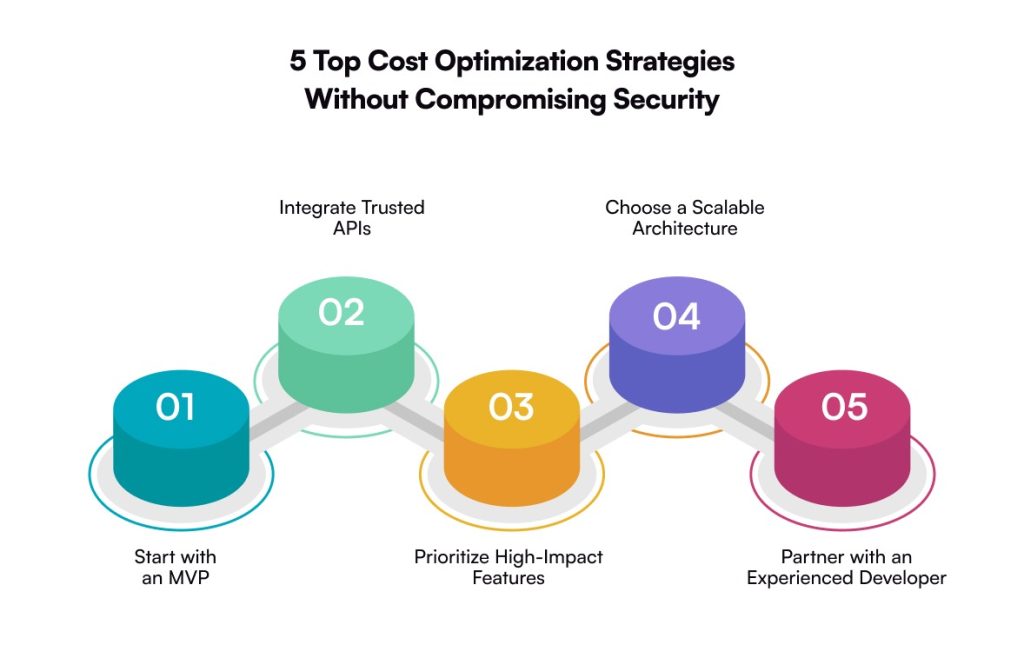
  • Start with an MVP

Don’t build everything at once. Seriously, you don’t need to.

A minimum viable product development can get you into the market faster and, more importantly, shows whether real transaction demand exists. Not assumed demand. Real usage.

This phased approach prevents heavy upfront spending and keeps the cost to develop a crypto payment gateway tied to actual business momentum. Build. Learn. Expand.

  • Integrate Trusted APIs

Rebuilding the wheel sounds ambitious. Mostly, it’s expensive.

Reliable third-party APIs for KYC, exchange rates, and blockchain data shorten development cycles dramatically. Less engineering strain. Faster deployment. And when the integrations are trusted, security doesn’t take a hit. Which, frankly, is non-negotiable in payments.

  • Prioritize High-Impact Features

Every feature feels important during planning. It isn’t.

Focus first on what drives revenue, speeds up transactions, and strengthens user trust. The rest can wait. Platforms that try to launch “fully loaded” often burn budget too early.

Smart prioritization keeps the crypto payment gateway development cost under control while still positioning your product as competitive from day one.

  • Choose a Scalable Architecture

Growth sounds great, until your system can’t handle it.

Designing for scalability from the start allows your gateway to absorb rising transaction volumes without forcing a full rebuild later (which is painful and very expensive).

Yes, initial investment might tick up slightly. But long-term, it lowers the cost to develop a crypto payment gateway by avoiding disruptive migrations and downtime.

Future-you will be grateful for this decision.

  • Partner with Experienced Fintech Developers

Expertise costs more upfront. Usually worth every bit.

Seasoned fintech developers understand compliance pressure, security frameworks, payment logic, and the details that inexperienced teams often overlook. Those oversights? They turn into costly architectural mistakes.

The right partner doesn’t just build your gateway. They streamline the entire lifecycle so your budget and growth plans stay protected.

Build vs Buy vs White-Label: Which is More Cost-Effective?

When businesses evaluate the crypto payment gateway development cost, one decision quietly shapes everything that follows: do you build it, buy it, or go white-label?

Looks simple on the surface. It isn’t.

Each path changes your investment, your level of control, and how well the platform holds up when transaction volume grows. Pick wrong, and costs don’t just rise; they compound over time.

This choice shouldn’t be driven by budget alone. Think bigger. Growth plans. Customization requirements. Regulatory exposure. How fast do you need to enter the market?

Get those clear first. The right direction usually becomes obvious.

  • Build (Custom Development)

Building from scratch gives you full ownership. Total control over security layers, transaction logic, integrations, all of it shaped around your business model instead of someone else’s framework.

Yes, the upfront cryptocurrency payment gateway cost is higher. No surprise there. But custom platforms scale better and remove the burden of ongoing licensing fees that quietly drain margins.

For companies treating payments as a strategic asset, not just a backend function, this route often pays off long-term.

Estimated Cost: $120,000 – $300,000+
Best For: Fintech firms, enterprises, and high-growth businesses focused on control, differentiation, and stronger ROI.

  • Buy (Ready-Made Solution)

Need speed? This is usually the fastest route.

Buying an existing gateway cuts development time dramatically and lowers the initial cost to build a crypto payment gateway. You skip the heavy engineering phase and move closer to launch.

But convenience has trade-offs.

Customization tends to be limited. Vendor dependency becomes real. Subscription or transaction fees follow you month after month. And as your product evolves, the platform may not keep up.

Estimated Cost: $20,000 – $70,000 (plus recurring fees)
Best For: Startups or businesses testing crypto payments without taking on major upfront risk.

  • White-Label Solutions

White-label sits somewhere in the middle, not fully custom, not completely off-the-shelf.

You get proven infrastructure, faster deployment, and the ability to operate under your own brand. Customers see your identity, not a third-party platform, which matters more than many teams initially think.

The cost to develop a crypto payment gateway is lower than custom builds but higher than basic, ready-made tools because of branding flexibility and configuration.

For many growing companies, it’s a practical balance between speed and professionalism.

Estimated Cost: $40,000 – $100,000
Best For: Businesses that want customization and brand presence without waiting through a full development cycle.

A Quick Comparison:

ApproachUpfront CostCustomizationTime to MarketLong-Term Cost Impact
BuildHighestComplete controlLongerLower over time
BuyLowestLimitedFastestCan increase due to fees
White-LabelModerateModerate–HighFastBalanced

Why Partner with an Experienced Fintech Development Company 

Building a payment system isn’t just another tech project anymore. It’s a business decision. A serious one. The kind that directly impacts customer trust, transaction stability, and whether your platform can scale without breaking under pressure.

When companies start evaluating the crypto payment gateway development cost, many focus on numbers first. Fair. But here’s what experienced leaders eventually realize: the real differentiator isn’t the budget. It’s the expertise shaping the architecture.

Because a smart development approach does more than launch a gateway. It helps you avoid hidden costs. Builds compliance into the system from day one. That’s where seasoned fintech teams, like Galaxy Weblinks, step in.

They don’t just react to problems post-launch. They see them coming. And quietly design around them. The result? Faster execution. Fewer operational surprises. Stronger protection for both revenue and reputation.

At the end of the day, the smartest investment isn’t just launching a crypto payment gateway. It’s launching one that’s ready for what comes next: higher volume, tighter regulations, bigger customer expectations.

If you’re planning the next move, bring experts in early. Align your tech with your growth plans. Think long term, even if the launch feels urgent.

FAQs

1. What is the cost to develop a crypto payment gateway in 2026?

The cost to develop a crypto payment gateway usually falls somewhere between $40,000 and $300,000+. Wide range, yes, but it depends on what you’re building. Feature depth. Security layers. Compliance readiness. Blockchain integrations. All of these push the number up or down.

2. What factors most influence crypto payment gateway development cost?

A few things drive the budget faster than others.

Advanced security frameworks. KYC and AML compliance. Multi-currency capability. Scalable architecture. And often overlooked the expertise of the development team itself. Businesses that plan for future scale typically spend more early, but avoid painful (and expensive) upgrades down the road. 

3. How long does it take to develop a crypto payment gateway?

Most gateways take 3 to 12 months to build. Sometimes quicker, sometimes longer, depends on the complexity.

An MVP can launch relatively fast if the scope is tight. Enterprise platforms? They need more breathing room for security testing, deep integrations, and compliance checks. Rushing this phase usually creates bigger delays later, ironically.

4. Is it better to build a crypto payment gateway from scratch or use a white-label solution?

Custom development gives you full control, stronger flexibility, and better long-term cost efficiency, especially for high-growth companies that see payments as a competitive advantage.

White-label solutions, on the other hand, speed things up and reduce upfront investment. Great for fast market entry. Just know that customization limits may surface as your ecosystem expands.

5. Can startups afford the cost to develop a crypto payment gateway?

Yes. Many do, just not all at once.

Startups often begin with an MVP or API-first model to keep the crypto payment gateway development cost manageable. Build the core. Validate demand. Then scale gradually as transaction volume rises. It’s a smarter financial path. 

A Detailed Guide to Medical Software Development in 2026

In 2026, building medical software isn’t just a technical task anymore. It comes with pressure. Constant pressure. Teams are expected to move fast, stay compliant, and never compromise on safety.

Healthcare and MedTech teams are shipping products in an environment that keeps changing. Regulations evolve. Systems need to integrate without friction. Data has to move securely. And even small software failures can lead to real-world consequences.

That’s why medical software development has shifted from being a support function to becoming the foundation. If the software isn’t stable, secure, and validated, nothing else matters. Not the device. Not the platform. Not the launch.

This shift is also reflected in the market itself. The SaMD market is valued at USD 31.6 billion in 2025 and is projected to grow at a CAGR of 22.2%, reaching $191.7 billion by 2034. Growth like this signals one thing clearly. Software is now central to how medical products are built, regulated, and delivered.

Now, this is where many teams get stuck. Not on what to build, but how to build it right. What actually matters in 2026? Where do compliance, usability, and scalability intersect?

That’s exactly what this guide is designed to answer. It breaks medical software development down into clear, practical steps. From early planning to validation and deployment. No noise. No confusion. Just what you need to build software that passes audits, scales safely, and earns long-term trust.

What is Medical Software Development?

Medical software development means building software for healthcare. You design it, test it, and maintain it for years. These systems handle patient records. They support diagnostics, automate clinical workflows, and sometimes they talk directly to medical devices. 

At the core, medical software development lives inside regulations. FDA guidelines, IEC 62304, HIPAA, and ISO 13485. These aren’t suggestions. They define how you build. How do you test? How do you release? Every feature is validated, and every update is documented. Even the small ones. 

The goal is simple. Building a medical software that meets compliance. Works in real clinical settings. Stays safe under pressure. And performs when it actually matters. That’s what medical software development is really about.

Types of Medical Software Transforming the Healthcare Industry

Medical software development is changing how the healthcare industry actually works. Not in theory. In daily practice. How systems run. How doctors diagnose. How care gets delivered at scale. 

Below is a list of the top 6 different types of medical device software you must know:

  • Clinical Decision Support Software

This software helps clinicians decide faster and smarter. It analyzes patient data. Matches it with clinical guidelines. Does it in real time? In medical software development, accuracy isn’t a feature. It’s the baseline. The logic must be explainable, and the data flow must be clean. And EHR software integration? Non-negotiable. If it doesn’t fit into clinical workflows, it won’t be used.

  • Medical Imaging Software

Medical imaging software turns raw scans into usable insights. X-rays. MRIs. CT scans. Ultrasounds. All of it. The margin for error is tiny. Medical device software development matters a lot here. Compliance is strict. Performance has to stay high. Images must load fast. Stay precise. And never distort clinical truth.

  • AI-Driven Diagnostics Tools

AI diagnostics promise speed, early detection, and better outcomes. But they also raise questions, in fact, big ones. These tools use machine learning to spot patterns and predict conditions. Medical software development here moves carefully. Models are validated. Decisions are traceable. Ethics matter. Regulators are watching. Innovation only works when trust stays intact.

  • Patient-Facing Medical Software

This is what patients actually see. Apps. Web platforms. Portals. Tools to track health data. Book appointments. Access care remotely. Sounds simple. It isn’t. The UI/UX design has to feel effortless. Data privacy must be airtight. Architecture must scale without cracks. Medical software development in this space balances ease with serious security.

  • Remote Patient Monitoring Software

Remote monitoring keeps an eye on patients, even outside hospitals. Wearables. Sensors. Connected devices. Vitals stream in continuously. In real time. Medical device software development focuses on accuracy here. Interoperability too. Systems must talk to each other. Data must stay secure while moving fast. Delays or drops are not acceptable.

Steps to Build a Medical Software Solution

Building a medical software solution requires a structured approach that balances innovation, compliance, and patient safety. Each step plays a critical role in ensuring the software is reliable, secure, and ready for real-world healthcare use.

  • Requirement Analysis & Planning: This stage focuses on defining clinical needs, user roles, regulatory requirements, and risk factors to create a clear development roadmap.
  • Regulatory & Compliance Assessment: Early evaluation of applicable standards such as FDA, IEC 62304, and HIPAA helps avoid rework and compliance gaps later.
  • UX/UI Design & Usability Engineering: Design decisions prioritize ease of use, error reduction, and accessibility, especially for clinicians working in high-pressure environments.
  • Software Development & Integration: Developers build core features, implement security controls, and integrate the solution with EHRs, devices, or third-party systems.
  • Testing & Validation: Comprehensive testing ensures functionality, performance, security, and compliance with medical software regulations.
  • Deployment & Maintenance: After deployment, continuous monitoring, updates, and documentation keep the medical software secure, compliant, and scalable.

How Much Does It Cost to Develop Medical Software

Estimating the cost of medical software isn’t simple math. It depends on a lot. Complexity. Features. Compliance requirements. The tech stack you choose. Every decision shifts the number.

Here is an average estimation that you can expect:

Type of Medical Software SolutionEstimated Cost Range (USD)
Basic Patient-Facing Medical Apps$50,000 – $150,000
Clinical Decision Support Software$150,000 – $400,000
Medical Imaging Software$200,000 – $500,000
AI-Driven Diagnostics / SaMD Solutions$500,000+
Enterprise Healthcare Platforms$500,000 – $1,000,000+
Ongoing Maintenance & Compliance20% – 30% of initial cost (annually)

Regulatory Requirements for Medical Software Development

Medical software doesn’t survive on code alone. It survives on rules. Regulations run the show. They decide how you design and how you test. 

  • FDA (U.S. Food and Drug Administration): The FDA sets the bar in the U.S. Safety comes first. Effectiveness isn’t debated. Medical software and SaMD must prove they work. Not once. Every time. Validation is mandatory. Evidence isn’t paperwork. It’s protection.
  • IEC 62304: IEC 62304 controls the software lifecycle. From the first idea to long-term maintenance. It brings order. Clear steps. Clear ownership. 
  • ISO 13485: ISO 13485 is about quality discipline. End-to-end. How teams build. How do they document? How do they fix gaps? A strong QMS keeps things repeatable. Audits feel calmer. Releases feel safer.
  • HIPAA: HIPAA guards patient data. Medical software must lock down health information. Access rules. Encryption layers. Audit logs. 
  • GDPR: GDPR tightens everything in the EU. Personal health data gets extra care. Consent is clear. Transparency is expected. Medical software must respect data rights. Or step aside.
  • Risk Management (ISO 14971): ISO 14971 keeps risk visible. Identify it early. Assess it properly. Reduce it continuously. Medical software development isn’t about zero risk. It’s about control before damage happens.
  • Usability Engineering (IEC 62366): Poor UX creates errors. Real ones. IEC 62366 fixes that mindset. Design for people, not manuals. 

Advantages of Medical Software Solutions for Patients and Healthcare Providers

Medical software development creates value you can actually measure. Not buzzwords. Real impact. It improves how care is delivered. How decisions are made. How operations run day to day. The benefits don’t sit on one side. Patients gain. Providers gain. Clinical outcomes and business goals move forward together.

For Patients

  • Improved Outcomes: Medical software supports early diagnosis. Continuous monitoring. Faster interventions. Problems get caught sooner. Treatment starts earlier to improve care results.
  • Enhanced Engagement: Patient-facing medical software keeps people involved. Health tracking. Reminders. Clear communication. Patients stop guessing. They start participating. That shift matters more than it sounds.
  • Personalized Care: Medical software development makes care less generic and more personal. Treatment plans adapt to patient data, history, and real-time signals. One-size-fits-all fades out. Context steps in.
  • Anywhere Access: Cloud-based medical software removes location limits. Patients can access records, book consultations, and check updates anytime, anywhere. Care doesn’t pause because someone isn’t on-site.
  • Informed Decisions: Medical software translates data into clarity. Patients see what’s happening. Why it matters. What comes next? Better understanding leads to better choices. And less anxiety.

For Healthcare Providers

  • Streamlined Workflows: Medical software automates the boring, heavy stuff. Admin tasks. Clinical processes. It results in less manual work and fewer delays. Teams spend time where it counts.
  • Cost Savings: Good medical software development reduces waste. Fewer errors. Less rework. Smarter use of resources. Costs drop quietly, but consistently.
  • Better Data Management: Centralized systems keep data clean and connected. Accurate storage. Smooth interoperability. Secure exchange. Information flows without friction or chaos.

Top Trends in Medical Software Development

Medical software development in 2026 looks different. Today, healthcare providers need smarter, faster, and more connected solutions. The push is clear. Better care delivery. Real-time data. Systems that actually talk to each other. 

These trends aren’t hype; they’re reshaping outcomes, patient experience, and operational efficiency, all at once.

  • Telemedicine and Remote Patient Monitoring: Care no longer stays inside hospital walls. Telemedicine platforms enable virtual consultations securely. Remote patient monitoring tracks vitals in real time. No waiting. No gaps. 
  • AI and Machine Learning in Diagnostics: AI is changing how diagnoses happen. Medical software now analyzes massive clinical datasets. Fast. Consistently. Patterns surface earlier. 
  • Wearable Technology: Wearables never sleep. They collect data nonstop. Heart rate. Activity. Signals that matter. Medical device software development turns this data into alerts, insights, and preventive care actions. 
  • Interoperability and Data Integration: Disconnected systems slow care down. Interoperable medical software fixes that. EHRs connect. Devices sync. Platforms share data smoothly. Information flows where it’s needed. 

Challenges in Medical Software Development and Their Solutions

Medical software development comes with pressure. Different kind. Here, technical choices don’t stay technical. They touch compliance. Security. Patient safety. Miss something early, and it shows up later. Address these challenges upfront, and risk drops. Adoption improves. Systems last longer.

  • Regulatory Compliance

Regulations keep shifting. That’s the reality. Navigating them isn’t easy. But structured development helps. Clear processes. Clean documentation. Early compliance planning. Audits feel manageable. Approvals stop being roadblocks.

  • Data Security & Privacy

Medical software handles sensitive data. Very sensitive data like patient records and health history. Strong encryption is a must. So are access controls. Continuous security testing, too. One weak layer, and everything is exposed.

  • Integration with Legacy Systems

Many healthcare systems still run on old systems. Medical software must adapt. Interoperability matters. Standardized APIs help. Data needs to move without breaking workflows. Or trust.

  • User Adoption & Training

Great software can still fail. If no one uses it. Adoption is the real test. Intuitive design helps. So does structured training. Clinicians and staff need confidence, not confusion. That’s what drives real usage.

Technologies Used for Developing Medical Software Solutions

Following is a list of technologies developers use for building medical device software development:

  • Programming Languages: Java, C++, Python, and C#
  • Frontend Technologies: React, Angular, and Vue
  • Backedn Frameworks: Spring Boot, .NET, and NodeJS
  • Cloud Platforms: AWS, Microsoft, Azure and Google Cloud

Conclusion

Medical software development in 2026 asks for more. More than clean code and fast releases. It needs a real understanding of healthcare workflows. Regulations. Data security. Patient safety. Miss any of these, and the software fails. Even if it “works.”

The level of reliability doesn’t come from shortcuts. Or generalist teams learning on the job. Medical device software development is heavy. Validation is complex. Documentation is constant. Compliance starts on day one and never really ends.

This is where experience counts. An experienced development team knows the standards. Plans for audits early. Integrates smoothly with existing systems. Scales without breaking safety or performance. 

If your goal is clear. Build compliant and future-ready medical software. Software that earns trust and passes audits. Then partner smart. Galaxy Weblinks is your reliable partner. Contact us now to get your idea turned into reality. You can see how this approach works in practice through our custom virtual healthcare solution. Built with compliance, usability, and long-term scalability at the core.

FAQs

1. What is medical software development?
Medical software development is about building software for healthcare use. Designing it. Testing it hard. Maintaining it long-term. It must meet strict safety and regulatory standards. No flexibility here. Patient safety comes first.

2. How is medical software different from healthcare software?
Medical software touches clinical decisions or medical devices. That’s the line. It’s regulated. Closely. Healthcare software is broader. Admin tools. Operations. Engagement platforms. Useful, yes. But not always clinically critical.

3. Which regulations apply to medical software development?
It depends on where and what you’re building. FDA rules in the U.S., IEC 62304 for lifecycle control. ISO 13485 for quality systems. HIPAA for patient data. GDPR in the EU. Different regions. Same pressure.

4. How long does it take to develop medical software?
There’s no fixed timeline. Complexity drives it. So does compliance. Most projects take months. Some cross a year. Validation alone takes time. Rushing here usually costs more later.

5. Why should businesses hire experts for medical device software development?
Because mistakes are expensive. Experts reduce compliance risk. Handle validation properly. Build security early. And deliver software that scales without breaking trust. Or audits.

Embedded Software Development Process: From Concept to Deployment 

Embedded software runs the world quietly. Cars. Medical devices. Factories. Smart products. None of them work without it. And yet, this kind of software is nothing like web or mobile apps. It lives under pressure. Tight memory. Strict timing. Real hardware. Real consequences.  

That’s why embedded software development can’t start with code. It starts with limits. Power budgets. Clock cycles. Safety rules. Miss these early, and fixes later get ugly. Expensive too.  

This guide breaks down the complete embedded software development process. From concept to deployment. No fluff. Just how real systems are actually built. Requirements. Hardware–software co-design. RTOS choices. Drivers. Testing. Security. Updates.  

If you’re building devices that must run for years, not weeks, this matters. Whether you’re a startup, OEM, or enterprise team, understanding this process helps you avoid silent failures and build systems that simply don’t break when it counts. 

Complete Process to Build Embedded Software 

Embedded software development doesn’t start with code. It starts with constraints. Hardware limits. Timing rules. Power budgets. Miss these early, and everything breaks later. Good embedded software development services follow a structured, reality-first process. Not theory. Not shortcuts.  

Starting by understanding the constraints and focusing on actual needs helps build robust embedded applications. Let’s check out the different steps in developing such a software solution.  

1. Requirement Analysis & System Understanding 

This phase sets the direction. Teams study the hardware. Microcontroller type. Memory size. Clock speed. Interfaces. Sensors. Actuators. Then come functional requirements. What must the device do. And non-functional ones. Response time. Power usage. Safety. Compliance. In embedded software development, vague requirements are dangerous. Precision matters.  

2. Hardware–Software Co-Design 

Here, software and hardware teams align. Pin configurations. Communication protocols. Interrupt priorities. Power modes. This is where many projects fail quietly. Good embedded software development services validate assumptions early. They simulate. They prototype. They avoid late surprises that cost weeks.  

3. Architecture & RTOS Selection 

Next comes system design. Bare-metal or RTOS. Task scheduling. Memory layout. Error handling. The choice depends on complexity. Simple device? Bare-metal works. Multi-tasking system? RTOS makes sense. FreeRTOS (popular for embedded systems). QNX (automotive, medical). VxWorks (popular for critical systems). Architecture defines scalability. Get this wrong, refactoring hurts.  

4. Driver and Low-Level Development 

This is the foundation. Writing drivers for GPIO, UART, SPI, I2C, CAN. Talking directly to hardware registers. Timing is critical here. One wrong delay and sensors misbehave. Embedded software development demands patience at this stage. Debugging happens with oscilloscopes, not print statements.  

5. Application Logic Implementation 

Now the device starts to “think.” Business logic. State machines. Control algorithms. Data processing. Everything runs on top of the low-level layer. Code must be efficient. Memory leaks are unacceptable. CPU cycles are precious. Clean logic keeps systems stable over years.  

6. Integration & Middleware Setup 

Many devices talk to the outside world. Cloud. Mobile apps. Other machines. Middleware handles this. MQTT. HTTP. BLE. Modbus. CANopen. Integration complexity is often underestimated. Embedded software development services plan for retries, packet loss, and unstable networks.  

7. Testing at Every Level 

Testing is not a phase. It’s constant. Unit tests for logic. Integration tests for modules. Hardware-in-the-loop testing for real-world behavior. Stress tests. Fault injection. Power cycling. Good embedded software development treats testing as insurance, not overhead.  

8. Security & Compliance Hardening 

Modern devices must be secure. Secure boot. Firmware signing. Encrypted communication. Role-based access. Compliance checks follow. Medical. Automotive. Industrial standards. Skipping this stage invites disasters later. Security in embedded software is not optional anymore.  

9. Optimization & Power Management 

Once stable, teams optimize. Reduce CPU usage. Lower memory footprint. Improve battery life. Sleep modes. Interrupt tuning. This step separates average builds from production-grade systems. Embedded software development lives in these details.  

10. Deployment, Monitoring & Updates 

Finally, the software ships. But work doesn’t end. Devices need updates. OTA mechanisms. Rollback strategies. Field monitoring. Good embedded software development services plan for the next five years, not just launch day. 

Key Components of Embedded System Software  

Embedded systems look simple from the outside. A device turns on. Does its job. Stays quiet. Inside, it’s controlled chaos. Every layer matters. That’s why embedded software development focuses less on flashy features and more on solid building blocks. Software development in embedded system environments depends on these components working together. No room for guesswork.  

Bootloader 

This is the first thing that runs. Every time. 

It initializes hardware. Sets memory. Loads the main firmware. If the bootloader is sloppy, the device won’t even start. Updates fail. Devices brick. Good embedded software development treats the bootloader like sacred ground. 

Real-Time Operating System (RTOS) 

Not all systems need it. Many do. 

An RTOS manages tasks, timing, and priorities. It ensures critical operations happen exactly when they should. No delays. No surprises. In software development in embedded system projects with sensors, motors, or real-time control, an RTOS keeps things predictable.  

Device Drivers 

Drivers talk directly to hardware. Sensors. Displays. Motors. Communication chips. 

Bad drivers cause flaky behavior. Random crashes. Weird bugs no one enjoys debugging at 3 a.m. Clean drivers make hardware feel reliable and boring. That’s a compliment.  

Firmware Application Layer 

This is where product logic lives. The rules. The workflows. The behavior users actually care about. 

In embedded software development, this layer must be lean. No wasted cycles. No bloated logic. Every line should earn its place. Performance here directly affects battery life and responsiveness.  

Communication Stacks 

Devices rarely work alone now. They talk. A lot. 

UART, SPI, I2C for local comms. CAN for automotive. TCP/IP, MQTT, BLE for connected systems. These stacks handle data flow. When poorly implemented, data drops. Latency spikes. Systems desync. Users notice.  

Memory Management 

Embedded systems don’t have infinite RAM. Or storage. 

Memory leaks aren’t “minor bugs” here. They’re system killers. Good software development in embedded system projects plans memory usage early. Static allocation. Careful buffers. No surprises in production.  

Security Modules 

Security isn’t optional anymore. 

Secure boot. Encryption. Authentication. Key storage. These components protect firmware and data from tampering. Weak security turns devices into liabilities. Strong security builds trust quietly.  

Diagnostics and Logging 

When something fails, you need answers. Fast. 

Logs, error codes, health checks. These components help teams debug issues in the field without physical access. Skipping this layer saves time early. Costs months later. 

Key Benefits of Embedded Software Development 

Embedded systems don’t shout. They just work. When done right, no one notices them. That’s the real power of embedded software development. It sits quietly inside devices and makes everything reliable, fast, and efficient. Software development in embedded system environments is less about screens and more about outcomes. 

High Performance With Minimal Resources 

Embedded software is built to do more with less. Limited memory. Limited power. Tight timing. 

Well-written firmware squeezes every cycle. Every byte. Devices respond faster. Boot quicker. Run smoother. This efficiency matters in real-world conditions, not demos. 

Improved Reliability and Stability 

These systems run for years. Sometimes nonstop. 

Embedded software development focuses on predictability. No random crashes. No memory leaks slowly killing the system. Stability here isn’t a nice-to-have. It’s the product itself. 

Lower Power Consumption 

Battery life is everything. 

Optimized software reduces CPU usage, controls sleep states, and avoids waste. In software development in embedded system projects, small improvements add up. Longer battery life. Less heat. Happier users. 

Real-Time Responsiveness 

Timing matters. A lot. 

Embedded software reacts instantly to inputs. Sensors. Buttons. Signals. With real-time logic, systems respond exactly when required. Not late. Not “almost.” That precision enables medical devices, automotive controls, and industrial automation to work safely. 

Tight Hardware Integration 

Hardware and software aren’t separate worlds here. They’re one system. 

Custom firmware talks directly to sensors, motors, displays, and chips. This deep integration unlocks capabilities generic software can’t. Better accuracy. Better control. Better performance. 

Enhanced Security at the Device Level 

Security starts inside the device. 

Secure boot. Encrypted communication. Access control. Embedded software development protects systems before data ever reaches the cloud. This reduces attack surfaces and keeps sensitive operations safe from the ground up. 

Long-Term Cost Efficiency 

Well-built embedded software lasts. 

Fewer failures. Fewer recalls. Fewer field fixes. Software development in embedded system environments reduces maintenance costs over time. Upfront effort saves money later. A lot of it. 

Scalability for Product Families 

One solid firmware base supports many devices. 

Different models. Different features. Same core logic. This makes scaling product lines easier and faster without reinventing everything. 

Better User Experience Without UI Noise 

Users feel quality even if they don’t see it. 

Fast responses. No glitches. Predictable behavior. Embedded systems shape experience quietly. When devices feel “solid,” software is usually the reason. 

Embedded software development isn’t flashy. It’s foundational. When it’s done right, devices earn trust. And trust is hard to replace. 

Essential Tools for Embedded Software Development 

Embedded systems don’t forgive sloppy tooling. One wrong config and the device just sits there. Dead. That’s why embedded software development depends heavily on the right tools. Not fancy ones. Reliable ones. Especially in regulated spaces like automotive embedded software development, tooling can make or break timelines.  

Integrated Development Environments (IDEs) 

This is where everything starts. 

Tools like Eclipse, Keil, IAR, and VS Code (with extensions) help developers write, compile, and debug firmware in one place. A good IDE speeds things up. Bad ones slow teams down quietly. In embedded software development, clarity matters more than polish.  

Compilers and Toolchains 

Code must talk to hardware. Exactly. 

GCC for ARM, LLVM, and vendor-specific toolchains handle this translation. Optimization flags matter here. A lot. The right compiler setup improves speed, reduces memory use, and avoids weird runtime bugs. 

Debuggers and Emulators 

You can’t fix what you can’t see. 

JTAG and SWD debuggers like SEGGER J-Link or ST-Link let developers step through code on real hardware. Breakpoints. Register views. Memory inspection. In automotive embedded software development, this is non-negotiable. Safety depends on it.  

RTOS and Middleware 

Bare metal works. Until it doesn’t. 

FreeRTOS, Zephyr, VxWorks help manage tasks, timing, and resources. Middleware handles communication stacks, file systems, and device drivers. These layers reduce complexity without killing performance. When chosen carefully.  

Version Control Systems 

Embedded projects aren’t small anymore. 

Git is standard. No debate. It tracks changes, supports collaboration, and prevents “who broke the build” moments. Embedded software development teams rely on clean versioning to manage firmware across devices and releases.  

Build and Automation Tools 

Manual builds don’t scale. 

CMake, Make, and CI pipelines automate compilation and testing. This reduces human error. Especially useful when firmware variants multiply across hardware models. 

Testing and Simulation Tools 

Hardware is expensive. Bugs are worse. 

Simulators and hardware-in-the-loop (HIL) testing tools validate logic before full deployment. In automotive embedded software development, simulation helps catch failures early. Before they hit the road.  

Static Analysis and Code Quality Tools 

Some bugs hide too well. 

Tools like Coverity, MISRA checkers, and SonarQube scan code for memory leaks, race conditions, and safety violations. These are critical for long-running systems where failures appear months later.  

Communication and Interface Tools 

Devices talk. Constantly. 

CAN analyzers, protocol sniffers, and serial monitors help debug communication. Especially important in automotive and industrial systems where timing and data integrity matter.  

Good embedded software development tools don’t get in the way. They stay invisible. They help teams build faster, safer, and cleaner systems. Choose them wisely. Changing tools mid-project hurts more than people expect. 

Cost to Develop Embedded System Software  

Cost in embedded software development is never one-size-fits-all. It depends on hardware, risk, and how critical failure is. A simple firmware for a consumer device costs far less than safety-critical embedded systems software development used in automotive or medical products. Complexity drives everything.  

Start with hardware dependency. If the software runs on off-the-shelf MCUs, cost stays reasonable. Custom boards increase effort. More testing. More tuning. More time. Costs climb fast.  

Next comes system complexity. Basic control logic is cheap. Real-time scheduling, sensor fusion, communication stacks, and OTA updates aren’t. Each layer adds engineering hours. Each hour adds cost.  

Regulatory requirements matter a lot. Automotive embedded software? Expect ISO, MISRA, and heavy validation. Medical devices? Even stricter. Compliance alone can take 25–40% of the total budget. Painful, but unavoidable.  

Team composition also impacts pricing. Senior embedded engineers cost more. But junior teams often burn time. And money. Good embedded systems software development balances expertise with velocity.  

Typical cost ranges look like this:  

  • Simple embedded firmware: $15,000 – $40,000 (Basic device logic. Limited interfaces. Minimal testing)  
  • Mid-level embedded systems: $40,000 – $120,000 (RTOS, communication protocols, performance tuning) 
  • Complex or safety-critical systems: $120,000 – $300,000+ (Automotive, industrial, or medical use cases. Heavy validation)  

Hidden costs exist too. Debugging hardware quirks. Long test cycles. Maintenance after launch. Embedded software lives for years, not months. Updates matter.  

Bottom line? Embedded software development is an investment, not a line item. Cheap builds fail quietly. Solid builds last. Choose scope wisely. Budget realistically. 

Key Real-World Applications of Embedded Systems Software  

Embedded systems are everywhere. Quietly running things. Making decisions in milliseconds. You don’t notice them until they fail. That’s the power of embedded systems software development. It sits deep inside hardware and just works. Most of the time.  

Automotive Systems 

Modern cars are computers on wheels. Engine control units. ABS. Airbags. Infotainment. ADAS. All powered by embedded software development. The code has to be fast. Predictable. Safe. One bug here is not a “minor issue.” It’s a recall. Or worse. That’s why automotive embedded systems demand strict standards and insane testing depth.  

Medical Devices 

Pacemakers. Infusion pumps. Patient monitors. Imaging machines. These devices rely on embedded systems software development to operate accurately, nonstop. Timing matters. Data integrity matters. Failure is not an option. Software must meet regulatory rules and still stay usable for clinicians under pressure.  

Industrial Automation 

Factories run on embedded logic. PLCs. Robotics. Sensors. Controllers. They manage speed, temperature, pressure, and motion. Embedded software keeps production lines moving without human input. Downtime costs real money. So reliability beats fancy features every time.  

Consumer Electronics 

Smart TVs. Washing machines. Wearables. Smart speakers. They all depend on embedded software development to balance performance with low power usage. Users want smooth UX. Engineers want tight memory control. The device has to do more with less. Always.  

IoT and Smart Infrastructure 

Smart meters. Street lighting. Home automation. Environmental sensors. These systems run in the background for years. Embedded systems software development here focuses on connectivity, power efficiency, and remote updates. Physical access is rare. Software must survive harsh conditions and bad networks.  

Aerospace and Defense 

Avionics. Navigation systems. Flight control. Embedded software runs under extreme constraints. Real-time response. Redundancy. Zero tolerance for failure. Development cycles are long. Testing is brutal. But the software must behave perfectly, every single time.  

Telecom and Networking Equipment 

Routers. Switches. Base stations. Embedded systems process massive data volumes at wire speed. Latency matters. Stability matters more. One crash can take down entire networks. 

In short, embedded software development is not niche. It’s foundational. If hardware does something intelligent, embedded software is behind it. Quiet. Reliable. Critical. 

Types of Embedded Software Systems  

Embedded systems aren’t all the same. They vary by timing needs, complexity, and how critical failure would be. That’s why embedded software development looks different across industries. Same core idea. Very different execution.  

Real-Time Embedded Systems 

Timing is everything here. Miss a deadline, system fails. Think airbags, braking systems, medical devices. These systems respond instantly. Predictable behavior matters more than raw speed. Embedded software development here follows strict real-time rules. No surprises allowed.  

Stand-Alone Embedded Systems 

These systems work on their own. No network. No cloud dependency. Microwave ovens. Digital cameras. Simple controllers. They take input, process it, give output. Straightforward. But still needs reliable code. A crash still annoys users.  

Networked Embedded Systems 

Connected systems are everywhere now. Routers. Smart meters. Industrial controllers. They talk to other devices constantly. Embedded software development here focuses on communication protocols, security, and uptime. One weak link breaks the whole chain.  

Mobile Embedded Systems 

Portable devices with limited power. Wearables. Handheld scanners. Medical monitors. Software must be lightweight. Power-efficient. Fast enough without draining batteries. Memory optimization becomes a daily fight.  

Distributed Embedded Systems 

Multiple embedded units working together. Cars. Factory automation. Smart grids. Each node handles part of the job. Coordination matters. Latency matters. Embedded software development ensures these pieces don’t drift out of sync.  

Safety-Critical Embedded Systems 

Failure isn’t acceptable. Aviation. Defense. Healthcare. These systems go through intense testing, validation, and certification. Code changes are slow. For a reason. 

Common Challenges Faced in Embedded Software Development  

Embedded software development looks clean on diagrams. In reality, it’s messy. Tight. Unforgiving. Most challenges don’t show up in code reviews. They surface late. In the lab. Or worse, in the field. These challenges aren’t edge cases. They’re normal. Strong embedded software development teams plan for them early. Others learn the hard way. 

Hardware constraints come first, Always 

Limited RAM. Limited flash. Fixed clock speeds. You don’t get to “just add more resources.” In embedded firmware development, every byte matters. Poor memory planning early leads to random crashes months later. The worst kind.  

Timing issues are brutal 

Miss a deadline, system fails. Especially when RTOS in embedded systems is involved. Task priorities. Interrupt storms. Context switching overhead. One wrong configuration and critical tasks starve quietly. Debugging timing bugs takes days. Sometimes weeks.  

Architecture decisions are hard to reverse 

Bad embedded system architecture hurts long-term. Monolithic logic. Tight coupling. No separation between drivers and application code. It works early. Then scaling becomes painful. Refactoring embedded systems is expensive. Hardware doesn’t forgive rewrites.  

Hardware–software mismatch is common 

Specs lie. Or change. Sensors behave differently in real environments. Power noise exists. Temperature shifts matter. Software written without real hardware testing breaks assumptions fast. Simulation helps. But only to a point. 

 RTOS misuse is another trap 

Teams add an RTOS too early. Or too late. Overusing threads. Poor stack sizing. Ignoring priority inversion. RTOS in embedded systems is powerful, but unforgiving when misunderstood. Complexity grows silently.  

Debugging is slow and limited 

No logs. No screens. Sometimes no debugger access. You rely on LEDs, registers, oscilloscopes. Embedded software development demands patience here. Traditional debugging habits don’t apply. 

Security often comes last. That’s risky 

Hardcoded keys. No secure boot. Open debug ports. These shortcuts ship fast. Then become liabilities. Security fixes later are painful, sometimes impossible.  

Lifecycle planning gets ignored 

The embedded software lifecycle doesn’t end at launch. Devices need updates. Years of them. No OTA strategy means physical recalls or dead products. That’s expensive. 

Integration complexity is underestimated 

Protocols fail. Networks drop. Cloud APIs change. Embedded systems live in imperfect environments. Code must assume failure. Always. 

Why Embedded Software Fails: Common Mistakes and How to Avoid Them  

Embedded software rarely fails all at once. It degrades. Quietly. Then one day, the device hangs. Or reboots. Or worse, fails in the field. Most failures in embedded software development aren’t caused by complex bugs. They’re caused by small, repeated mistakes. 

Rushing requirements 

Teams jump straight to code. Hardware details stay vague. Timing assumptions go unchecked. This always backfires. Avoid it by locking requirements early. Document constraints. Revisit them when hardware changes. Because it will.  

Overengineering from day one 

Too many features. Too many layers. Too much abstraction. For a device that barely needs it. Complex designs slow development and increase failure points. Start lean. Design for extension, not speculation. 

 Ignoring memory limits 

Desktop habits sneak in. Dynamic allocation everywhere. No tracking. Memory leaks don’t crash instantly. They wait. Then strike months later. In embedded software development, plan memory upfront. Prefer static allocation. Measure constantly.  

Poor handling of timing and concurrency 

Tasks block. Interrupts stack. Priorities clash. Especially when an RTOS is involved. Systems look stable in testing. Then fail under real load. Avoid this by modeling timing early. Test under stress. Not just happy paths.  

Treating hardware as “stable” 

It isn’t. Sensors drift. Power fluctuates. Temperature changes behavior. Software built on ideal assumptions breaks in the real world. Test on actual hardware. In bad conditions. Repeatedly.  

Weak error handling 

Errors are ignored. Retries aren’t planned. Edge cases are skipped. Devices then freeze instead of recovering. Good embedded software development expects failure. Handles it. Logs it. Moves on.  

Security as an afterthought 

Default credentials. Open debug ports. No firmware validation. These shortcuts ship faster. They also invite attacks. Build security in early. Retrofits are painful.  

Skipping long-term lifecycle planning 

No update strategy. No rollback. No diagnostics. When bugs appear in the field, teams panic. Plan updates from day one. Devices live for years. 

Essential Regulatory Compliances to Build Embedded Software  

Embedded software development doesn’t live in a vacuum. Real devices ship into regulated environments. Ignore compliance, and products stall. Or worse, get recalled.  

  • Automotive compliance comes first for vehicles. ISO 26262 defines functional safety. MISRA C/C++ sets coding rules. These standards reduce risk. They slow teams down early. They save lives later.  
  • Medical device regulations are stricter. IEC 62304 governs the software lifecycle. FDA and MDR rules demand traceability, testing, and documentation. In embedded software development, missing one artifact can block approval for months.  
  • Industrial and electrical standards matter too. IEC 61508 covers safety-critical systems. It forces redundancy, validation, and fault handling. No shortcuts allowed here.  
  • Security and privacy rules now apply even to small devices. Secure boot. Encrypted firmware. Access control. Standards like ISO 27001 and regional data laws shape how systems communicate and store data.  
  • Wireless and connectivity certifications can’t be skipped. FCC, CE, and regional radio standards control emissions and interference. Fail these, and devices can’t legally ship. 

Final Thought 

Embedded software development is never just about writing firmware. It’s about thinking long-term. Hardware limits. Real-world failures. Regulations. Updates that happen years later. When teams respect the full process, systems last. When they rush, products fail quietly.  

From architecture to deployment, every decision compounds. Good ones build reliability. Bad ones create risk. That’s the difference between a device that survives the field and one that gets recalled.  

At Galaxy Weblinks, we help teams get this right with end-to-end custom software development. From concept to deployment. From constraints to scale. We build software that’s stable, secure, and ready for real-world pressure. Because in embedded systems, failure isn’t an option. 

OTT App Development: Key Features, Cost, and Process

Today, OTT apps have completely revolutionized how people consume entertainment. As the demand for on-demand content is rising, more people are switching to these over-the-top (OTT) platforms. And, no doubt, traditional cable TV is having a hard time. 

Since OTT app users can watch their favorite TV shows, movies, and other programs anytime, anywhere, they offer better value than traditional television programming. Consequently, there is a tremendous opportunity in OTT app development today. 

Over-the-top apps are popular globally, and one survey from Forbes reveals that 99% of US households have a subscription to at least one such platform. Undoubtedly, the opportunity is so big that many entrepreneurs, media firms, and businesses want to capitalize on it. 

While building an OTT app is a great opportunity, the market is already dominated by giants like Netflix, Amazon Prime, Disney+, Hotstar, Hulu, and Apple TV+. Competing in such a crowded space is challenging, which makes having the right app strategy, features, and user experience critical for standing out and succeeding. 

It takes more than just an idea to build a winning OTT application. In this blog, we will break down everything you need to know about OTT app development. From core features, technology stack, costs, to monetization models, it covers every aspect to help you in decision-making for mobile app development.

Key Market Trends and Stats for OTT Apps

Let’s look at some of the trends and statistics in the over-the-top content distribution market:

  1. 65% of the time, people stream videos on mobile and apps instead of browsers. (Source)
  2. By 2027, the global OTT market size is expected to reach US$476 billion.  
  3. Within the OTT video market, the number of users is expected to reach 5.11 billion by 2030. (Source)
  4. Apps were the primary source for OTT consumption in 2024, accounting for 59%. 
  5. North America commanded 37% of 2024 revenue, yet Asia-Pacific is set for the fastest regional rise at 10.3% CAGR through 2030. (Source)
  6. Earnings of creators increase by 30% on average when they launch their own OTT app. (Source)

What is OTT App Development and What’s Its Architecture?

Before we dive into understanding how OTT app development works, let’s begin by having a quick overview of what OTT apps are and understanding their architecture.   

OTT (Over-the-Top) app development involves building a platform that delivers video content directly over the internet, bypassing traditional cable/satellite channels. With OTT platform development, you can allow users to stream video, audio, or any other media content anytime and anywhere. 

Your OTT application needs a flexible architecture that will enable it to handle heavy traffic and content demand without performance issues. It works on different components with a cloud-based or on-premises infrastructure. The architecture for a typical OTT application looks as follows: 

  • Ingestion & Encoding: Raw video is processed into adaptive formats (HLS/DASH) to ensure buffer-free playback across various bandwidths.
  • Content Management System (CMS): A centralized hub for metadata, DRM (Digital Rights Management), and monetization logic.
  • Content Delivery Network (CDN): Geographically distributed edge servers that minimize latency for global audiences.
  • Front-End/Player: The client-side interface built for cross-platform compatibility (iOS, Android, Smart TVs).

By developing a video streaming app like Netflix or Disney+, businesses can reach a massive audience and earn huge revenue. But this requires proper planning and the right OTT app development services to build a perfect app that will help you stand out and earn. 

Must-Have Features to Develop an OTT App

The right features shape a good OTT app experience. But design alone won’t keep users coming back. They expect speed, convenience, and personalization. Missing these will result in users moving away from your app.

Here comes the role of a reliable OTT app development company that brings proven expertise and tools to help you build your dream app. One that understands user behavior, platform expectations, and scale. Below are six essential features no OTT app should skip.

AI-Based Content Recommendations

People don’t want to search. They want to be guided. AI analyzes viewing patterns. What users watch. What they skip. Over time, it learns their preferences and serves content that feels relevant. The result? Longer watch time. Better retention. Stronger engagement.

Multi-Device Compatibility

Watching doesn’t happen on one screen anymore. Users start on mobile. Switch to tablets. Finish on smart TVs. Your app must follow them seamlessly. Same account. Same progress. No friction. A consistent experience across devices isn’t optional anymore. It’s expected.

Watchlist & User Profiles

A Watchlist is the simplest way to drive “Return to App” behavior. It lets users curate their own library, giving them a reason to come back. When paired with multiple user profiles, it ensures that one person’s taste doesn’t ruin the AI recommendations for the rest of the household.

Offline Viewing

Internet access isn’t guaranteed. From commutations, flights, to remote locations, there are many reasons users face challenges in accessing the internet. Offline downloads keep users engaged when connectivity drops. It’s a simple feature—but one user values deeply. And when users rely on your app, they stay loyal.

Smart Search and Filters

Endless scrolling kills interest. Strong search. Clear filters. Genre. Language. Release year. Let users narrow results instantly. Less effort. Faster discovery. More viewing. This makes searching simple, efficient, and effective.

Multi-Language Support

OTT is global by nature. Subtitles, dubbing, and localized UI are no longer optional. They remove barriers and expand reach. Multi-language support isn’t just about inclusion—it’s about growth. More users. More markets. More opportunities.

In-App Purchases & Payment Integration

Your revenue engine needs to be invisible but indestructible. You need payment integration that supports global gateways, local currencies, and recurring billing. Incorporating In-App Purchases (IAP) allows for frictionless upgrades or “Premium Access” rentals directly through the app store, keeping the conversion path short.

Parental Controls

Family-friendly apps need boundaries. Parental controls help manage screen time, restrict sensitive content, and create safe profiles for kids. For households, this builds trust. And trust drives long-term usage.

The Ultimate OTT App Development Roadmap (Step-by-Step)

Building an OTT platform isn’t just about streaming video; it’s about architecting a scalable business. Most people dive straight into the “how” without answering the “who.” That’s a mistake. Here is how you build a market-ready OTT app without wasting your budget.

1. Own Your Niche (Don’t Be “Generic”)

Before you write a single line of code, know your audience. Seriously. Most founders skip this, and it kills their ROI. Your niche dictates everything—features, content flow, even the tech stack. Are you the next Netflix, or are you building a specialized fitness portal? Pick a lane. Stick to it. Once you understand the users living inside that niche, the roadmap stops being fuzzy. Your decisions get sharper. You won’t guess anymore; you’ll just execute. That is how a dominant OTT app takes shape.

2. Pick a Scalable Tech Stack

This is where it gets real. Don’t be indecisive here because your tech stack determines your growth ceiling. You need a foundation that doesn’t crumble when you hit 10k concurrent users.

CategoryTechnologyKey Benefits (The “Why”)
FrontendFlutterFast development, single codebase.
React NativeHigh performance, huge community.
Swift / KotlinBest native device performance.
BackendNode.jsHandles high concurrent users.
Python (Django)Rapid development, secure, scalable.
Go (Golang)Superior speed for microservices.
DatabasePostgreSQLReliable, handles complex data.
MongoDBFlexible for content metadata.
RedisUltra-fast caching, low latency.
StreamingAWS ElementalIndustry-standard video processing.
WowzaHigh-quality live/VOD streaming.
Akamai / CloudfrontGlobal content delivery, no buffering.

3. Design for Frictionless Binge-Watching (UI/UX)

Tech is the engine, but UI/UX is the steering wheel. If your navigation is clunky, people leave. You must focus on an intuitive interface that makes discovery easy. Think about “three-click” rules—if a user can’t find content in three clicks, you’ve lost them. Interactive menus and personalized dashboard are not “extras”; they are requirements for retention.

4. Build the MVP: Focus on Core Features

Don’t try to build the world on day one. Start with a Minimum Viable Product (MVP). Integrate the essentials: user registration, a solid video player, and basic search. Then, layer in the smart stuff like AI-based recommendations and offline downloads. Ensure these functionalities actually align with what your users need, not just what looks cool on a feature list.

5. Stress Test, Launch, and Iterate

Don’t just launch and hope it works. That’s a recipe for a 1-star rating. Break it. See how it runs when thousands stream at once. Does it gasp for breath? Test it on everything—Mobile, Fire TV Stick, Apple TV, and tablets. Release a beta version first. Let real users play with it. See what clicks and what fails. This is your “safe zone.” Validating your idea via an MVP ensures you don’t panic when the real market hits hard.

Different Types of OTT Apps You Can Build (with Real-World Examples)

Now, it’s time to look at the types of OTT applications, existing (and ruling) today. Each category serves a unique purpose, so evaluate them properly and see which type can be the best fit for your business. 

OTT App TypeWhat It DoesReal-World Example
Audio Streaming AppsUsers enjoy music, podcasts, and audiobooks, anytime, anywhere.Spotify, Apple Music
Video Streaming AppsStreams on-demand movies, series, and documentaries.Netflix, Amazon Prime Video
Messaging & Voice OTT AppsSend voice calls, messages, or chat through video calls.Skype, Zoom
Live Streaming AppsBroadcasts real-time sports, concerts, gaming, etc. YouTube Live, Hotstar Live Sports

How Much Does It Cost to Build an OTT App?

Now comes the most awaited question: how much does it actually cost to create an OTT app from scratch? There isn’t a straightforward answer to this question because the cost to build a mobile app depends on multiple factors, such as complexity, location of the development team, requirements, and more. 

Below is a complete breakdown of OTT app development cost based on complexity, region, and development phases. So, let’s have a look at each of them one by one.

OTT App Development Cost Breakdown Based on Complexity

App ComplexityTypes of FeaturesEstimated Cost
SimpleUser authentication, search filter, video streaming$40,000 to $120,000
ModerateOffline downloads, personalization, robust security$120,000 to $250,000
ComplexAI-based personalization, live streaming, multi-lingual$250,000 to $500,000

OTT App Development Cost Breakdown Based on Region

RegionHourly Rates
North America$85 to $150
Asia$22 to $60
Europe$50 to $110
Australia$45 to $130

OTT App Development Cost Breakdown Based on Development Phases

Development PhasesEstimated Cost
Pre-Development Phase$15,000 to $30,000
Design Phase$25,000 to $60,000
Core Development Phase$100,000 to $250,000
Launch Phase$15,000 to $40,000
Post-Maintenance$20,000 to $60,000 (Yearly)

Why Now Is the Right Time to Create an OTT App

The demand for over-the-top platforms is booming as people want on-demand content. While there are many OTT apps, you have the opportunity to build something unique that gives you an edge in the market. So, investing in OTT app development is a lucrative decision today. 

Here are the top reasons why building an OTT app is worth it: 

  • The OTT market is expanding like wildfire, surpassing 4.9 billion users worldwide. That means people are interested in seeing the content online from anywhere and anytime. 
  • With an OTT application, you can earn beyond the subscription model by simply monetizing your app. Yes, you can make money. Real money. Through pay-per-view, tiered memberships. Even ads, if that fits your goal. OTT apps give you direct access to your audience. No middlemen taking your margin.
  • You control everything. Content delivery. User data. The full streaming experience. And when you own the experience, you own the growth. Users feel that. They stay longer, and they definitely pay more.

Best Practices to Develop an OTT App

Building a killer OTT app isn’t just about the video player; it’s about the whole vibe of the platform. You need to focus on things that keep users from hitting that “cancel subscription” button. Most companies fail because they overcomplicate the wrong things. Keep it lean, keep it fast, and always think about the person holding the remote or phone.

  • Prioritize Low Latency: Nobody waits for buffering in 2026; use a top-tier CDN to keep streams instant.
  • Adaptive Bitrate Streaming: Your app must adjust quality on the fly so it doesn’t crash on weak Wi-Fi.
  • Security First: Use DRM (Digital Rights Management) to stop people from stealing your content; protect your IP.
  • Data-Driven UX: Watch the analytics to see where people drop off, then fix those friction points fast.
  • Microservices Architecture: Build it in pieces so one small bug doesn’t take down the entire platform.
  • Cloud Scalability: Use auto-scaling servers so you don’t crash when a new show goes viral.

Monetization Model: How Earning Works with OTT Apps

So, how can you earn with your OTT platform? Making money with OTT isn’t just about subscriptions anymore. It’s about choice. Your users want flexibility, and you want ROI. The landscape in 2026 is diverse. You need a mix. 

Here is how you can earn with an OTT app:

  • SVOD (Subscription Video on Demand): The classic model. Users pay monthly. Reliable, recurring revenue. Great for building a loyal base.
  • AVOD (Advertising-based Video on Demand): Free for them, paid by advertisers. It scales fast. Ideal for reaching massive audiences who hate paywalls. As per the stats, AVOD user penetration is projected to reach 61% by 2029. 
  • TVOD (Transactional Video on Demand): Think digital rentals. Pay-per-view. Perfect for premium events or new movie releases.
  • Hybrid Models: The real winner. Mix ads with a cheaper subscription tier. It captures every type of spender.
  • SSA (Server-Side Ad Insertion): Harder to block. Higher revenue. It stitches ads directly into the stream for a seamless vibe.

Can You Develop an OTT App Like Netflix?

Building an OTT app like Netflix is a massive undertaking, but it’s entirely possible if you stop trying to “clone” their billion-dollar budget and start engineering for your specific niche. Most people think it’s just about the video player. 

It’s not. It’s about the invisible architecture that keeps the stream alive and the user hooked. You can build an OTT app that competes by being smarter, faster, and more targeted than the giants. Here is the breakdown of what it actually takes to develop an OTT app that scales in 2026.

The Budget (The “Real Talk” Version)

  • MVP Launch: Expect to drop $50,000 to $90,000 for a solid, high-performance starter version.
  • Full-Scale Platform: If you want AI-driven suggestions and 4K support across all devices, the bill hits $150,000+.
  • Hidden Costs: Don’t forget Content Licensing and CDN (Content Delivery Network) fees; these grow as you get popular.
  • Maintenance: Budget 15-20% of your initial build cost annually for updates and server tweaks.

The Tech Stack (The Engine)

  • Backend: Use Node.js or Golang to handle heavy traffic without the app gasping for breath.
  • Cloud & Storage: AWS (Amazon Web Services) is the gold standard; their S3 and CloudFront ensure zero buffering.
  • Frontend: React Native or Flutter lets you hit iOS, Android, and Apple TV with one codebase.
  • Database: MongoDB or PostgreSQL for managing massive libraries of content metadata.
  • Video Player: Use ExoPlayer (Android) or AVPlayer (iOS) with HLS/DASH streaming protocols.

The Strategy (The “How to Win” Plan)

  • Niche over Broad: Don’t be “Netflix for everyone.” Be “The Home of Independent Horror” or “Global Cricket HQ.”
  • Monetization Hybrid: Mix SVOD (Subscriptions) with TVOD (Rentals for new releases) to maximize your margins.
  • The MVP Approach: Launch with core features like “Continue Watching” and “Search” first; add the fancy AI later.
  • Retention is King: Use push notifications and “Watchlists” to drag users back into the app every day.
  • Device Ubiquity: You must be on the phone and the living room TV; missing one screen means losing half your audience.

Partner with Galaxy Weblinks for Your Next Big OTT App Development Project

Launching an OTT app isn’t just about having tech skills. You need a plan. A real one, not just scribbles on a notepad. Your design must feel simple. Light. Easy to move around. If users get lost, they leave. It’s that quick.

And yes, the tech stack matters. A lot. Pick the wrong one and your app struggles on day one. Pick the right one, and it grows without breaking a sweat. That’s what users want: smooth streaming, no drama.

This is where Galaxy Weblinks steps in as a leading mobile app development company. 

Our team is backed by years of experience in creating scalable, efficient, and high-performing entertainment mobile applications. We, as a team, are your end-to-end partners in the journey of turning your idea into a business reality. Apart from UI/UX design, we also offer custom development, testing, and post-launch support.

Whether you are a startup probing for new streams of revenue or an enterprise wanting to expand your reach globally, our team can help you with everything you desire. 

If you want to make your OTT idea a reality, then a partnership with Galaxy Weblinks is the way to go. Building an app that not only excites your audience but also brings you measurable business growth is what we ​‍​‌‍​‍‌​‍​‌‍​‍‌do. Contact us for a free consultation to discuss your idea and check its feasibility. 

FAQs

1. What is an OTT app?
An OTT app streams films, shows, or live events straight through the internet. It cuts out cable and satellite. The user opens the app, chooses what they want, and watches it on any screen they have. It is simple, fast, and free of old systems.

2. Why should businesses invest in OTT app development?
Because people now choose what to watch and when to watch it. An OTT app lets a business meet them there. It gives a brand a clear voice, a wider reach, and new ways to earn. Done well, it becomes a strong, steady platform that grows over time.

3. How long does it take to develop an OTT app?
A basic app may take 3–4 months. A larger, richer platform can stretch to 6–9 months or more. The time depends on the features and the weight of the idea.

4. What features are essential for an OTT app?
A clean interface. Quick navigation. Smart recommendations that help viewers find what they enjoy. Support for many devices. Offline downloads for travel or poor networks. Safe payments. Parental controls. These features keep the app sharp and ready to scale.

Job Portal Development: Features, Cost, and Tech Stack for 2026 

Today, the job portal market is highly crowded. In fact, the online recruitment platform market is expected to reach $132.13 billion by 2032, growing at an impressive 12.56% CAGR. Despite that, candidates face inconsistent communication lack of trust in the process. 

Apart from this, recruiters waste hours filtering unfit applicants. The experience has not improved for them either. 

You might think building a job portal app means importing features from Bayt or Indeed. But copying features is noise, not strategy. It does not solve the real struggle: 

  • Relevance 
  • Trust 
  • Two-sided engagement 

At Galaxy Weblinks, we have seen this story before. Projects flood us with “must-have features,” but what founders really need to answer is one question: 

What hiring or job-seeking friction am I uniquely removing? 

Because the market is not short of job boards — it’s short of better hiring experiences. Your job portal must go beyond checklists. It must close gaps that others ignore. 

This is not about tech or cost yet, but about finding purpose first, followed by custom job portal app development execution. 

In this complete guide on Job portal development, we’ll unpack the essential information you need to build one. From process and cost to challenges in developing job portal platforms, this guide covers all aspects to make the right decisions.  

What are the Different Types of Job Portals? 

Most job portals do not fail because of bad code. They fail because they are built for the wrong business intent. 

Founders often say, “We are building a job portal.” But that’s not a strategy. That’s a category. 

What matters is why the portal exists and who it serves. Each model comes with different risks, costs, and complexity. 

1. Vertical Job Portals 

These portals focus on a specific industry or workforce type. They win on relevance, not volume. But they demand deep domain understanding—skills, certifications, pay structures, and compliance vary widely. 

Best for: Niche markets with clear pain points and repeat hiring needs. 

2. Enterprise Hiring Platforms 

These are not public job boards. They are systems of record for hiring inside large organizations. The challenge is not traffic. It’s integration—HRIS, payroll, identity, access control, and approvals. 

Best for: Large companies optimizing internal hiring, talent visibility, and workforce planning. 

3. Marketplace-First Job Portals 

This is the hardest model to execute. Because here you are solving the liquidity problem: enough jobs and enough candidates at the same time. Growth, trust, moderation, and incentives matter more than features. 

Best for: Well-funded startups with a clear acquisition and activation strategy on both sides. 

4. AI-Assisted Talent Platforms 

These platforms promise speed and accuracy through automation. When done right, AI improves recruiter productivity. When done wrong, it creates bias, opacity, and legal risk. 

Best for: Platforms with clean data, defined hiring criteria, and human-in-the-loop decision making. 

Core Modules That Actually Matter in Job Portal Development 

Most job portals look impressive in demos. Then they fail in daily use. That’s because they are built as feature lists, not value systems. What matters is how each layer reduces friction for a specific user. 

Candidate Side 

Data Structure  

A resume is a document. A profile is a data model. If you treat them the same, matching breaks. An on-demand job portal development process should structure skills, experience, preferences, and availability in ways machines and humans can understand. Bad ones upload PDFs and hope for the best. 

Smart Search & Recommendations 

Search isn’t about filters. It’s about relevance. Candidates should see fewer jobs — and better ones. This requires clean data, intent signals, and feedback loops. Not just keywords. 

Application Tracking  

Candidates want clarity: applied, viewed, shortlisted, rejected. When status is visible, engagement stays high. When it is not, users disappear. 

Employer Side 

Job Posting Workflows 

Hiring is not linear. Roles change and requirements evolve. Portals fail when job posting is treated as a static form instead of a living workflow. 

Candidate Shortlisting, Tagging, and Collaboration 

Recruiting is a team sport. Notes, tags, and shared views matter more than fancy dashboards. If collaboration happens outside the platform, the platform has already lost. 

Hiring Analytics  

If analytics do not support decisions, they become noise. Recruiters do not need more charts. They need answers. 

  • Which channels deliver quality candidates? 
  • Where are we losing good applicants? 
  • How long does hiring really take? 

Admin / Platform Layer 

Trust & Moderation 

Fake jobs. Fake profiles. Spam applications. Ignore this, and the platform rots. Trust is not a feature. It’s an operating system. 

Role-based Access 

Hiring involves HR, managers, recruiters, and admins. Each needs different visibility and control. One-size-fits-all access breaks governance and compliance. 

Marketplace Health Metrics 

Traffic does not equal success. Applications do not equal hires. 

A feature-rich job portals track: 

  • Job fill rates 
  • Candidate drop-offs 
  • Employer response times 
  • Match quality over time 

These metrics tell you if the marketplace is working — or quietly failing. 

The Hidden Complexity No One Tells You About Job Portals 

On the surface, job portals look simple. At scale, everything cracks. 

Resume Parsing ≠ Accurate Candidate Matching 

Most systems extract keywords and call it “matching.” That works until senior titles mean different things across companies or skills are implied, not listed. Or if career gaps are intentional, not red flags. 

What breaks at scale: 
Platforms flood recruiters with “technically qualified” candidates who are contextually wrong. Recruiters stop trusting the system and go back to manual screening. 

Search Relevance vs Recruiter Intent 

Search engines rank by text. Recruiters think in outcomes. They do not want “Java developers.” But they want someone who can ship, collaborate, and start fast. 

What breaks at scale: 
As job volume grows, keyword-based search returns more results — but fewer useful ones. Recruiters scroll less. Hire slower. Blame the platform. 

Spam, Fake jobs, and Low-quality Applicants 

Fake recruiters. Scraped jobs. Mass applications. Bots do not care about UX. They care about loopholes. 

What breaks at scale: 
Candidate trust drops first. Then, the employer trusts. Once trust erodes, growth metrics lie — traffic goes up while real hiring goes down. 

Cold Start & the Liquidity Problem 

A job portal is a marketplace. Marketplaces do not work without balance. If there are no candidates available, then employers leave. And in case of no jobs, candidates don’t return. 

What breaks at scale: 
Teams overbuild features before solving acquisition on both sides. The product looks “complete” but feels empty. 

Compliance is Not Optional  

Hiring platforms deal with sensitive data, including personal identity, employment history,  and location & legal eligibility. GDPR, regional labor laws, and data retention rules differ by geography — and change often. 

What breaks at scale: 
Platforms launch fast, then freeze. Data deletion requests, audit trails, consent tracking, and regional storage were never designed in. Retrofits become expensive and risky. 

This is why job portal app development is a systems problem, not a feature problem. And why execution matters more than imitation. 

CTA

AI in Job Portal App Development: Where It Actually Works 

AI will not save a broken hiring process. But used right, it can remove real friction. 

Most job portals rush to say “AI-powered.” Few ask where AI integration enhances interaction and actually earns its keep — and where it creates risk. 

High-ROI AI Use Cases in Job Portal App Development 

  1. Resume Parsing & Normalization 

AI helps convert messy resumes into structured, searchable data. The real value is not parsing once — it’s normalizing across formats, languages, and experience levels so downstream systems don’t break. 

  1. Skill Extraction & Taxonomy Mapping 

AI works well when it extracts implied skills, maps them to a consistent taxonomy, and reduces noise from inflated job titles. This improves search, matching, and analytics without making final decisions. 

  1. Match Scoring 

AI-driven match scores help recruiters see who to review first. Humans still make the call. This keeps trust intact and reduces bias risk. 

  1. Recruiter Productivity Copilots 

This is where AI shines. It works well to summarize profiles, highlight gaps, draft outreach messages, and surface patterns across applicants. The goal is not replacement. It’s speed and focus. 

Low-ROI / Risky AI Use Cases in Job Portal App Development 

  1. Fully Automated Hiring Decisions 

Automated rejection without human review creates bias exposure, legal risk, and reputation damage. Once candidates feel judged by a machine, trust disappears. 

  1. “Black Box” Candidate Rejection 

If you cannot explain why someone was rejected, you cannot defend it. Opaque models do not scale in regulated, human-centric systems like hiring. 

  1. Unexplainable Ranking Algorithms 

When recruiters do not understand why candidates are ordered a certain way, they stop trusting the platform — or worse, over-trust it. 

Job Portal App Development Cost: What Really Drives the Budget 

Below are typical ranges based on scope, not promises. 

Platform stage What this includes Estimated cost range 
MVP (validation-ready) Core candidate & employer flows Basic search Manual moderation Single region $40k – $80k 
Growth-ready platform Scalable architecture Better search & matching Analytics Role-based access $80k – $150k 
Enterprise-grade marketplace Multi-region support Compliance AI assist Advanced moderation & reporting $150k – $300k+ 

These ranges assume custom job portal app development —not template job boards. 

Average job portal app development cost is not driven by screens or features. It’s driven by decisions. The earlier you make them, the more predictable the budget becomes. 

Here are the cost levers that actually matter. 

Single-Region vs Multi-Region Hiring 

A portal built for one geography is simpler. Language. Currency. Labor laws. Data storage. 

The moment you go multi-region, cost rises due to localization and translations, regional compliance (GDPR, data residency), and country-specific hiring rules. 

Budget impact: Moderate → High 
Multi-region portals often cost 30–50% more than single-region builds. 

Marketplace vs Internal Hiring Platform 

An internal job portal mobile app development serves one employer. A marketplace serves many — and must keep both sides active. 

Marketplaces require trust and moderation systems, abuse and spam prevention, marketplace health analytics, and more complex onboarding flows 

Budget impact: High 
Marketplaces are harder to build and harder to sustain. 

Search & Recommendation Depth 

Costs increase when you move from keyword search to intent-based relevance. Also, transition from static filters to adaptive recommendations and simple listings to ranked candidate/job results.  

Budget impact: Moderate → High 
Search quality directly affects hiring success — and long-term retention. 

AI Readiness vs AI Hype 

AI itself is not the main cost. Data readiness is. You pay more when data is unstructured or inconsistent, skills and roles aren’t normalized, and models must be retrained often.  

AI done right increases upfront cost — but reduces operational cost later. AI done for marketing slides adds cost without value. 

Budget impact: Variable 
Depends on whether AI assists workflows or pretends to replace them. 

Security & Compliance Requirements 

Hiring platforms handle sensitive personal data. Security is not optional. 

Costs rise with role-based access control and audit logs & data retention rules. Moreover, consent management, deletion workflows, and authentication further affect the cost. 

Budget impact: High for enterprise use cases 
Shortcuts here become expensive liabilities later. 

Build vs Buy vs Customize: The Decision to Job Portal App Development Most Founders Get Wrong 

Most founders choose based on speed. They should choose based on where they need control. When it comes to job portal mobile app development, there are three real paths. Each solves a different problem — and creates a different kind of constraint. 

1. Off-the-Shelf Job Board Software 

This is the fastest way to launch. Templates, plugins, and white-label job boards work when you need something live quickly. Also, if hiring is not core to your business or if differentiation does not matter yet, then off-the-shelf solutions works best.  

Where it breaks 

  • Rigid workflows 
  • Limited search and matching logic 
  • Vendor-controlled roadmap 

Hidden cost  
You do not pay in money at first but in inflexibility later. 

Exit & scale impact 
Hard to sell or scale a product you don’t truly own. 

CTA

2. SaaS APIs + a Custom Layer 

This is the middle path. You combine resume parsing APIs, search or messaging services, and payments or identity provider with a custom front end and workflow logic. 

Where it works 

  • Faster than full custom 
  • More control than templates 
  • Good for early growth 

Where it breaks 

  • API limits shape your product 
  • Pricing scales with usage 
  • Switching vendors later is painful 

Hidden cost 
Recurring API fees quietly grow with success. 

Exit & scale impact 
Viable, but acquirers look closely at third-party dependencies. 

3. Fully Custom Job Portal App Development 

This is the hardest path. It’s also the most durable. You own data models, matching logic, workflows, and roadmap.  

Where it works 

  • Clear differentiation 
  • Complex hiring workflows 
  • Long-term product vision 

Where it breaks 
Only if you skip discovery or overbuild too early. 

Hidden cost 
Upfront investment — not surprise fees later. 

Exit & scale impact 
Strongest position for scale, partnerships, and acquisition. 

A Smarter Way to Job Portal App Development 

Most job portals are built backwards. Code first. Features next. Problems later. 

We do not start there. At Galaxy Weblinks, our app development process follows a structured approach that helps you succeed.  

Discovery before development 

Before writing code, we map how hiring actually works. This prevents building a platform that looks complete but fails in real hiring conditions. 

  • Who creates demand. 
  • Who reviews candidates. 
  • Where trust breaks. 
  • Where decisions stall. 

MVP focused on liquidity and trust 

An MVP is not about proving features. It’s about proving behavior. In job portals, success depends on two things early: 

  • Employers seeing qualified candidates 
  • Candidates trusting the process enough to engage again 

Modular architecture for future AI 

AI should extend a platform, not destabilize it. We design systems so: 

  • Core logic is clean and independent 
  • Data is structured from day one 
  • Intelligence layers can be added gradually 

Design for recruiter and candidate psychology 

Recruiters want confidence in shortlists. Candidates want clarity, fairness, and feedback. A good UI/UX design increases return usage. 

Scale without rewriting the core 

Growth should not punish early decisions. The goal is simple: 

  • Add regions without rebuilding 
  • Improve matching without breaking workflows 
  • Introduce AI without starting over 

Proof this approach works beyond hiring 

We have applied the same thinking to other decision-heavy, trust-driven platforms. 

For example, in our home renovation estimation tool, homeowners struggled to find reliable contractors, navigate bidding, and manage communication and timelines—often leading to cost overruns and delays. The platform had to match the right professionals, structure complex inputs, enable transparent comparisons, and maintain trust across multiple parties. 

The challenge was not technology. It was workflow clarity, trust, and decision confidence—the same forces that make-or-break job portals at scale. 

See how Galaxy Weblinks solved this in the Home Renovation Estimation Tool case study 

Conclusion 

Most job portals do not fail because of poor engineering. They fail because of strategic missteps. 

Teams focus on copying features instead of solving hiring friction. They optimize for traffic instead of relevance. They launch quickly without designing for trust, scale, or change. 

The platforms that succeed take a different approach. They are built around clear hiring workflows, high-quality matching, and systems that can adapt as the market evolves. Trust is designed into the product. Relevance improves over time. Growth does not require rewriting the foundation. 

Hiring is not a posting problem. It’s a decision and coordination problem. Job portals that recognize this early are the ones that last. 

If you are exploring a job portal idea and want to pressure-test it before writing code, Galaxy Weblinks helps teams’ scope and de-risk complex hiring marketplaces—so you invest in the right product from day one. 

Shopify vs BigCommerce: Which Platform Should You Pick

You might have spent hours trying to find a clear, unbiased answer to the most asked question: which one is better between Shopify and BigCommerce? 

The truth is, both platforms are phenomenal. If we look at the annual revenue generated by Shopify in 2024, it was $9 billion. Whereas BigCommerce hit $310 million in 2023. That’s huge!

Both the eCommerce platforms handle inventory, process payments, and run storefronts better than anything we had a decade ago. But still, why does the decision cause so much ambiguity? 

Because it’s not about the features they have; it’s about the strategic, operational, and financial approaches they force your business to adopt.

Many businesses start well, but they fail after picking the wrong platform, which ultimately breaks the bank. But when you strategically pick your ecommerce development platform, you can build an ecommerce store that grows and scales flawlessly. 

In this comprehensive guide, we’ll offer an in-depth comparison of Shopify and BigCommerce to help you pick the right platform to build your ecommerce website. Let’s get rid of your dilemma. 

Key Takeaways:
Considering user experience and ease of use, Shopify definitely has an edge over BigCommerce. Shopify is well-suited for startups and small businesses that need a quick setup and a faster launch. BigCommerce is suitable for large businesses that need complex stores with advanced functionality.If you prioritize value, speed, and other predictable experiences, you should definitely go with Shopify.If you want to leverage advanced built-in features for your business and want better control over the API access, BigCommerce is an ideal choice. Now, both platforms’ tier pricing starts around $29/month, but their fees differ (BigCommerce is usually expensive).

What Is Shopify?

Shopify is a cloud-based ecommerce platform where entrepreneurs and businesses can sell online or in person. From developing your first-ever ecommerce website to maintaining an existing retail business, Shopify handles it all without breaking a sweat.  

It is one of the most popular ecommerce development platforms today and offers a rich set of tools and features like the drag-and-drop store editor, Shopify POS, free and paid themes, inventory and order management, secure integrated payments, AI-driven personalization, etc. 

These tools and features work together as a system that helps you set up a store in minutes and sell products anywhere. 

Shopify is ideal for:

  • Startups and small enterprises
  • Retail businesses
  • Large enterprises with scalable demand
  • Subscription-based product services 
ProsCons
User-friendly interfaceLimited core customization
Robust infrastructureApp dependency
Vast ecosystemContent limitation
Highly scalableNo email hosting
All-in-one solutionRecurring costs add up
24*7 customer supportDifficulty with migration

What Is BigCommerce?

BigCommerce is a cloud-based ecommerce solution that provides a hosting platform for building and running an ecommerce business with less coding. BigCommerce has been one of the most reliable ecommerce solutions with a wide array of features such as a drag-and-drop page editor, 130+ payment options, AI-powered personalization, and the list goes on.

From payment processing, shipping, and product features to customization, BigCommerce incorporates all the elements that are necessary to create robust ecommerce sites with advanced functionality.

BigCommerce is ideal for:

  • Mid to large-sized organizations
  • Wholesale businesses or B2B sectors
  • Businesses that need powerful SEO features
  • Companies that want to expand their marketplace
ProsCons
Robust security & complianceLimited sales volume
Multi storefrontSteeper learning curve
Unlimited staff accountsLimited customization
No transaction fees requiredNo built-in email marketing
Built-in featuresManual tax setup
Excellent scalabilityBasic blog functionality

Shopify vs BigCommerce: A Quick Takeaway

ParameterShopifyBigCommerce
Ease of UseVery beginner-friendly; simple UISlightly more complex due to more built-in features
Design & Themes100+ modern themes; strong customization using Liquid150+ themes; customization through the Stencil framework
Built-in FeaturesGood essentials, but it relies heavily on appsMore native features, fewer apps needed
ScalabilityScales well, but advanced features may require appsExtremely scalable; ideal for large catalogs and enterprises
Learning CurveVery easy to learnModerate, especially for non-tech users
PaymentsShopify Payments + 100+ gateways; extra fee if not using Shopify Payments65+ gateways; no extra transaction fees
CustomizationEasy but app-dependentMore native customization options
PricingLower starting cost, but app costs add upSlightly higher price but more included features
Best ForBeginners, small businesses, simple storesGrowing brands, enterprises, and feature-heavy stores
CTA

A Detailed Comparison Between Shopify vs BigCommerce

Choosing between Shopify and BigCommerce isn’t about which is “better”—it’s about which architecture fits your growth trajectory. While both offer hosted convenience and multichannel reach, they solve different pain points.

Let’s have a look at a more in-depth comparison between BigCommerce and Shopify:

  1. Ease of Use

Choosing a winner depends on your priority: speed or power. Shopify is the “Beginner’s Dream.” It is the most intuitive choice for those with zero tech skills. Its clean dashboard and Shopify Magic (AI) handles product descriptions and setup with almost no effort. So, it offers tools that make launching in an afternoon easy.

BigCommerce is more complex because it packs advanced features—like B2B and multi-storefront tools—directly into the core. While its robust UI has a steeper learning curve, it includes everything “in the box.” Shopify is simpler initially but relies on expensive third-party apps. BigCommerce requires more setup time but eliminates the need to manage dozens of extra plugins and fees.

Who is the winner? If you want a faster launch more intuitive user experience, Shopify wins the game.

  1. Pricing

When it comes to comparing the pricing of Shopify and BigCommerce, it’s a tie with only a minor difference. However, both the ecommerce platforms have the same pricing, starting from $29 per month. 

Here is a cost breakdown along with some alterations:

FeaturesShopifyBigCommerce
Initial Price$29 per month$29 per month
Free TrialUp to 3 daysUp to 15 days
Hidden CostsThemes Fewer apps needed
Transaction Fees2% if not using Shopify paymentZero

Who is the winner? Clearly, BigCommerce is the most suitable option because it is cost-effective compared to Shopify. Most importantly, this ecommerce platform has a 15-day free trial period. 

  1. Themes & Design

When it comes to themes, Shopify really wins, but not for the reasons most people think. In the official store, you’ll actually find around 160 curated options, with premium price tags usually landing between $180 and $390. 

While BigCommerce offers a slightly higher count of official themes at nearly 190, Shopify leads in modern theme designs. And, they are famously mobile-first; everything from the cart drawers to the navigation feels like it was built for a smartphone from day one.

BigCommerce themes are robust and great for massive, heavy-duty catalogs, but their free options can feel a bit dated compared to Shopify’s sleek aesthetic. Shopify’s “Online Store 2.0” makes moving blocks and sections feel natural with an updated theme architecture. 

Who is the winner? When it comes to themes & design, Shopify seems to be winning the race because of its mobile responsiveness and modern themes. 

  1. Payment Gateways

When comparing payment gateways, the distinction comes down to cost versus convenience. Shopify pushes its in-house provider, Shopify Payments, which simplifies setup and includes solid fraud analysis tools. However, there is a catch: if you choose a third-party gateway like PayPal or Stripe instead, Shopify hits you with an extra transaction fee ranging from 0.5% to 2%. This “platform tax” can seriously eat into your margins as you scale.

BigCommerce takes a more flexible approach. It supports over 65 pre-integrated gateways without charging any additional transaction fees, regardless of your plan. This freedom allows you to negotiate better rates with your preferred provider and keep more of your profit.

Who is the winner? BigCommerce wins for flexibility and cost-efficiency. It gives you total freedom to use your preferred payment method without being penalized for not using an in-house system. 

  1. Security

Shopify offers a fortress-like, fully managed security environment. It is PCI DSS Level 1 compliant by default, meaning it meets the highest global standards for credit card data protection from the moment you sign up. 

Every store is automatically issued an SSL certificate, ensuring all data transmitted is encrypted via HTTPS. Because Shopify is a closed, hosted ecosystem, they handle the heavy lifting of server patches and vulnerability monitoring, leaving you with zero “security debt.”

BigCommerce provides an equally robust, multi-layered defense system. Like its rival, it is PCI DSS Level 1 certified across all its servers, providing enterprise-grade protection against data breaches. It also offers a variety of SSL options, including the ability to bring your own high-assurance certificate. 

BigCommerce excels in its transparent uptime and proactive mitigation of DDoS attacks. The platform is architected to ensure that as your traffic scales, your security protocols don’t lag behind.

Who is the winner? Both platforms are exceptional in terms of security features, and it’s a tie for BigCommerce vs Shopify. 

  1. Selling Features

Shopify is built for speed and accessibility. Its native toolset—including abandoned cart recovery, automated discount engines, and multi-channel synchronization—is designed for immediate deployment. You don’t need a developer to launch a complex promo. 

While its core features are robust, Shopify relies heavily on its App Store (thousands of vetted add-ons) to provide niche functionality. This “pick-and-mix” approach keeps the interface clean but can lead to monthly “app creep” in your billing.

BigCommerce takes a “built-in” philosophy. Its Channel Manager is arguably more powerful out of the box for enterprise-level multi-channel selling. It allows you to sync inventory and orders across eBay, Amazon, and Walmart without necessarily relying on third-party apps. 

BigCommerce often includes advanced features—like customer groups and wholesale pricing—in its core product, which Shopify typically hides behind “Plus” or third-party paid apps. 

Who is the winner? Well, it’s a tie between Shopify and BigCommerce on this point.   

  1. SEO Features

Shopify is considered the gold standard in terms of SEO that truly puts the user at the forefront. It has been designed to have a clean and unfussy workflow in which nontechnical founders can optimize meta tags, product descriptions, and URL structures in seconds.

It automates all of the under-the-hood technicalities, such as SSL certificates and sitemap generation, without manual effort.

BigCommerce is for those who want granular, “pro-level” SEO tools baked into the core engine. BigCommerce provides more technical flexibility than Shopify, with examples including the ability to change URL structures entirely and a more robust native blogging engine.

With this power, however, comes a more substantial learning curve: its interface is less intuitive, and if you don’t know your technical SEO, you may find yourself needing to hire a consultant or an agency to unlock its full potential.

Who wins? Taking this factor into consideration for the Shopify vs BigCommerce battle, Shopify would win with ease of implementation, and BigCommerce for advanced technical control.

  1. Customer Support

As soon as you sign up for a free trial, you’ll receive an appointment that will be a 10-minute call. The reason for doing so is to understand your business briefly and give suggestions accordingly. 

Shopify customer service provides support via their social media channels. If you ask for assistance in the Shopify editor, it will take you to the corresponding page in the Shopify knowledge centre.

Who is the winner? BigCommerce’s help centre is useful but less clear than Shopify’s. A more streamlined help centre organization and in-app guidance may give it a small advantage, making support issues easier to resolve for Shopify merchants.

Final Words

If you’ve spent time comparing Shopify vs BigCommerce, you already know both are powerful ecommerce platforms — just built for different kinds of businesses. The real question isn’t which one is “better,” but which one fits you.

Shopify shines when speed and simplicity are your top priorities. Its clean interface and massive app ecosystem make it perfect for brands that want to launch fast, test ideas, and spend their time selling — not tinkering with backend settings.

BigCommerce, on the other hand, feels built for the engineers and growth strategists out there. It’s the go-to for complex catalogs, B2B setups, and stores that need serious customization without relying on endless plugins. It demands a bit more technical know-how, but in exchange, you get power and scalability that pay off in the long run.

Most businesses get stuck at this very decision point — and that’s where we come in. At Galaxy Weblinks, we don’t push one platform over the other. We dig into your business model, your SKUs, your operations, and your growth goals to recommend what truly fits.

Whether that means a sleek, high-converting Shopify storefront or a headless BigCommerce build that can handle enterprise-level complexity, our team knows how to make it work — and make it last.

Still unsure? Let’s talk. One quick conversation with our ecommerce experts could save you weeks of trial and error — and help you build an online store that actually grows with you.

FAQs

Q. I’m on BigCommerce—is migrating to Shopify actually worth it? 

A. It depends on your pain points. If you’re tired of fighting a clunky backend and want better design flexibility, Shopify is a no-brainer. It’s perfect for brands that want to scale fast without needing a developer for every tiny change. Shopify’s app ecosystem is massive too. Most expanding firms switch because they want that “easy-to-use” flow that saves time and money.

Q. BigCommerce vs. Shopify Plus: Which one wins for scaling a store? 

A. Honestly? Shopify Plus usually takes the crown for most high-growth brands. It’s just more versatile. Everything from the checkout experience to backend automation is built to handle massive spikes in traffic without breaking. If you want a setup that’s simple to manage but powerful enough to hit eight figures, Shopify has the edge. It’s the favorite for a reason—it just works.

Q. What’s the monthly cost for a BigCommerce subscription? 

A. Their pricing tiers are pretty standard. You’re looking at:

  • Standard: $39/mo
  • Plus: $105/mo
  • Pro: $399/mo
  • Enterprise: Custom pricing (this is for the big players). One thing to watch out for—BigCommerce has “sales caps.” If you sell too much, they’ll automatically bump you to a more expensive plan.

Q. Is BigCommerce a good fit for small businesses or startups? 

A. It can be, especially if you have a massive product catalog right from day one. But for most small teams, it’s a bit overkill. Shopify is usually the better bet for startups. You get a hassle-free interface and can launch in days. BigCommerce is great if you need “built-in” features, but Shopify is better for those who want speed and a huge library of third-party apps to customize everything.

Q. Is there actually any platform better than Shopify? 

A. “Better” is subjective. If you’re a WordPress fanatic, WooCommerce is your best friend. For someone who wants a super simple, aesthetic portfolio with a shop, maybe Squarespace works. But for a serious eCommerce business? Shopify is the most comprehensive tool on the market. It’s the industry standard for a reason—it’s hard to beat that mix of power and simplicity.

Mobile App Development for Startups:  A Comprehensive Guide

Do you own a startup and are thinking of developing a high-performing mobile app? If yes, read this guide till the end and discover everything you must know. 

Creating a mobile app opens many opportunities for startups to grow and shine. Can you guess why it is so? Just consider this: 63% of consumers rely on apps to find information about brands on mobile devices (HubSpot report). Your brand can be the next. 

You can simply increase your brand visibility and closely engage with your potential users with a mobile app. But the main question is “how can you make your mobile app unique from others?” 

The market is crowded. Mobile apps are everywhere. So if yours looks and feels the same, users bounce fast. You need something different. A hook. A reason to stay.

That’s where working with the right mobile application development company matters. They help shape the experience, not just the code. Smart flows. Better performance. Fewer drop-offs. Because standing out today isn’t optional. It’s survival.

App development for startups (like yours) will be successful when they know all the prerequisites. To gain all the in-depth insights about building apps that help startups succeed, read this complete guide. 

We​‍​‌‍​‍‌​‍​‌‍​‍‌ have covered all the topics, starting from the significance of apps for startups to understanding the key challenges you might be dealing with, and everything in between.  

Key Steps to Develop a Mobile App for Startups

This section sets the stage. It explains what really goes into building a startup mobile app, without drowning you in theory. You’ll see how ideas turn into something usable. How early decisions quietly affect cost, speed, and scale later. It touches on validation, design thinking, tech choices, development realities, and launch readiness. Not as a checklist. More like a flow.

  • Idea Conceptualization

To begin with your startup app development, make sure to work on your ideas carefully. You need to list down certain (yet crucial) things, like defining the app’s core purpose, your targeted audience, and what unique value it will bring. This stage is like the foundation of your app development, so make the best of it. 

  • Market Research & Analysis

Once ideas are conceptualized and shared, a development company begins its market research. The team conducts competitor analysis, understands user demands (or expectations), and most importantly, finds the gaps to fill in. It helps in creating an effective app strategy to make your app stand out in the market. 

  • Prototyping & Design

Prototyping & design is where ideas stop being vague. Screens get shape. Flows start to make sense.

For startups, this phase is about speed and clarity. Not perfection. Wireframes test assumptions early. Clickable prototypes expose friction before code is written. Cheap fixes now. Expensive ones later.

Good Ui/UX design focuses on real user behavior. Not opinions. Navigation, core actions, dead ends. Everything gets questioned. This stage reduces risk, aligns teams, and sets a solid base for development.

  • MVP Development

Don’t​‍​‌‍​‍‌​‍​‌‍​‍‌ go off the deep end and create a feature-rich application for your startup app development project from day one. Rather, begin with an MVP development: Construct the client’s and the server’s parts of the app by best practice standards.

  • Keep the main features that directly contribute to solving the primary problem.
  • Get your product out there as soon as possible to collect user feedback
  • Work on the product based on the actual usage and not on your assumptions

By taking this lean route, you are essentially engaged in risk reduction and rapid learning and execution through your startup mobile app ​‍​‌‍​‍‌​‍​‌‍​‍‌development.

  • App Launch & Deployment 

Once​‍​‌‍​‍‌​‍​‌‍​‍‌ the MVP has been tested and adjusted, the next step is the deployment phase. This stage involves readying the store listings for a seamless release on iOS or Android. Being a startup owner, you need to take care that the app company meets the app ​‍​‌‍​‍‌​‍​‌‍​‍‌regulations.

  • Post-Launch Support

The app development process doesn’t end here; it’s time to maintain the app’s performance by offering post-launch support. From continuous monitoring to performance tracking and regular updates to fix bugs, this phase includes everything that ensures the app’s optimal performance.

What are the Different App Development Options for Startups?

Before you fully invest in building an app, understand exactly what type of app you want for your business that will perfectly align with your budget and requirements. Listed below are three main types of mobile apps. 

  • Native Apps

Native apps are designed for a single platform (iOS or Android) only. For this, native programming languages and tools specific to that platform are utilized. These apps deliver the best performance and smoothest user experience, but development has to be done separately for each platform.

  • Hybrid Apps

Hybrid app development has the characteristics of both native and web apps in terms of functionality and is compatible with different platforms. They provide a compromise between price and performance, and, at the same time, they might not be as fast as the native ​‍​‌‍​‍‌​‍​‌‍​‍‌ones. 

  • Cross-Platform Apps

Cross-platform apps: These apps are created with the help of a framework like Flutter or React Native and have the capacity to work on various platforms with the same codebase. This leads to a decrease in both time and money for the development process. Nevertheless, they may not have access to all the native features completely. 

  • Progressive Web Apps (PWAs)

PWAs sit in a sweet spot. Not fully native. Not just a website either. They load fast. Work offline. Install like an app. No app store drama. For startups, that’s big. One codebase. Lower cost. Faster launch. Users get push notifications, smooth UX, and instant updates. Found via search too. Not perfect for heavy hardware use. But for MVPs, marketplaces, SaaS tools? PWAs move fast. And speed matters early.

Why Mobile App Development for Startups Is Crucial

You can’t expect your startup to succeed without a mobile app. People are no longer standing in a queue at brick-and-mortar stores; they are scrolling through their screens, discovering budding businesses. 

Here are 5 key reasons that tell why app development for startups is an ideal choice: 

  • Boost Brand Visibility

You want to boost your brand’s visibility? Building a mobile application can do that. A well-designed app will keep your brand right in front of the users. It will simply remind them of your product & services every time they use their mobile phone. That being said, an app development for startup owners can simply amplify their brand visibility. 

  • Gain Customer Insights

Without​‍​‌‍​‍‌​‍​‌‍​‍‌ customer insights, no business can survive, and mobile app development is a tool that helps you gain those insights. For a startup, app development is just like having a direct line that automatically detects, collects, and processes the real-time data of your users according to their preferences, behaviours, and interactions. Ultimately, the outcome is higher customer engagement and ​‍​‌‍​‍‌​‍​‌‍​‍‌loyalty. 

  • Improve Customer Engagement

As per Statista, people spent nearly 141 minutes per day scrolling through their feeds, which highlights the average mobile usage among users. It means users are likely to engage with your brand. Other than this, you can send push notifications or personalized messages for better customer engagement. 

  • Drive Sales and Revenue

Thanks to mobile apps that make your brand feasible and 24/7 accessible, resulting in increased sales and higher revenue. When users get personalized experiences or exclusive offers, they tend to become loyal customers and might even refer to their people. Other than this, you can also monetize your mobile app to earn more profit.

  • Smart Marketing Tool

In a digitally-advanced world, having a highly optimized mobile application is a powerful marketing tool for startups. From personalized communication to driving sales and increased customer engagement, a mobile app is everything your startup business needs. It’s like having a magic wand, but only when you have the right development team with you.

Common Challenges Startups Face While Creating Mobile Apps

Building apps, especially for startups, isn’t an easy task because it takes more than just an idea. From effective strategy and tools to ensuring long-term scalability, app development for startups is a complete package that comes with a certain set of challenges. 

Here is a list of key challenges you also must be facing:

  1. Budget Constraints: Plenty of startups struggle with budget and require an effective financial plan. To overcome such a challenge, an MVP development is the most common solution to test whether your app idea will work or not before investing a hefty amount. 
  2. Finding the Right Team: Most startups have brilliant app development ideas and have a budget too, but they often fail to find the right app development company. To ensure you are making the right choice, consider checking the company’s portfolio and reviews to make a better decision. 
  3. Standing Out in the Competition: The market of startup app development is already crowded. That means, you don’t just need an idea but a strong USP and an intuitive design to stay abreast of your competitors. 
  4. Data Security and Privacy Concerns: During the initial phase, startups mostly overlook the security concerns (which is definitely not ideal). Make sure your app is compliant with industry standards and strongly encrypted. 
  5. Choosing the Right Tech Stack: Startup owners often struggle with choosing the right technology, such as Flutter and React Native. Both frameworks offer speed and cost-efficiency, but it depends on the business’s project complexity and requirements. 

Also Read: Learn the difference between Flutter vs React Native. 

How Much Does It Cost to Develop a Mobile Application for Startups

The​‍​‌‍​‍‌​‍​‌‍​‍‌ price of creating a mobile app is not the same, but it depends largely on its intricacy, functionality, and the way it is created. Just to give an idea of the cost (which is always subject to change): 

App Development Cost by Platform

App PlatformBasic AppMid-Level AppComplex App
Android App Development$5,000 to $15,000$15,000 to $30,000$72,000 and increasing
iOS App Development$5,000 to $25,000$25,000 to $75,000$75,000 to $150,000+
Cross-Platform Development$5,000 to $20,000$20,000 to $70,000$70,000 to $100,000+

App Development Cost by Industry

Industry Estimated Cost Range
Healthcare App$20,000 to $500,000+
eCommerce App$10,000 to $250,000+
Fintech App$30,000 to $250,000
Social Media App$10,000 to over $120,000+
On-Demand App $25,000 to $150,000+

How Galaxy Weblinks Can Help You with App Development for Your Startup

Your startup needs more than just a mobile application; it needs a digital product that can drive growth and user engagement. And, at Galaxy Weblinks, we understand this. That is why our team focuses on building apps that are highly scalable, user-centric, and performance-driven. 

It​‍​‌‍​‍‌​‍​‌‍​‍‌ is not enough for your startup to have only a mobile application; what it really needs is a digital product capable of leading the expansion and the user engagement. We at Galaxy Weblinks certainly get this. So, our team commits to developing apps that can not only be easily scaled but are also user-friendly and performant. 

We are with you at every step of your startup app development journey. From designing an effective growth strategy for your startup to Design Thinking, QA, and providing continuous support, we have got you ​‍​‌‍​‍‌​‍​‌‍​‍‌covered. 

So, contact us, and let us know what app you have in mind, and we will make a great digital product out of ​‍​‌‍​‍‌​‍​‌‍​‍‌it. 

FAQs

Q. Why should startups work on developing their mobile app for their business?

A.​​‍​‍‌​‍The key factor that can facilitate a fast growth process in a starter business is a mobile app. The key advantage among the benefits pro​oved​​‍​‍‌​‍​​ ​ ​by a mobile application is the higher level of customer engagement and loyalty, which can be ensured through personalization. Using a mobile app, the entrepreneurs are able to gain customer insights, leading them to make more informed ​‍​‌‍​‍‌​‍​‌‍​‍‌decisions. ​‍​‌‍​‍‌​‍​​ ​​‍​‍​
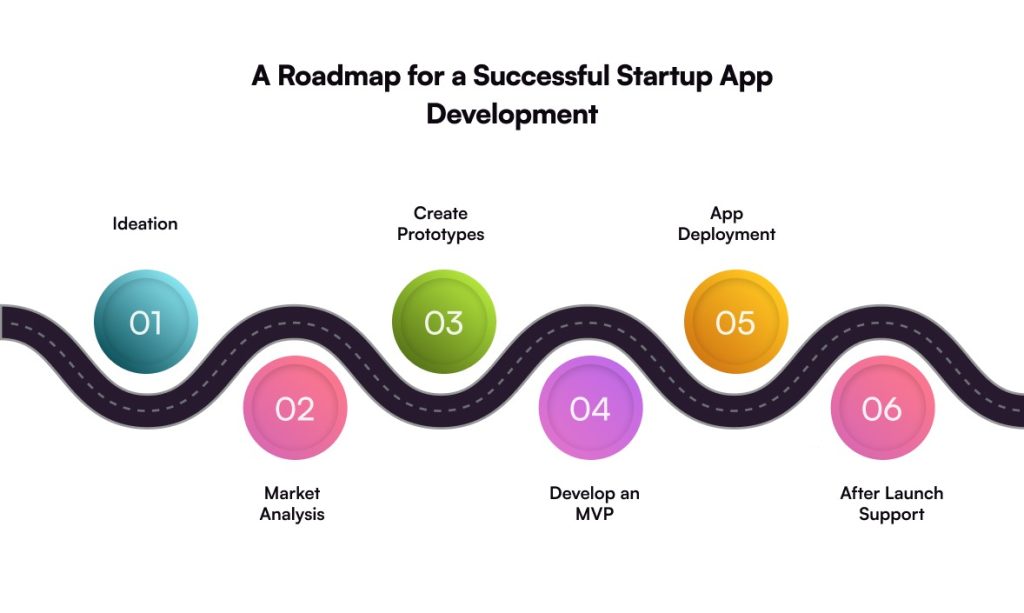
Q. How much time does it take to build a mobile app for startups?

A. It might take anything from seven days to nine months or more. There is no concrete answer to this query. It is a truth that developing a mobile app from scratch takes a long time; nevertheless, it also depends upon several other elements. For example, project complexity, integration, UI/UX design, etc. Still, on average, it may take 3 to 12 months for an app with simple functionality.

Q. What is the approximate cost to develop an app for the mobile platform that would be attractive to startups?

A. For start-up companies, the cost of development will start from $5,000. However, it depends on the platform you choose, and it could be more. If you want an estimation of cost regarding your application development, you can get it from us.