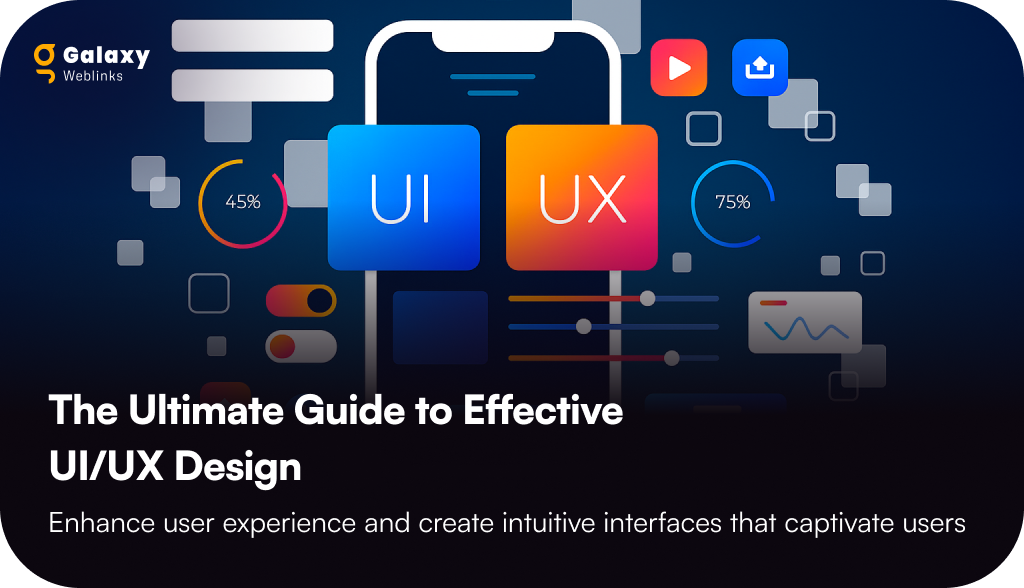
The Ultimate Guide to Effective UI/UX Design

In this blog, you’ll uncover how interactive and aesthetically-pleasing UI/UX design can help your business achieve higher conversions and lower bounce rate. 

Business owners like you are not only investing their money in making the product functional but also in enhancing its overall look and feel. The first impression is the last; that is why no market leader risks losing a customer over a poorly designed digital product. 

Every dollar spent on UI/UX design services has an incredible $100 return, or 9,900% ROI. So why consider UI and UX as just an option? The UI and UX are now a necessity that helps to grow your business at the most extreme rate possible. 

In this blog, we will guide you through what UI/UX design is and its importance, UI design vs UX design, and so on.  

What Is UI/UX Design?

When was the last time you assessed the website or a mobile application on its easy navigation, or even stopped scrolling in the middle because everything looked so messy? That’s what UI/UX is meant to do.

The buttons, icons, colors, typography, and layout that guide your gaze and clicks are simply the user interface or UI. Whereas the User Experience or UX describes the feeling associated with everything. The feeling of how the whole process works, how quickly you find what you need, and whether the entire contact leaves you feeling good or bad.

In other words, UX is about the “how it works”, UI represents the “what you see”. Collectively, they help your users determine whether they are going to stick around longer, trust your brand, and come back or quickly move on. Empathetic design, viewing the experience from your users’ eyes, and ensuring every click, tap, and scroll feels automatic is part of a great user interface/user experience property (UI/UX).

Key Differences Between UI and UX Design Solution

UI refers to the look and feel of the app or the site; however, UX refers to the feel of the experience for the user. It is necessary for both UI and UX design concepts to occur, but they each have a different purpose.

Here are the key differences between UI and UX you must know:

AspectUI (User Interface)UX (User Experience)
FocusVisual design and aestheticsOverall usability and functionality
PurposeTo make the product attractive and engagingTo make the product useful, intuitive, and enjoyable
Elements InvolvedColors, typography, buttons, icons, layoutsNavigation flow, information architecture, wireframes, user journeys
Driven ByCreativity and design trendsResearch, user behavior, and problem-solving
OutcomeBuilds visual appeal and first impressionBuilds satisfaction, trust, and loyalty

Tips and Tricks to Follow for an Effective UI/UX Design

When it comes to creating an interactive UI/UX design, the standalone focus is not following the rules but maintaining the right balance between functionality and aesthetics. To help you deliver experiences that your targeted audience will love, we have curated a list of some of the best tips & tricks you must know:
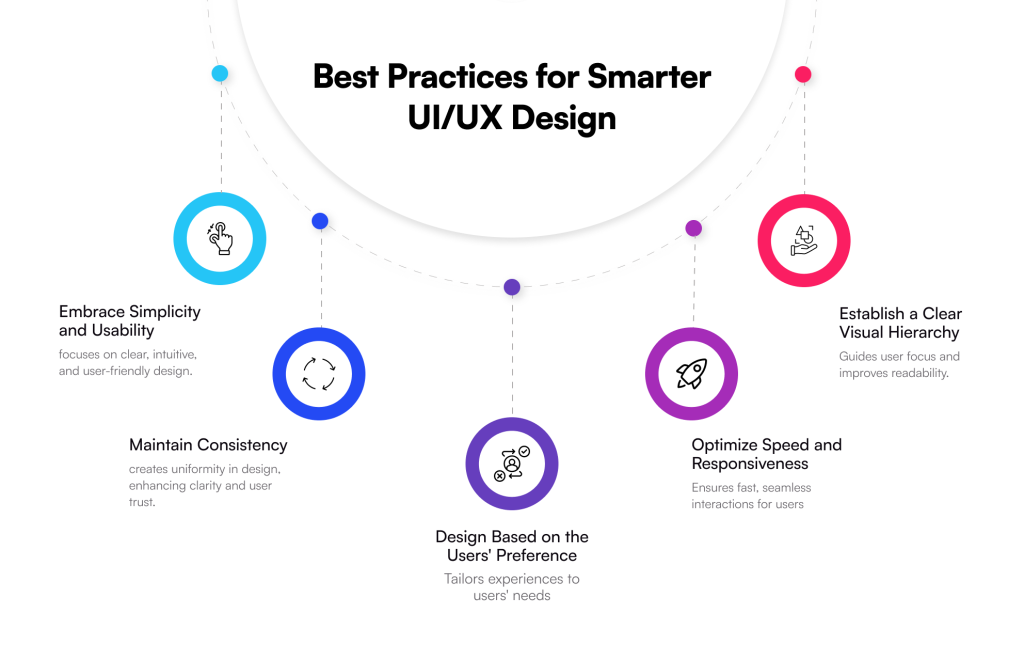
  • Tip 01: Embrace Simplicity and Usability: A lot of the time, users have little time to waste, and they prefer simple designs, etc., therefore, do not fill your website or mobile app with unnecessary features, just focus on the important things and avoid distractions.
  • Tip 02: Be Consistent: Consistency in typography, colour palette, principles of navigation, shapes of buttons, etc., is key to providing a successful and seamless user experience. Be consistent throughout your app or website to inspire confidence and trust.
  • Tip 03: Design Based on the Users’ Preference: Design for the end-user, think about you as a visitor to an app or website, and what you would like to see, think about scrolling, etc., in other words, think like a user when considering preferences, behaviour, or needs.
  • Tip 04: Optimize Speed and Responsiveness: Users are likely to leave if they have to wait longer to access content. Think of the loading speed and the ability to adapt to different devices and sizes of screen sizes.
  • Tip 05: Establish a Clear Visual Hierarchy: Visibility of the important message of substantial brand value will promote increased perceptions. For example, you can enhance font-size, focus on spacing or strip down to the opposing messages you would like users to see at first glance.
Key Trends in UI/UX Design for 2025 and Beyond

As digital experiences continue to become more personalized, immersive, and sustainable, these are the key trends changing the design landscape this year: 
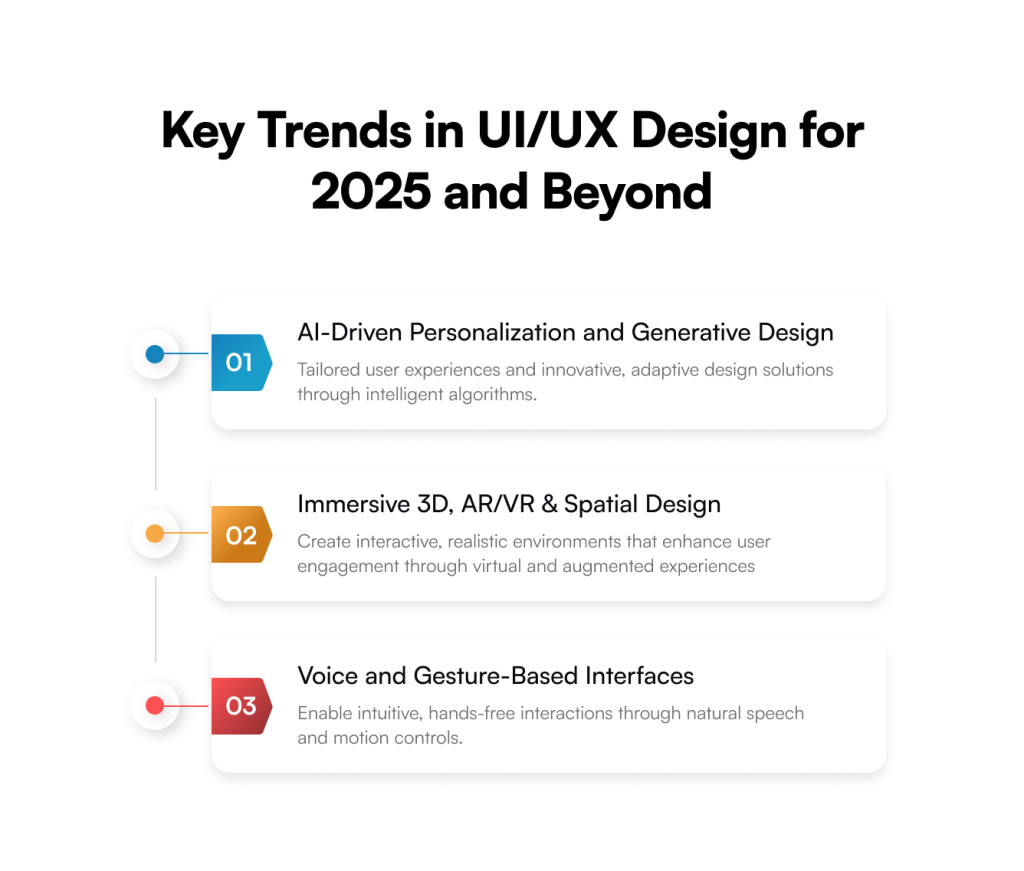
  • AI-Driven Personalization and Generative Design

AI development is no longer just an add-on feature, but a creative partner in UI/UX design. Companies are embracing this futuristic tech to provide personalized experiences in real time, based on user behaviour, preferences, and context. When it comes to generative design, there are only a few tools like Napkin AI or Canva, which means we also have access to their layouts. The same goes for interactive prototypes, and if you are an IDEO pop-up case study planner, you are graduating towards “productive practice” integrated into your workflows. AI can provide directions and a space for ideation and be actionable. 

  • Immersive 3D, AR/VR & Spatial Design

The distinction between digital and physical design is becoming increasingly hazy. While AR and VR are revolutionizing user experiences by enabling immersive product try-ons, virtual showrooms, and collaborative digital spaces, 3D elements are being widely used to provide depth and engagement to interfaces. In order to make interactions more realistic and natural, interfaces created for 3D settings, or spatial design, are increasingly becoming more popular.

  • Voice and Gesture-Based Interfaces

Are you aware that voice-based user interfaces have become even more user-friendly and have the ability to control difficult tasks as conversational AI advances? Yes, and nowadays people have hands-free control of their devices; digital products are becoming more efficient and more inclusive. Additionally, gesture-based navigation is on the rise, allowing even more flexible user interaction with applications and devices by means of taps, pinches, and swipes.

Top Tools Used by UI/UX Designers

Some of the best tools and the preferred choice of UI and UX designers are:
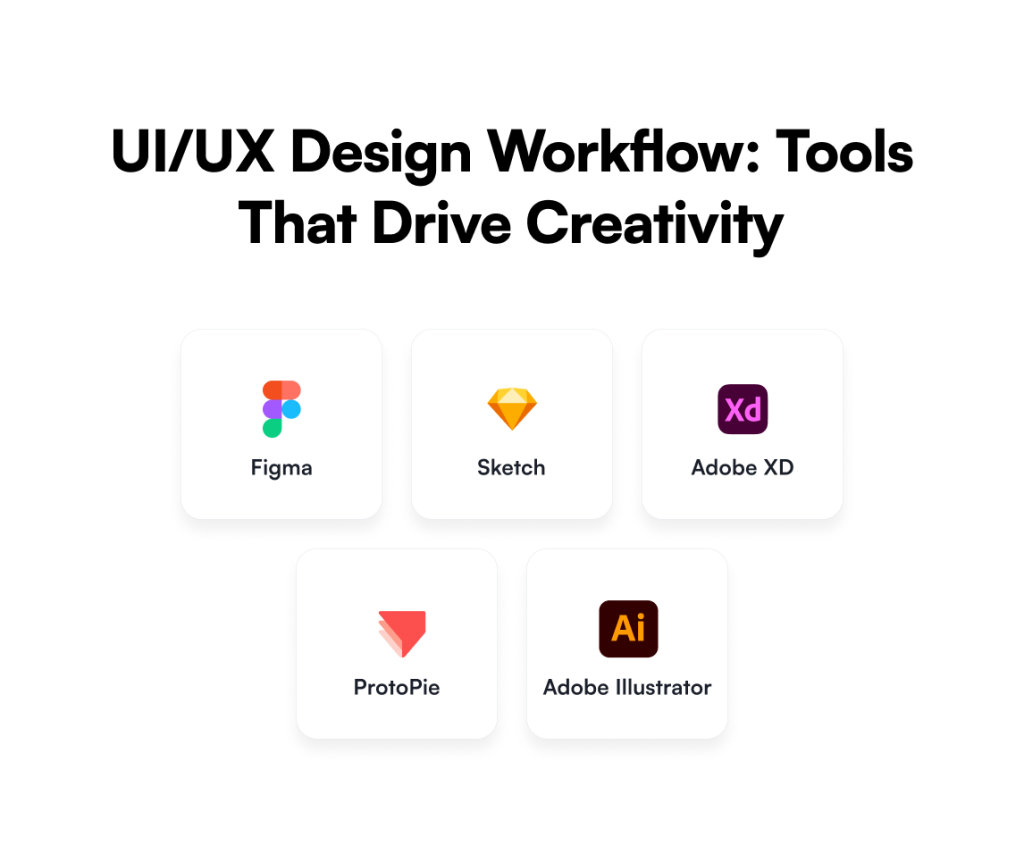
  1. Figma

The most popular tool for UX/UI designers is Figma. Its improvements in real-time feedback and cloud-based prototyping have made collaborative design more effective and efficient. It is a web-based tool that improves design collaboration and makes it possible for several designers to collaborate on a single project at once. 

  1. Sketch

For UX design, Sketch is a vector-based design tool. For many years, it has been the most widely used design tool for simple UI and UX design requirements. It’s a fantastic design tool with some awesome features, like a vector editor, artboards for multiple screens, reusable symbols, and more. 

  1. Adobe XD

Adobe Inc. created and released Adobe XD, a vector design tool for online and mobile applications. In addition to versions for iOS and Android that allow users to preview work directly on mobile devices, it is available for macOS and Windows.

  1. ProtoPie

ProtoPie is the ideal design tool if you’re all about sophisticated prototyping. ProtoPie can be used to build intricate and highly configurable prototypes for usability testing. In the advanced prototyping category of UX Tools, it is the most widely used and highly regarded design tool.

  1. Adobe Illustrator

Adobe’s vector-based design tool is called Illustrator. This design tool is useful for designing apps, websites, and other UX-related projects. Illustrator may also be used to create logos and icons. It needs an Adobe CC subscription, just like any other Adobe application.

Partner with Galaxy Weblinks to Build Exceptional Digital Experiences

In today’s competitive digital environment, UI/UX design is not only about creating a great-looking product, but creating an interactive experience that your users will care about, and help you grow your business. A great interface can mean the difference between a visitor leaving your site or app or becoming a customer. 

When designers are tasked with the challenge of designing experiences, they must find a way to achieve a balance between usability, function, and visual appeal. Doing so requires more than creativity; it requires knowledge, insights from research, and purposeful execution. That is why it makes sense to collaborate with design specialists. 

Partnering with a team of Galaxy Weblinks will give you the results you’re looking for and deliver a user-centric, conversion-focused digital product. A digital product that looks great and surpasses your expectations. A product that delivers a buttery smooth experience and separates you from your competitors in the marketplace.

FAQs

Q1. Why does UI/UX design matter for my business? 

UI/UX design creates the first impressions and formats the interactions between your users and your digital product!  Once the users are engaged, UI/UX design enhances usability, creates trust, and converts users into fans. UI/UX design is an effective growth lever:

Organizations that utilize UI/UX design can expect up to a 9,900% ROI! 

Q2. How do I know if my digital product needs a UI/UX redesign? 

If your website or app has a high bounce rate, low conversions, confusing navigation, slow load speeds or exploits out-of-date visuals – it’s likely time for a UI/UX redesign!  You might also check user feedback for indications that users are not satisfied, or qualitative and quantitative data through analytic testing that will provide correlational signals that your product is resulting in any positive user outcomes. 

Q3. What is the difference between UI and UX in action?

UI – User Interface – is the visual aspect of a product, which includes colors, typography, layout, and other visible elements the user will see. UX – User Experience – is the journey the user is on and how intuitive, smooth and pleasurable they feel the interaction was. In consideration of both UI and UX together, they create the complete digital experience prescribed to the user, which ultimately determines whether they become loyal or not!

Q4. What can expert designers do to enhance my product’s UI/UX?

Expert designers apply a research-based process, leveraging ingenuity and their technical knowledge of user-centred design to create rewarding user experiences. They are also able to not only balance aesthetics, functionality, performance, responsiveness, and device interoperability, but do so in a way that increases engagement and satisfaction.

Q5. What trends do I need to watch for in the UI/UX of the future?

Emerging trends like customization through AI, immersive AR/VR experiences, voice & gesture-based interfaces, and environmentally sustainable design are shaping the future of UI/UX design. Not only do these trends impact usability, but they also ensure that your digital product will remain relevant and competitive.
UX Writing and UX Design: How to do it right?

Understanding the relationship between UX Writing and UX Design

User experience drives the interaction of the users with your products. UX writing and UX design both play a pivotal role in establishing the branding, design, usability, and function that make up the entire experience. UX designers contribute to visual design, programming, psychology, and interaction design. On the other hand, UX writers create user-friendly microcopy that helps guide users through a digital product, such as a website or mobile app. 

Product managers often lose the opportunity to interact with UX writers and UX designers to find options that could drastically improve functionality, usability, and accessibility, regardless of their chosen strategy. In this blog, we have listed various ways in which you can bring UX Copy and UX Design together to create impeccable experiences.

Break Down Silos

A product manager is responsible for breaking down the barriers that prevent UX copywriters and designers from working together. Numerous aspects go into generating a pleasant user experience. Here are the tips that we recommend- 

  • Write microcopy that improves the usability
  • User research demonstrates how the target audience reacts to various messages and designs.
  • User-friendly designs and language that guides users through the sales funnel.

UX designs and copy are interdependent. When your content and designs work together to establish a distinct brand identity, you obtain greater results. 

Bring UX writing into your design process

Of course, putting product managers in charge of bringing teams together without providing them with collaboration tools isn’t fair. Expectations alone will not be enough to break through silos. Real tools and methods that produce outcomes are required.

Brainstorm with your teams

Brainstorming meetings should not be held behind closed doors where team members are unable to provide ideas. While you may not want the cacophony of 25 individuals sharing ideas at once, you do want the variety of ideas that come from gathering representatives from all departments. If you have engaged with freelancers, be sure to invite a few of them to your event. They may have valuable insight regarding how other businesses deal with similar issues.

If you invite members from each team, you’ll need inputs from Copywriters, designers, and developers. Encouraging individuals to work together during brainstorming sessions can go a long way. If you have staff working remotely, make sure you use video conferencing and collaboration software that make it easy for them to contribute.

You can boost the effectiveness of your brainstorming session with these tips – 

  • Communicate your goals in advance so that everyone comes prepared.
  • Keeping the time limit short (30-60 minutes).
  • Encourage everyone to explore their ideas without fear.
  • Making it possible for participants to submit ideas anonymously will help ensure that shy people contribute.
  • Understand that some brainstorming sessions do not produce good results and that you may need to regroup later.

Encourage teams to understand each other’s work

Your design team members need to understand that excellent UX writing necessitates a thorough understanding of behavioral and cognitive psychology. It’s not just about adhering to grammatical rules and using fancy words. Good writers frequently have to break the rules they know to reach their target audiences. It’s a skill that needs to be honed with practice and conscious thought.

Similarly, the writers need to understand the importance of designers in increasing conversion rates. Their images, fonts, white spaces, and other design elements have a significant impact on how people respond to CTAs. Writers and designers both should follow best practices and adhere to accessibility rules. 

Conclusion

Designers know what keeps a user on a page or an app, and writers know how to evoke an emotional response with a powerful copy. Their creative minds work together to create a cohesive product. Working together is the only way to understand the symbiotic nature of the relationship between these two teams that, when put together can create flawless products.

In the Galaxy UX Studio, we foster an environment of collaboration where UX Designers and UX Writers understand each other’s needs and navigate complex challenges quite easily as a unit. If you’re looking for a team like that, we can help you. Contact us 

How a Top-Rated Team’s UX Design Skills Define Them

Are you on the lookout for a skilled UX design team? We don’t need to devolve into the importance of User Experience. However, finding the right team is a massive undertaking. Despite the multi-star reviews, testimonials, and exceptional sales pitches, finding the right design team for specific business needs remains tricky. Well, we are here to make this task easy for you.

UX design skills aren’t just an important part of being a top-rated team; they’re what defines one. Prototyping, wireframing, user flows, mockups and usability testing are the tools of the trade for UX designers. These skills are high in demand among the teams with the highest ratings on Upwork and other business development sites. 

UX skills that you need in your team

We will explain what we believe are the most important skills that your UX team should have expertise in. This would help you partner with the best offshore UX development team. 

Applied Skills of UX Designers

  • User Research

From conception to development, user research is crucial for every step of product design. It is the ability to plan, conduct, and analyze findings from a variety of research methods — user interviews, usability tests, and surveys. These findings will drive informed decisions when and if new challenges arise. The goal of user research is to learn who will use the product, what they want from it, and how they like to interact with technology. This may look like extra effort, but it is not. The more the team knows about users and problems you’re trying to solve, the better off you’ll be later when you try to create an experience that suits them.

  • Prototyping

Prototypes show how real people will interact with your product. Tools like InVision can build basic clickable prototypes that allow you to test and tweak your ideas before moving forward. It’s never too early or too late. If you want a successful project, involve designers and get prototyping as early as possible.

  • Wireframing

Making sense of your site begins with wireframing.

Wireframing is an important UX skill. It helps you map out a website or app’s structure and layout before investing effort, time, and money. It helps refine your idea by visualizing it. You can make changes along the way if needed. Many web designers still find value in wireframing to conceptualize their ideas. Page layouts, wireframes, or mockups, or whatever you choose to call them. These tools enable you to focus on getting your details right from day one. A wireframe is a blueprint of an interface. It shows how something works, as opposed to how it looks. 

  • Mockups

Mockups can be used during usability testing. Testing is an important part of UX design, as it provides data on how users interact with sites and apps. For instance, you can test your homepage with users and then see if users navigate to other parts of your site or try to fill out forms. 

A good mockup can remove any confusion before investing time and money into making a fully functional website/app. Mockups do not take a lot of time and effort. 

  • Usability Testing

The best UX designers constantly test their products. There are several methods for UX design, including card sorting, competitive analysis, focus groups/interviews, information architecture (IA) mapping, surveys, contextual inquiry, and more. Testing helps us identify how your product will be loved by its users. UX is critical when designing interfaces because a UI doesn’t mean anything if people can’t figure out how to use it. 

We believe design thinking starts with empathy. We understand users’ motivations and goals so that we are in a better position to design products that fit them like a glove.

  • Visual Design/Visual Communication

Great design is more than pretty visuals. It’s important to know how to set visual expectations and guide your product along in its life cycle. Visual design is just as much of an art as any other part of UX design. We should know what looks good but also why it looks good. When every pixel counts, every little detail matters; you need to be able to weigh in on everything from wireframes through to the final design.

UX designers need competence in visual language. Proficiency in visual communication would mean understanding concepts like:

  • Layout
  • Color
  • Typography
  • Icons
  • Images
  • Design theory

The UX designer skill goes beyond applied skills. Successful UX professionals also need soft skills or aptitudes applied to multiple work settings. This includes curiosity, empathy, communication, and collaboration. 


Great UX design comes from great teams. But creating a great team takes a lot of effort. Let us introduce the Galaxy UX Studio where we offer amazing design capabilities and exceptional UX skills.

Everything You Need to Know for Better UX Survey Results

Business decisions nowadays are guided by “what user wants?” and hence rely heavily on data. UX Surveys are the best way to get that data. With UX Surveys you can gather insights, guide strategy, prove or disprove hypotheses, and back unique and fresh ideas. 

However, the data that is gathered from these surveys is not always accurate. In this blog, we’re going to address some biases, the UX surveys processes, and some UX survey best practices.

Content and Design

Survey branding, prototypes, assumptions, and biases are some factors to consider that impact a UX Survey. You need objectivity in your surveys and that is established by the content, design, and development itself. 

Identifying any biases in survey design is relatively simple. You can go through questions and eliminate logos, branding, and lofty assumptions that aren’t of any value. Even when you remove all the fluff from your survey design, surveys based on instant data will always pose a challenge of going stale as you process the research and present the results as data goes redundant pretty quickly. Political and COVID surveys are apt examples of this. 

Data Collection

Participant selection is crucial for the quality of the survey. When selecting participants, you need to take into account several biases like sampling, demand characteristic, extreme responding, and non-responsive. The right audience ensures good quality and is time-efficient, giving you better results to back original ideas. Getting the right people is more important than quantity. 

Create criteria for qualifying participants and stick to them. It could be to disqualify anyone who completes the survey way before the estimated time or the respondent who selects the same option for more than 60% of the questions.

Data Analysis

The quality of data won’t matter if the interpretations are baseless. Remember you’re not the participant. Look at the data in terms of what it shows and not the reasoning behind it. Just look at the numbers the very first time you take a look at the dataset, avoid reading too much into it at once. Focus on one thing at a time.

Research accuracy

We have addressed survey accuracy at participant, content, design, and analysis level. We now need to determine how the results look while calculating errors concerning population values.

Research accuracy = True population plus/minus any errors. 

To put it differently, survey accuracy is defined with its closeness to the truth with repeated measurement. The more repeat surveys we do for similar audiences, the closer we get to this perceived “True population”. However, repeated surveys are difficult and impractical so we consider confidence intervals. The most common measurement of sampling error in surveys is a 95% confidence interval. This implies that if you repeat the survey, the accuracy of answers will be 95% every time.

Using the confidence intervals, precision and the number of sampling errors can be calculated. This will ultimately give you an idea of closeness to true population value. Even after all this, we can’t completely say that the results are accurate and the biases eliminated. Then again the aim is to identify biases and minimize them instead of assuming that objective surveys consist of no biases at all.

A different look at the Data

Before you go on to convert your data into insights, here are a few things that you should consider:

  • Revisit the objectives of the survey before your draw any insights
  • Identify segments and respective respondents
  • Exclude bias and anomalies before analysis

To sum up we have covered three stages for data analysis and getting better results out of your surveys.

  1. Cleaning the data – Filtering participants and responses
  2. Analyzing the data – Number based analysis
  3. Getting the insights – Revisiting objectives to compare the findings

These stages are different and require a different level of commitment, concentration, and engage different parts of the brain. So it’s advised that every single one of these stages is addressed separately and one at a time. It’s crucial for the quality of results you’re seeking and the impact it will have on user experience.

About Galaxy Weblinks


We specialize in delivering end-to-end software design & development services. Our UI/UX designers are creative problem-solvers with a decade of experience in all facets of digital and interactive design. We create compelling and human-focused experiences delivered through clean, and minimalist UI. Get in touch with us here.

User Experience Mapping Methods – A Study Guide for All

Let’s start with – What is User Experience Mapping?

UX maps help you visualize how the end-user will experience your digital product, be it an app or website. A UX map is a tool for UX designers to understand customer motivations, hesitations, needs, and concerns.

Most businesses bank on the data gathering to know about their users. They have KPI trackers in place. That said, data alone miserably fails to communicate the user experiences and expectations. A storytelling tool like a user experience map is the best bet here. 

UX mapping uses visuals and storytelling to illustrate the user-brand relationship. The story is told from the customer’s perspective. It helps brands understand and address the pain points and needs of the target audience.

User journey maps show businesses how customers engage at various sales process touchpoints. This also gives the chance to determine the points of friction and rectify them. UX mapping narrows the gap between the customer needs and the product. 

To put things in perspective, let’s take a company as an example. The company is launching a website. They want the website to be easy to use and appealing to their users. What are their options? How should they get going? Knowing the users and how they are going to interact with the brand is the key here. And, creating a UX map will help with the same. UX user maps are a point of start. This includes a range of mapping processes. 

UX mapping provides insight into:

  • How is the interface being used?
  • Is the UX  appealing to the end-users? 
  • What are the results being derived? 
  • How is the user behavior being addressed?   
  • How to deliver information to the user? 

Therefore, a UX map is critical to designing a digital product. An effective UX map has the following functions/impacts:

  • Improve the information delivery to customers and users
  • Making the user experience pleasant and intuitive
  • Effective connection with users and customers
  • Building a bigger user base
  • Develop a better ROI
  • Enhancing the brand reputation and market visibility

Reasons to use UX mapping

User experience mapping aims to improve customer experience quality. 84% of companies have claimed that enhancing customer experiences boosted their revenue. There are straightforward reasons to utilize the UX mapping technique  –

  • One gets a bird’s eye view of the entire journey of customers
  • Specific hurdles faced by customers can be identified and resolved
  • Knowing where additional developments are required and simplifying customer journey paths
  • Customer retention rate increases 
  • Higher and faster customer conversion rates 
  • Minimizing negative user experiences
  • The revelation of the gaps between departments and channels
  • Better brand reputation, greater market visibility, and a smooth and enjoyable customer journey

Let’s Know Each UX Mapping Method – yes there are several UX mapping methods 

1. User Journey Mapping

The user journey map is useful when a customer has a specific need that the company product or service is addressing. A UX journey map is a detailed representation of how a customer will search for information on the app or website. 

A UX map focuses on the customer’s aim and makes it effective and easy for the product to meet the user’s goal. Moreover, the UX journey map considers the thoughts and feelings of the user. It utilizes a linear process and maps out how a single customer interacts with an application or website. The user journey map is broken down into four “swim lanes:”

  • Phases
  • Actions
  • Thoughts
  • Emotions and Mindset

The customer is at the center of the design process in each of the lanes. Each one is meant to address the overall experience. Service- and product-centered businesses will find UX journey maps useful. A journey map will help identify customer needs by breaking down bottlenecks during the interaction.

2. Empathy Mapping

A user empathy map is the deepest dive into the mindset of the user and helps build a thorough understanding of their thought process. There are four stages to this – 

  • Thinks
  • Says
  • Feels
  • Does

What are they thinking? Saying? Feeling? And doing? 

This map is not linear or sequential like the journey map. It is considered to be a useful mapping technique to understand users better and build rapport and empathy with customers. The empathy map attempts to externalize their internal experience. The whole experience is tied to the externalized experience of the user from the above four perspectives: thinks, says, feels, and does.

3. Experience Mapping

For designing a product, it is useful to build an overview of general human behavior. This comes in handy in a scenario where there is no defined target audience. 

The experience map visualizes an end-to-end journey from a generic user’s perspective. In the experience mapping, the user is not from a specific target audience. They are not interested in a specific service or company product either. 

The experience map is also divided into four key areas:

  • Phases
  • Actions
  • Thoughts
  • Feelings and Mindset

The experience map is among the most useful technique to build a picture of general user behavior.

4. Service Blueprinting

At times, one kind of UX map isn’t enough. Two UX maps can be combined to visualize the multiple interactions. For example, the user journey map is effective in visualizing the point of the user, but it does not provide insight on happenings on the business side. In such situations the service blueprint map is handy.

A customer journey mapping focuses on the user whereas a service blueprint map is all about the company. Companies offering multiple services and products need a way to visualize the way their departments and employees interact with customers. 

Like other mapping processes, the service blueprint is also divided into four key areas, referred to as “swim lanes:”

  • Customer Actions
  • Backstage Actions
  • Frontstage Actions
  • Support processes

This mapping technique is useful for large companies in identifying areas of weaknesses. It offers useful insights to improve both processes and interfaces. Benefits both users and employees.

Closing Thoughts

UX mapping assists businesses, individuals, and organizations in improving their relationships on the digital landscape by providing customers with a fantastic user experience. User experience maps help

Understanding the Importance of User Experience for your Business

“User experience is everything that touches a product …more than just an app it’s the experience of the whole system around it.” – Don Norman, who coined the term ‘User Experience’.

The success of your company is largely determined by how happy your customers are with your product offerings. User Experience (UX) has become an essential part of any online business’ success in building a connection between your users and your brand. Logos are no longer the only medium used for branding. In the highly competitive online environment, every experience created when a user interacts with the company, via website or app, is an opportunity for it to differentiate against its competitors and enhance the brand image. 

UX is a foundational pillar of all marketing efforts for any company focussing on online business. Great user experience delights your customers, creates a loyal satisfied customer base, and helps reach out to millions of users online. Even if a business spends huge amounts of money and resources on online marketing, if the user experience is poor, the entire effort will be wasted.

In this article, we have highlighted how UX designers can help enhance the experience of your users. We have also listed the key benefits that come with an effective UX design.

How do UX designers help? 

UX Development is the procedure of improving the overall experience of users to provide maximum customer satisfaction during their interaction with the company’s app or website. UX focuses on having a deep understanding of users – what they like and dislike, what they need, and what they value the most, keeping the ease of use, a key priority. 

UX designers can help you map out your users’ experience before you invest serious time and money in developing a technology solution. They craft easily navigable digital interfaces that the users will ultimately interact with. They achieve this by –

1. Researching

A UX designer strives to understand users’ needs and motivation. The research responsibilities include everything from reviewing quantitative and qualitative survey results to user testing. They keenly observe how users complete key tasks within an app or platform. 

Researching helps in making your tech solution better by 

  • Identifying problems/pain points 
  • Assisting in visualizing how your product would solve niche problems

2. Ideating

After identifying the problems, it’s now time to ideate. Designers generate ideas by various methods such as brainstorming, exploring the worst possible ideas, sketching, etc. They produce various ideas/solutions to address a problem statement and its advantages/disadvantages. Ideations help in innovating and coming up with solutions beyond the obvious. 

3. Designing

Once the ideation stage is completed, the designing phase starts where the UX designer creates a rough draft of the concept by developing an early visual or blueprint. Typically, UX designers concentrate on wireframes to layout content and functionality on a page taking into account user needs and user journeys. It is a critical part of the UX design process. 

4. Communicating

Wireframes and prototypes are presented to the various stakeholders – clients and developers. The objective is to demonstrate how the solution will work and make changes if necessary based on feedback from clients and the development team who will take these inputs in creating the solution. 

Why is UX crucial for your business? 

A good UX design enhances usability, accessibility, and pleasure the user has while interacting with your website or app and ultimately your company. UX is a foundational pillar of all marketing efforts and the key benefits that come with a good UX are – 

  • Helps you understand your target audience better

The UX design journey clarifies your vision as the entire process follows a user-centric approach focused on understanding the needs of your future customers. It helps you come with innovative solutions that would appeal to your audience and ultimately would help you achieve your business goals. 

  • Enhances customer satisfaction improves returns

The UX approach focuses on enhancing customer experience by testing out various solutions rather than assuming what the customers might like. In the highly competitive online environment, a good UX helps your marketing efforts as a great user experience delights your customers, creates a loyal satisfied customer base, and helps reach out to millions of users online quickly by referrals/recommendations. This reduces your customer acquisition and retention efforts and hence increases the return on investment for your business. 

  • Builds your brand

A good UX design helps create loyal and satisfied customers, which helps your business differentiate from competitors and enhance your company’s brand image. 

  • Saves time and money

UX design during the initial stages of product development supports creating prototypes followed by testing to check their effectiveness. If a product is built without a good UX and after spending huge amounts of time and money, the customers will not stick to the product. So a revamp after launch would be very expensive and brand-damaging in many cases. Additionally, a well-designed product will likely not require frequent updates and therefore any money saved would help you towards marketing and growing the business. 

Conclusion

Knowing your product and its users is essential for striking a balance between a usable product that users desire and a product that meets stakeholders’ business goals. Galaxy Weblinks can help you provide an enhanced user experience for your product offering. Talk to us here for a free consultation.

User Experience Design – Benefits Offshoring Can Bring To Your Business

UI/UX is the backbone of any online business product. It is the first thing that helps you build a connection between your users and your brand. A good design enhances usability, accessibility, and users’ delight while interacting with your website or app.  

Technology is taking over all the aspects of our lives and this leads to an increase in the demands from consumers. Interfaces must be able to compete with the increasing expectations. Even before writing the code and starting the build of your application, laying out a detailed UI/UX strategy is a must.

Even if you haven’t needed a UX designer in the past, there’s a good chance you will in the future. Many businesses outsource UI/UX services, and if you are looking for the same, we have listed down why offshore UX is a good business decision for your current or future UX designer needs.

Local talent can be hard to find

Effective UX design requires a lot of specialization in a lot of different areas. Hiring talent for all the different areas of UX design would not only be very expensive, it can be hard to find local talent that is also available for full-time work given the high demand for UX designers. This is especially true if you want to hire top talent, which will command a higher price and be harder to keep on staff without some other company coming along with a better offer.

Thankfully, a remote team of designers can provide you with the same skills as having an in-house team of designers. For both, you want someone who is a self-starter and will get the work done on time and as per specifications with minimal oversight on your part. As the top UX designers realize, they can make more work for themselves and take on multiple jobs at multiple firms throughout the year, it becomes easier to find a qualified person for the job without having to commit to a full year’s salary and associated perks.

The economics of developing nations

In the countries where the cost of living is low, the highest-paid professions may receive a little more than you would pay a UX designer. This means that UX designers in those nations can price themselves very competitively compared to western nations and still live a very comfortable life relative to their peers.

Of course, you’ll have to put some effort into finding the right candidate when you look outside English-speaking countries. Residents of most countries learn English as a second language, but you want to make sure that they speak it well enough that no language barriers exist. With offshoring, you’ll save money and provide someone with a better income than they could get in their economy alone.

Technology breaks down boundaries

Because it is such a visual art, there was a time in the past when doing UX work remotely would have been extremely difficult. This may be why there is still a reluctance on the part of many to embrace outsourced UX designers.

We now have technology that allows us to video conference and share our screens easily. There are cloud-based solutions, such as Miro, Figma and Invision, that allow for collaboration on even the most advanced projects so you’ll be able to give feedback to designers in a professional manner and ensure that nothing gets lost in the translation.

Combine that with the fact that all but the poorest of countries have access to high-speed internet, it is now possible to engage in real-time feedback even for visual projects like UI and UX. The boundaries that once stood in the way of taking UX design off-premise have now been torn down by technological advances.

Keeping up with trends 

The world of UI/UX is changing rapidly with new trends emerging constantly. Outsourced companies have a pool of resources with varied experience that interact frequently with multiple companies globally. This allows the team to adapt to emerging trends and come up with new and innovative ideas/solutions. Keeping up with these trends is time-consuming, laborious, and demanding. If UX design isn’t the bread and butter of your business, it makes business and economic sense to outsource UX/UX aspects.

Offshoring is flexible

If you’re a large business, you already have a design department with competent directors and senior designers. In that case, it will be the additional workers that take the vision of the senior members and help implement it that would make prime candidates for offshore workers.

For small businesses, it is impossible to hire a full-time staff to do your design work. Offshoring makes finding someone for a one-off job even more affordable.

Better cost control

Working with an agency allows you to control costs in a way that hiring someone in-house does not. After signing a statement of work (SOW), agencies are required to follow the scope of work outlined in the contract.

This specific type of agreement gives you more control over when work begins and ends, as well as how much money you commit to the project.

Faster go-to-market

Agency design teams must meet tight deadlines and adhere to strict, time-tested procedures. Whereas an in-house hire may take some time to settle in and understand the company, and project requirements, a good agency would begin delivering prototypes within two to three weeks.

Agencies simply do the work faster. For example, our UX team at Galaxy has been able to completely redesign relatively complex SaaS applications in less than three months, whereas an in-house team would typically take at least twice as long. Agencies can move your project more quickly to the point where your investment begins to pay off.

Conclusion

UX design has become a requirement in today’s competitive landscape. Knowing your product and its users is essential for striking a balance between a usable product that users desire and a product that meets stakeholders’ business goals. Offshoring is a viable option that many agency owners are leveraging while they channelize their energies in building their business. Galaxy’s approach to UI/UX outsourcing, strategy, research, and design is a homogenized effort that focuses on merging the desired outcomes for end-users and your company. There is no universal solution that fits all, and we understand that every project is different. This is why we match your needs with the right team of performant designers and engineers. Our team works with you towards a common goal of deploying robust and scalable UI/UX solutions that yield great business results. If you’ve any doubts related to UX/UI and if you need assistance, then feel free to talk to us here.

When to Outsource User Experience Design?

You will witness how comfortable toddlers and preschoolers are in operating smartphones and tablets.  While it is true that these new-age kids are super smart and quite capable of comfortably learning to play games and run apps on their devices, a lot of credit also goes to the ingenious way the applications have been designed. 

The User Experience designers and developers make complex applications exceptionally simple, appealing, and intuitive. We are living in times where the demand for mobile apps, websites, and other digital products is on the constant rise. People are constantly demanding easy-to-use and effective applications with immaculate User Experience. 

That said, while digital products are becoming a necessity and IT companies are making innumerable applications, there is still a lot left to desire in terms of appealing and responsive UX design. 

Businesses have found that outsourcing the User Experience design and development is an ideal way to get beautiful designs, seamless navigation, and uninterrupted flow. It is also more cost-effective vis-a-vis in-house development. 

A large number of companies entrust professional outsourcing teams with the complete IT development process. This is to reduce cost, minimize risks, and achieve higher efficiency. 

Likewise, UX design tasks also have the scope to be outsourced separately. The process for the same is simple. The company just has to work out a blueprint of the product design and hand it over to the designing firm, which then creates the final product. 

Who should hire outsource UX design teams?

Outsourcing is expensive and it is hard to trust vendors! This was the argument that we used to hear a lot when we started our business over two decades ago. Our transparent processes and open communication channels have helped in addressing these reservations of our clients. 

There are many instances where it makes a lot of sense to opt for outsourcing the UX development. 

If you own a startup, you are probably tight on budget and would not want to invest in a full-fledged team for a one-time task. Along with the designer and developers’ salaries, add the time invested, the supporting manpower required for testing, implementation, etc. Outsourcing designing tasks makes more sense here. 

A similar case goes for Ecommerce enterprises. They work in and around IT but do not specifically have design and development teams for their niche is online selling, not IT development. 

An Ecommerce website design must facilitate a great user experience, making the buying process a breeze for customers. The design of the Ecommerce website is perhaps the most important element. It cannot be neglected, but at the same time, it is an expensive task. Thus, outsourcing Ecommerce design services to a third-party service provider like Galaxy Weblinks serves a great deal of convenience. 

The world of digital UX frameworks changes fast with new trends emerging regularly. Keeping up with everything is a full-time job. At the same time, different industries go through constant shuffles and developments. 

For instance, a B2B company, if opting for in-house designing, must be aware of frameworks like Angular, Vue, and React and their updates. How to use them and what technology fits where. This is an additional burden. When UX design isn’t the bread and butter of your business, keeping up with design and development trends becomes time-consuming, laborious, and inefficient. Instead, the focus should be on things happening in the B2B market.

UI/UX design outsourcing is a good idea as it is an investment, not an expense. The product company can reduce costs and concentrate on the core competencies, enabling rapid business change. 

More advantages – 

  • An outsourced team is a combination of an art director, designer, manager, and graphic designer all in one package. 
  • Design teams come in with the experience and skills needed to build great user experiences. You can expect them to be more progressive and smart with an added advantage of the ideas garnered by their collective minds.
  • You are assured that no matter what, the project delivery will happen on time and within budget. 
  • In the role of a client, you would receive 24/7 service and support. You can even ask for a customized workflow.

When to opt for in-house design teams?

Companies having complicated IT products requiring to be designed sprint by sprint, analyzed, and then designed again can save a lot of money by having an in-house design team. (But, that is not the case with most companies.)

Have an in-house design team instead of outsourcing if:

  • You have an art director, controlling the quality of the design. PMs or team leads can’t handle this. 
  • You have a lot of designing tasks in-house such as creating ad designs, platform designs, making new landing pages. And, these tasks are regular. 
  • You have a strict company policy of working with in-door specialists only. But, even if one department operates on an outsource model, having an in-door designer doesn’t make sense.

You need to pick the best solutions suited for your business. It can be an in-house team or outsource. If you are looking for a reliable partner to outsource the UX/UI design work, Galaxy Weblinks is here for you. Know more about us and our UI/UX design services here

Impact of Design at Every Stage in Your Client Sales Funnel

Creating a website can be a difficult task. There are numerous design principles to consider, and you must find unique ways to capture and hold users’ attention.

The first impression of your content by a viewer does not have to result in a sale. It’s nice if it does, but your client and even you may be unaware of what your design is doing. Your main goal is to leave a lasting impression.

If done correctly, a website can act as a sort of sales funnel, attracting people to your product or service and convincing them to buy or call for more information. It is critical – and not easy – to create an effective funnel. One that assists you in identifying the right buyer early on and makes purchasing your product a pleasant experience.

This post will help you understand the various steps of building a sales funnel and the role of design in sales funnels.

Understanding sales funnel stages

Each stage of the sales funnel affects the users’ behavior. You must be intimately acquainted with them. Knowing each step allows you to employ tactics to increase the number of people who progress from one step to the next.

This has the potential to have a huge impact on your business.

Assume you double the number of people at two stages of your funnel. You double the number of leads and the percentage of closed customers. This means you’ll get four times as many new customers each month. And one of the most powerful concepts in business is defining and managing your sales funnel.

…

1. Awareness

This is the stage at which the prospect learns about your company and what it has to offer. This can happen through social media, word of mouth, Google searches, and so on.

The Role of Design:

Potential customers may become aware of a problem they are experiencing and possible solutions by discovering your product/service. This could become a right-place, right-time scenario in which customers buy what you’re selling right away.

  • Make Use of Strong Branding

Our first piece of advice for creating an effective website is to use consistent branding throughout. You should have a set of colors, fonts, and even shapes that you use regularly as a brand. When developing a website, make sure to keep these elements in mind. Take a look at the screenshots from BusySeed’s website below, for example. As you can see, the website development team has kept the structure, colors, font, and shapes consistent throughout the site. Using your brand’s elements liberally on all pages allows viewers to quickly grasp your brand’s tone and mood. It also makes you more distinguishable.

  • Create Eye-Catching Landing Pages

Landing pages are the pages of a website to which visitors are directed. The term “landing page” has recently evolved from a standalone page to any page that appears in an ad or a Google search. A website can now have multiple landing pages thanks to this new change. If you run an ad for Social Media Management, users will be directed to our social media page, which will serve as a landing page. You get the idea. As a result, any page on the site that will be used as a landing page requires special attention. The landing page should contain all of the information that a customer requires about a product or service.

This is the first step in developing a sales funnel and is critical for capturing and retaining attention. According to many studies, you only have about ten seconds to entice someone to visit your website before they click away to go somewhere else. Your landing pages should clearly state the service or product and include at least one call to action.

…

2. Interest

When customers reach the interest stage of the sales funnel, they are conducting research, comparing prices, and considering their options. This is the time to impress them with incredible content that benefits them but does not sell to them.

The Role of Design:

If you push your product or service from the start, you will turn off prospects and drive them away. The goal is to establish your expertise, assist the consumer in making an informed decision, and offer to assist them in any way you can.

  • Make Navigation Easier and More Convenient

Once you’ve gotten your potential customers into the sales funnel, it’s time to keep them there. How are you able to do this? This is a critical step in the website development process. It is up to you and your team to make the sales funnel a place where prospects want to go. One method is to provide easy-to-use navigation. Always include a header (or a menu on mobile) that links to your site’s other pages. Organize things into subpages to keep the header free of clutter. 

As an example, take a look at our screenshot. Subpages keep the header from being too busy, making it more user-friendly.

  • Visuals are a must

What is the best way to get people’s attention? Visuals! When creating a website, try to incorporate as many visuals as possible (without it being overwhelming). People are initially drawn in by the visuals and then stick around for the text. People enjoy watching videos. They always generate a lot of interest, whether on a website or as a social media post. 

Make use of videos whenever possible! Of course, we have photographs. Make certain that the images you use are consistent with your brand and that they demonstrate diversity. Remember that smiling faces make your brand more approachable! Icons, slideshow images, logos, and call-to-action buttons are also excellent visuals to use when designing a website.

All of these factors will assist you in attracting customers and keeping them on your site long enough for the sales funnel to begin working.

…

3. Decision

When a prospect reaches this stage of the sales funnel, he or she is ready to buy.

Because he or she may be considering two or three options — hopefully, including you — now is the time to make the most irresistible offer you can (packages, options, free shipping, discount) so that they do not hesitate any longer and purchase your product or service.

The Role of Design:

  • Remove all distractions.

Having too many distractions is one of the most common design flaws in sales funnels. Consider removing distracting features such as sidebars, excessive links, top navigation, or even too many images if your sales page or pages are on a larger website.

People make snap decisions. The quality of both the content and the design influences whether or not they stay on a website for more than a few seconds. Within this page or section of the funnel, there should be only one clear message.

Here’s a simple example from Wishpond, where they ask visitors for their contact information in exchange for a digital resource:

  • What action do you want your visitors to take next?
  • Are the next steps obvious?
  • Are there any extraneous elements that could confuse visitors or divert them from the next steps?

Getting rid of distractions is essential for effective funneling!

…

4. Action

That is the ultimate point in the sales funnel. By purchasing your product or service, the prospect becomes a customer of your company. It is critical to note that there may be additional stages to your sales funnel. Your interaction with the customer must extend beyond the purchase.

Now you must focus on customer retention by expressing gratitude for the purchase, inviting the customer to provide feedback, making your brand available for support, and so on.

The Role of Design:

  • Make it Easy For Consumers to Complete the Goal

The final stage of the sales funnel is to get the customer to complete a task. Filling out a lead form, contacting you directly, purchasing a product, or downloading an app/content are all examples of this. Whatever your goal is, it must be simple for customers to achieve. Make all your forms user-friendly and short. Have several points of contact. Make the checkout process as simple as possible. Make the app/content available for download directly from that page. 

Do everything in your power to keep things simple and inviting to achieve your desired result. The less time-consuming and complex a task is, the more likely it is that it will be completed. Make sure to use buttons to link to the goal pages so customers don’t have to search for them.

Netflix requests your payment method after the free trial period. You have several payment options, including gift code, credit card, and PayPal. There is a reminder on this page that you can cancel at any time.

Conclusion

Your viewers are eager to hear what story you can entice them to listen to, just as you would be less likely to go see a movie based on a text-only description rather than a full-color poster or trailer.

Many digital marketing strategies rely on sales funnels. When formatting and designing landing pages or websites in this day and age of internet buying and selling, there are numerous factors to consider.

To convert the most visitors, you must break down customer barriers while remaining true to your clear messaging. You only have a few seconds to make a big impression online, so use these funneling design tips to make the most of them!

Contact us if you are at the first step of creating an effective sales funnel by designing an attractive website or application. 

About Galaxy Weblinks

We specialize in delivering end-to-end software design & development services. Our UI/UX designers are creative problem-solvers with a decade of experience in all facets of digital and interactive design. We create compelling and human-focused experiences delivered through clean, and minimalist UI.

Animation and Motion Design: Top 5 Trends That Will Rule the Year 2024

As we step into 2024, the world of animation and motion design are redefining the ways in which stories are told, products are marketed, and information is conveyed. The profound impact of these mediums is evidenced by the recent success of Pixar’s “Soul,” which not only captivated audiences worldwide but also showcased the unparalleled ability of animation to explore complex themes with depth and sensitivity. This film, alongside others in the industry, showcases the significant role animation plays in today’s digital narrative.

1. Hyper-Realistic 3D Animation

Hyper-realistic 3D animation is setting new standards for visual storytelling, with movies like “Avatar: The Way of Water” pushing the boundaries of what’s possible. These films utilize cutting-edge technologies such as performance capture and advanced rendering to create immersive worlds that engage audiences in unprecedented ways. 

The trend towards hyper-realism is not confined to the big screen; it’s also prevalent in video games, virtual reality experiences, and simulations, offering a level of detail and realism that was once unimaginable.

2. AI-Driven Animation

The integration of AI in animation workflows has been a game-changer, automating time-consuming tasks and enabling more creative freedom. In 2023, Disney Research Studios unveiled an AI tool capable of automating the animation of complex facial expressions, reducing the animators’ workload and allowing for more nuanced character portrayals. This technological advancement represents a significant shift in how animations are produced, making the process faster and more cost-effective without compromising on quality.

3. Interactive Animation

Interactive animation is transforming viewers into active participants, offering personalized experiences across various platforms. An example of this trend can be seen in Netflix’s “Bandersnatch,” an interactive film that allows viewers to make choices that influence the story’s outcome. This innovation in storytelling demonstrates the potential of interactive animation to engage audiences in a deeply personal and immersive manner, a trend that is rapidly expanding into educational content, marketing, and web design.

4. Sustainability in Animation

The animation industry is increasingly embracing sustainable practices, with studios like Pixar and DreamWorks utilizing cloud computing and energy-efficient technologies to reduce their carbon footprint. These efforts are not only environmentally responsible but also resonate with the growing consumer demand for sustainable content. By prioritizing green technologies, the industry is setting a precedent for environmentally friendly production processes that are likely to become the standard in the years to come.

5. Motion Graphics as a Strategic Storytelling Tool

Motion graphics are becoming an indispensable tool for conveying complex ideas in a clear and engaging way. The use of motion graphics by organizations like the World Health Organization (WHO) to communicate important health guidelines during the COVID-19 pandemic highlights their effectiveness in reaching a broad audience with critical information. This trend underscores the versatility of motion graphics as a medium for educational content, corporate communications, and social media marketing.

Animating the Future: Lead the 2024 Trends with Galaxy Weblinks

The big moves in animation and motion design we’re seeing for 2024 are representing a whole new way of thinking about storytelling. It’s all about making stories more real, more interactive, and doing it in a way that’s better for our planet. For those of us in the biz, it’s not just about keeping up; it’s about leading the charge into what’s next.

At Galaxy Weblinks, we’re right there on the front lines with you. We’ve got the know-how and the tech to help you make the most of these trends. Want to bring ultra-realistic 3D animations to life, use AI to streamline your projects, or create interactive experiences that really pull your audience in? We’re here to help make that happen.

Let’s explore the endless possibilities of animation and motion design together. With Galaxy Weblinks, you’re not just making content; you’re making the future of storytelling. Let’s create something that not only stands out but also stands for something.