6 Best practices to avoid common backend mistakes

Software development is complex and thus mistakes happen all the time. It’s something that shouldn’t bother you too much since it has happened to every backend developer.

The fact is that most times, the reason for these mistakes is pressure which leads to human error. Deadlines, feedback anxiety, skipping testing, and rushing things are the four horsemen of backend mistakes. The trick is find your way around it not to ignore it.

“One who makes no mistakes makes nothing at all.” – Giacomo Casanova

We have listed down the best practices so you don’t have to cut corners at the backend of your project.

1. Don’t push the code without getting reviewed

People discussing something behind a glass wall

Pushing your code alone?

It’s always better to get your code reviewed with either a frontend developer from the same project or a backend developer from another project. As the former has domain knowledge while the latter has backend knowledge.

And if you are working with a team, then dont push code to the default branch without the code author or other backend developer reviewing it line by line. As it might create a conflict for others working on the project as they wont be able to merge their code. This leads to vulnerabilities and difficulty in maintaining the code.

Thus it becomes crucial to create a pull request which is a simple and effective way to get your code reviewed. This allows the rest of the developers to discuss changes in a branch and agree to merge them once everyone approves.

Also ensure analyzing the code by a tool like TSLint for TypeScript or ESLint for JavaScript, before pushing it to the default branch too. As these tools ensure consistent code style, and are useful when working in teams so you don’t have to disagree on topics like tabs vs spaces.

2. Avoid using too many technologies for same thing

Books beside a cactus pot

The availability of MERN/MEAN/LAMP stack models as ready solutions for medium and large project development saves so much time. As using one language (JavaScript) for both client-side and server-side development improves teamwork, simplifies collaboration, and speeds up development.

To eliminate the risk of bugs/vulnerabilities due to a higher number of dependencies and slower installation as more dependencies have to be installed, it’s best you use the same technology and the same pattern to resolve a given problem.

If you are talking about complex projects or about the projects with special requirements for security and performance such as public sector, banks, etc., then in such cases, it becomes necessary to build an individual technology stack which makes it possible to satisfy all the set requirements.

3. Test at each level with a bug fix

Door with 404 sign on the wall

Didn’t we already fix that?

It’s a question that you or your teammate often get after the product manager posts a snapshot of the bug.

The very other moment you are retracing the time you fixed that bug in the commits, but what’s the point?

You are already in the production code that is difficult to maintain as you are afraid to break anything, which increases the number of bugs. And to avoid such scenarios, writing all the tests at each level together with a new feature and regression tests together with a bug fix would help.

This ensures a higher work performance in both the long and short term, less bugs, and finally designing a better architecture.

4. Design the data model with whole team

Person drawing with a black marker on a glass

Here is an experience that nobody wants to go through – Fixing a poorly designed data model after an application is in production.

A badly designed data model can cause invalid production data, data being difficult to analyze or maintain, and very slow data queries.

It’s not only important to understand the database itself, but also how to create the right data model to fit your application’s scalability and performance requirements. If a bad data model isn’t deployed to production yet, you can just update the data model and remove the invalid data created at lower environments. Therefore, it’s better to take some time upfront to discuss with your team, and use a proven methodology.

You can break it down into five steps:

  • Understand your application workflow
  • Model the queries required by the application
  • Design the tables
  • Determine primary keys
  • Use the right data types effectively

And If a bad data model is already deployed to production, besides updating the data model, try writing a migration to fix the invalid data.

5. Monitor each production microservices

Person tying thread on pins fixed on a board

When a microservice is down, it’s likely some backend development work that needs fixing. As backend developers have to implement a status endpoint for each microservice.

Without monitoring all the microservices you might risk major bugs due to the most microservice being down.

Whereas, when you’re gradually breaking down a monolithic app to microservices or building a new system from scratch, you now have more services to monitor. Each of these will likely:

  • Use different technologies and/or languages
  • Live on a different machine and/or container
  • Have its own version control

With this, the system becomes highly fragmented and a stronger need arises for centralized monitoring as well. You’ll need to add trace information to each service, and need a tool that can monitor multiple services side by side. So you can understand how they interact with each other, and prevent bugs by figuring out which microservice is down, beforehand.

6. Avoid over-engineering and over-optimization

Person opening rotary lock

Over-engineering is like overthinking.

You’re trying to find solutions to problems that either are too early to tackle or don’t exist yet. In the end, you are left with very long functions/methods, poor commit message naming, and too much logic.

This also often means ugly code, quick hacks, abandoning programming principles like DRY, SOLID and TDD, and little to no abstraction.

It all boils down to two common reasons:

  • The What-if mentality
  • The Just-in-Case mentality

And unless absolutely imperative, this will create needless complexity, costing you significantly more than the final value delivered.

Well, it goes back to the You Ain’t Gonna Need It, syndrome. You need to constantly ask yourself if the way you’re currently writing code solves the immediate problem or program requirement OR if you’re writing it in a way to future proof it and make it more resilient to change.

Getting the right balance so that code is easy to understand AND easy to change, can be extremely challenging. It takes a lot of fine-tuning and experimentation. Implementing these best practices have always helped keep common mistakes at bay, might just do the same for you too.

For Backend related development or assistance, drop us a line.

Rethinking KPIs in the time of a pandemic

Let’s start with looking at the bigger picture so far.

The need to survive the pandemic is by no means exclusive to businesses — and this varies dramatically from one department to the next.

CFOs are working with business teams to figure out business continuity plans. IT and design teams are trying to support employees to be productive as they work from home. Sales and support reps are muddling to convince customers to continue to buy even as budgets are drying up. And so on…till we wait for the “next normal”.

In such scenarios of both extreme scope and uncertainty, measuring customer satisfaction, employees performance — and above all building customer trust — has been critical.

And steering on lagging indicators like sales and market share to measure them by solely relying on leading quantitative metrics – such as email open rates or web visits – need to be approached at a whole new level.

Why change your KPIs?

People are no more expecting traditional approaches and canned responses. Neither an upsell call right after they want to cancel the premium subscriptions, as you can’t ignore their sense of financial panic.

All they need right now is empathy and transparency, not only from the front line of your company but also through the product strategies you adopt. With that comes the need for open dialogue and clear communication with employees and customers alike.

And to the response of such uncertainty, your KPIs need to change for the sake of both — humanity, and small wins that can loom very large over the long term as the crisis unfolds.

Yes. Small wins.

Businesses are suddenly realising they can move at a million miles an hour by making critical small choices. And are aggressively expanding their digitization strategies, and implementing systems to ensure that new behaviors, practices, and skills are integrated into their organization’s muscle memory.

Let’s dive into how those “small wins” in business practices look like, that can prepare your business for the long haul.

– Give a halt to your anti-churn actions

Spotify tril screen

As a result of downsizing and people being laid off around the world, you will not want to upsell to the level they feel like they are just numbers to you.

Helping others selflessly in the time of financial panic — by giving more subscriptions and premium features for free — has proved to be a crucial step to manage your customer churn rate.

For instance, Ford’s “Built to Lend a Hand” campaign outlines initiatives including payment relief and credit support. A credit-card company quickly recognized the pandemic’s financial burden and waived one month of interest on credit cards. Government officials have encouraged others to do the same. Whereas, many online learning programs are made for free, like Mango Classroom made free until the end of the school year, and that certainly is a major shift in their product strategy.

That means it would take them much longer to break even, but you’ll see something interesting. Free trials, subscriptions and credit relief means new customers that can lead to more users, stronger brand loyalty, and eventually more paid customers.

– Improve visibility with smart emailing

picture of spam containers stacked up

According to one of the insights of McKinsey and Company “Digital-led experiences will continue to grow in popularity once the coronavirus is quelled.”

But when speaking about brand opportunism, customers are seeing a deluge of emails in their inboxes lately. Companies are experiencing a backlash because of more unwarranted and unusual emails. They are perceived to strike the wrong tone or be jumping on the bandwagon in the middle of a crisis.

With that in mind, rethink sending messaging and email campaigns. As you need to keep in touch with your existing customers or you risk losing them.

Track the news and respond with differentiated messaging. After measuring the pandemic impacts on different geographic regions, try some digital tools like Liveclicker, Movable Ink and Campaign Genius, to market to each with extra thoughtfulness.

I am not talking about broadcasting cold calling messages or sending automated email marketing spam to get new customers. You need to be sending out targeted, contextualised, personalised messages to existing customers who want to and are in a position to hear your news.

– Take care of your people

heart made out of paper craft

It’s important to acknowledge that people are focused on stocking up on necessities, and trying to stay healthy, all while trying to do their jobs. This requires empathy and flexibility.

The HR departments are moving to provide flexible work arrange­ments — preparing for absences, flexible shifts, and working remotely.

For example, for a pandemic, the WFH policy may seem to be tied to a KPI as it can turn into a six-month requirement.

But the performance metrics like CSAT and NPS — that asks about customer’s satisfaction and the likelihood that they would recommend a company’s products or services to others — may not reflect back on your employee performance. As these scores are itself tied to various uncertainties i.e. pandemic driven customer or supply chain issues.

Instead reviewing the activities that lead to sales will let you know if any of your sales reps are struggling. Or ask your employees about their engagement level and difficulties.

– Communicate proactively through automation

message icon made out of paper craft

Issues related to the pandemic — from unexpected travel or delivery cancellations to appeals for bill payment extensions — has dramatically increased the level of customer emotion and anxiety in service calls. Thus making a job hard for your teams.

Equip your teams with collaboration and CRM tools. And encourage your team members to get first responses to your customers as quickly as possible making them respond to simple customer queries upfront.

“Support teams who use automation tools like chatbots were 41% more likely to say they hit their goals in the month of April.” — An Intercom study on support leaders navigating COVID-19 mentioned.

Such use of automated tools seems to drive towards first contact resolution (FCR) that can increase the ability to resolve customer problems, questions or needs the first time they call, with no follow-up required.

Takeaway

In broad sense, these experiences are critical for customers in the short term, and crucial for companies’ customer retention metrics to help them survive for long-term.

And don’t hijack a crisis or leverage the pandemic for the profit. Rather, focus on the situation that the crisis has caused and how you can help. For example, do you help employees collaborate in a “work from home” environment?

Performance changes that we might see in Angular 10

Even though there is no word on Angular 10’s release and to be honest it’s too early to expect a release, the developers and community has blessed us with 6 RCs and a taste of what Angular 10 could become.

Here are the tweaks/changes that Angular 10 could sport for improved performance and stability.

  • Angular 10 will be lighter in size than previous versions.
  • Developers will receive suggestions for components that are defined in the libraries, now that dependency information and ng-content selectors are added to metadata.
  • Type-checking performance improvements have been made to the compiler-cli.
  • TypeScript 3.8 and the previous versions support has been removed, thus making 3.9 version a featured one.
  • In this update, any warnings with regards to unknown elements will be logged as errors. This ensures there is no unknown error that will keep developers awake at night.
  • Performance improvement via reduction in size of the entrypoint manifest and tweaks in caching technique.
  • To improve the performance of ngcc, developers can now immediately report a stale lock file. Also, a cached copy of a parsed tsconfig can be stored and is reusable in case tsconfig is the same.
  • Multiple translation files merging is now supported as against a single translation file allowed per locale. Users will be able to specify multiple files per locale. And with the help of messaging ID, the transactions will be merged from each file.
  • Several bugs are fixed, like the core avoiding any migration error in case a non-existent symbol gets imported and proper identification of modules which are affected by overrides in TestBed.

It seems that we’ll finally get to see a trimmed version of Angular which is smaller in size but just as fast. It’s still too early to say what part of these updates will make it to the production version of Angular 10 but it will be exciting to see how it turns out.

We try to keep up with the latest happenings of the Angular community so that we are up to speed with the prerequisites and hurdles that might come during a migration or upgrade. And for stable released versions of Angular you can get in touch with us and kickstart your development projects.

WordPress 5.4 ‘Adderley’ | New features and improvements

The recently released WordPress 5.4 ‘Adderley’ update has got a lot to look forward to! Since this highly popular CMS ditched its classic editor for blocks, the updates that followed were more or less about the editor. This incremental update brings some changes in Gutenberg along with accessibility improvements, site health check mechanisms, and numerous other enhancements.

Before we dive deeper into the update’s details, here is a quick list of reasons for anyone who is deferring any updates for a later date.

Why should you upgrade to 5.4?

While incremental updates might not seem that urgent, here are some compelling reasons that will urge you to think otherwise:

A continuous upgrade helps address security loopholes and ensure that your website is protected against possible security breaches.
Like other updates, WordPress updates are also focussed on continuous performance improvements of your website.
Updates help your website become more user friendly and accessible, thereby creating a better user experience.

Let’s take a closer look at the new features and enhancements in this update.

Changes in the Gutenberg Editor

  • Social Icon buttons

You can now add more than 30+ social platform icons to all your posts and website pages. It includes Reddit, Medium, Facebook, Linkedin, and more. This will eventually help you increase engagement across all your social media platforms.

  • Gutenberg’s got a performance upgrade as well

There is a 14% reduction in the loading time of the editor as compared to 5.3 update.

  • More color options

There is now a gradient background option available for columns, cover, and buttons. This new color customization option goes a long way in making your website’s layout more engaging and visually appealing.

Additionally, you are no longer restricted to a single color of the text in paragraphs. You can add inline text color within your paragraphs.

  • Buttons block

You can now get multiple blocks on a single page. This means multiple CTA in a single block, thus letting your user decide which option to go for. Plus, you can play with button style, text font, and the background colors.

  • Full screen mode

Gutenberg editor now opens in full screen mode by default. You can switch the mode in the top right menu and go in, ‘editor settings’, and uncheck the ‘fullscreen mode’ option.

The community has a mixed reaction towards this addition, especially for beginners. A notable issue is that when the full screen mode is activated, the top bar and admin panels are removed. This makes the navigation a task for the new users.

  • TikTok embed block

This update now has embed blocks for TikTok videos, similar to adding Youtube videos.

  • Featured image

You now have the drag and drop option to add featured images to your blog instead of manually selecting the image. The size and alignments can also be adjusted in the gallery block.

Other notable changes

  • New welcome model

The new welcome model provides a tour of the Gutenberg editor. Tips are no longer present and in its place, there is a slideshow with necessary explanations of blocks and official documentation reference. And the good thing is that this welcome guide can be seen as and when needed via the top right corner menu.

  • Accessibility improvement

On the accessibility front, keyboard navigation in media modal and privacy policy’s readability is improved. You also have the option to change the image title in the image block itself.

  • Health checks enhancements

There is a new widget on your site’s admin dashboard. This displays your website’s overall health and gives you a warning on possible issues. In case you want detailed reports, there is a CTA button that will provide the required information and possible remedy for the issues.

Incremental updates are just as important as version upgrades because the exploits don’t stop unless you do the essential regular maintenance.

About Galaxy Weblinks

We have a team of WordPress experts that will assess your WordPress website and help you be at the top of your game when it comes to security, performance, and stability. Contact us for a free

5 Onboarding Flows to retain your mobile app users

Contemporary mobile apps have different ways of onboarding and retaining their users. Duolingo, a very popular language-learning application offers free sessions before they ask you to sign up. On the other hand, Airbnb’s onboarding flow starts strong with an authentication page, saving users from a simple account creation overkill.

There are multiple onboarding practices that businesses use to engage their users. It is vital to strike a balance in gathering essential information as a lack of context can drive away your users and information overload can lead to a higher bounce rate.

However, the data unveils a bitter truth:

1 out of 4 people abandon mobile apps just after their first use.

Your users must understand the core value of your product faster for an enhanced retention rate.

In this article, we share a list of 5 different onboarding flows, to help you get your users hooked to your app.

1.  Keep your account setup process simple

person holding a phone

If your mobile application necessitates users to sign up to access the app features, the setup process needs to be quick and simple.

This especially holds for Social media or Messaging apps that request device permissions and include an explanation of why the access is required.

Communicating with users builds trust and alleviates security concerns. Avoid scaring away your new users by coming across as too intrusive.

Avoid: Do not ask your users to fill up their information on numerous screens. We recommend authentication via their social accounts, such as Google or Facebook.

2. Highlight the value

Netflix sign up screen

Ask your users the problem they want to address with your mobile application. In this onboarding flow, do not focus on the awesome features of your app. Instead, help them understand why they need to use it.

We recommend communicating the value or specific benefits instead of highlighting features and functionalities.

This has worked out well for apps like Netflix (mobile) and Evernote. Your onboarding process must showcase how the app will meet the user’s expectations.

Impress your users with the various benefits they can reap while using your mobile application. ‘Here is what our product can do’ and ‘Here what you can do with our product’ are completely different approaches and need to be deployed as per your discretion.

Avoid: Don’t overwhelm the users with numerous screens. The key benefits of your app must be displayed in the minimum number of screens during the onboarding process.

3. Showcase the key functionalities

Paypal website screenshot

Introducing your users to the functionalities of your app is another way to onboard them. This onboarding flow is appropriate for apps that have complex features.

This approach fits well for apps like payments, Ecommerce and professional services. Engage your audience, explain the critical features and make them curious about the way these functionalities will help them.

It is essential to communicate the key features upfront to effectively help users understand how your app works. This approach clears up any confusion that the new users may encounter while using your application.

Avoid: Don’t use long texts and jargon. We recommend using illustrations for showcasing the core features in place of long text. This makes it convenient for the users to understand how the app functions.

4. Get users to commit to a mission

Duolingo website screenshot

If you want users to get familiar with your product quickly, encourage users to interact actively with gradual engagement. We suggest that you gather crucial information about users, but in an interactive way. This would usually postpone the signup process.

Gamifying your mobile app onboarding process is an example of this interactive approach. e-learning apps (Duolingo), fitness apps (Fitbit), productivity apps (Habitica) have encouraged their users to interact actively.

The possibility of users to stick with the platform is impacted hugely by having them commit to a mission before signing up.

Avoid: Discourage complicated reward systems. We suggest offering small rewards on completing a module or breaking it down to small units.

5. Create tailored user experiences

Spotify website screenshot

Many apps improve user retention by helping users continuously discover relevant content while helping them select their preferences. If the users can’t discover the content they are interested in, they are almost guaranteed to abandon your app.

Apps like Spotify, Hulu, Pinterest and other entertainment apps leverage user onboarding to create tailored user experiences by inquiring about users’ favorite genres or preferences.

This approach requires you to either ask your users for data or obtain it through a third-party source such as the users’ browser. Alternatively, you can ask the new users for their date of birth and gender as they sign up for a free account during onboarding.

Avoid: An endless content repository is a double-edged sword. The suggested preferences should be categorized in broadly, to avoid overlapping and boredom.

The Next Step

They say it’s all about the first impression! No second chance..

However, many apps including Instagram, Airbnb, LinkedIn, Slack, etc. have adopted onboarding flows as an ongoing process using multiple A/B tests. These companies are successfully onboarding users that align best with their corporate goals and user’s needs.

It’s true that from the user base to the business model, each app is wildly different. One-size-fits-all practices rarely work. The only way to implement the best onboarding flow for your users is by testing various practices.

About the Author:

Animesh is a Sr. Project Manager at Galaxy and an expert in aligning client objectives with our mobile development team to deliver amazing digital products.

About Galaxy

Galaxy Weblinks has extensive experience in building Mobile Applications using iOS, Android and Hybrid Technologies. We provide specialized technology solutions to address complex business problems, across different industries. From idea to design to development and all the way to the app store, Galaxy Weblinks will work as an extension of your team to handle the entire mobile application development lifecycle. Visit Galaxy to know more about our capabilities.

3 Remote work problems and how to deal with them

Since Covid-19 is what everyone is talking about, so we are going to spare you the gruesome pandemic details. Instead we’re going to talk about remote work challenges and how to deal with it.

In order to flatten the curve numerous industries have ceased operations, while some which can still be operational with distributed teams are trying to make the most of it.

Modern jobs are suitable for a distributed workforce but working remotely and managing teams while sitting miles apart is more difficult than it seems.

A little background about remote work before we begin. It was in 1983 that a legend named Steve Roberts showed the world that working remotely is possible; when he embarked on a 17,000 mile trek across America. All he had was bicycle and a solar powered portable computer on which he penned his iconic book ‘Computing across america’.

Since we are not on a bicycle trekking/working across America, this should be fairly easy for us with an arsenal of tools that are literally made to serve remote work, right? The truth is, while it is relatively easier but it isn’t a cakewalk either.

There are other problems that we need to take into consideration while talking about work that thrives on collaboration.

1. Having to work in Isolation

In contrast to a remote working environment teams in offices solve problems by arguing, empathizing, and celebrating together. The informal chats of the peers away from their desks is also one of the contributing factors to the birth of new ideas.

Whereas in a remote environment there are no such opportunities or need of small talk or relationship building. As a result people feel disconnected from their coworkers. Just to get everyone on the same page remote work requires a lot of communicating and alignment.

What to do?

Filling communication gaps with tools

There are a lot of tools to facilitate real time communication in between teams. You also have to make it clear to your team that these tools are not strictly for work communication.

Try to initiate casual and transparent communication by hopping through tools like Slack or Skype to check in on your coworkers to see how they are doing. Share funny news or memes to keep it light and to let them know that it’s okay to slack.

2. No structure or discipline

Unplanned sessions and meetings help maintain a sense of constant ideation and alignment.  The problems are discussed and solved in real time with immediate feedback. It’s not that ideal for a distributed team.

What to do?

Scheduled check-ins with flexible agendas

Getting meetings on a calendar can help you establish a structure that in turn keeps your team regular in communication and in deliveries. Slack can be your friend here, as you can make separate channels for informal conversations, ideas, agendas, task status, and updates.

For the people who need urgent assistance they can get on a call with concerned coworkers easily.

3. Deadlines delaying Burnout

One week you will be full of fresh ideas and energy to execute them and the next you’ll be entertaining your imposter. Isolation might lead to other problems that might not surface in an office environment when you’re working alongside other people.

Being sedentary all day in isolation might make you less productive eventually causing a burnout.

What to do?

Put everything on the calendar

Identify your most productive hours and working from there define your time slots for working and slacking for the day. When you give yourself time to go outside away from the screen and allow your mind to wander, you feel refreshed and relaxed. Avoiding onset of a potential burnout.

The secret to good remote work is treating it like you would at your office. Start small like taking shower and getting dressed before logging in, then move on to more important stuff like checking in with your manager for feedback and informal chat. Like everything difficult, remote work demands discipline and discipline starts with small meaningful steps.

Maintenance chores to keep your WordPress site in good health

Today, websites are more than just a ‘set-it-and-forget-it’ proposition. They are marketing machines that help you get new customers and leads. You might be planning to or already own one.

Regardless of what size and functions they inherit, this is true for all sites…for WordPress ones too. And complexity being the most ingrained quirk of websites nowadays, maintaining the website on a regular basis becomes a necessity.

As this will help you avoid being reactive, eschewing the risk of ending up with a chaotic, insecure and slow website that is hard to use for both admins and visitors.

The Blame Game

In a typical manufacturing facility, there are two primary groups: production (or operations) and maintenance. Likewise, a website entails two major phases – the development and maintenance (after going live).

If you have poorly trained operators then this will lead to reactive maintenance and destroy maintenance’s ability to efficiently maintain the factory. The opposite is also true.

Tension and blame games become a common scenario due to conflicts.

In the same way, installing the wrong versions of themes and plugins in the development phase can lead to a site break after going live.

Conversely, if you are not analyzing or worrying about achieving loading times under 1 second after getting the website live, you will probably never get a Mayday! signal from your code.

Both the phases are so intertwined and symbiotic in nature that they cannot be at opposite ends of the performance spectrum.

There are certain maintenance exercises that are needed to be assured in both the phases. The list of WP maintenance is endless.

But, we have sifted down some major practices to maintain good website health…

During Website Development

Set up your WP website with latest versions

It’s crucial that you always use the latest version of WordPress, themes and plugins.

Ensure that your plugin and theme developers coordinate their updates with major WP releases. Because with each new release, they enhance existing features, improve performance, add new features, and fix bugs to stay up to date with new industry standards.

So that you won’t miss out on new improvements/features, and risking your website to break.

Install plugins to plug website’s security holes

The security of your site is only as good as the backend and foundation it’s running on. Security plugins can save you from..

  • Hackers stealing your data belonging to your users
  • A compromised website that can malicious code to unsuspecting users

Sucuri, Wordfence and iThemes Security are some of the popular security plugins.

Use a Content Delivery Network (CDN)

There are chances that large images, CSS and JS files might have not been optimized taking a lot of time to arrive from the web server to the visitor. Whereas, your hosting server is hosting many websites together and response times are slow due to resource + bottlenecks.

A CDN is a network made up of servers all around the world that can help to speed up loading times for all of your visitors. And you can take a lot of load away from your server, because the heaviest resources are now hosted by the CDN.

Work on your code

There may be times you have to access the source code of your website. There are 3 main areas where you need to maintain a clean coding environment.

Commenting:

It cuts down time on edits and bug fixes which otherwise will be spent by the new developers or even by the same developer on figuring out what a particular code block does.

Linting:

It is another cool feature which enforces rules on the way we write code, and sometimes it corrects the code formatting itself.

Debugging:

Some popular examples of WP debugging plugins include Debug Bar, Kint Debugger and Query monitor.

Maintaining a live website

Back it Up!

The Rule-Of-Thumb dictates you must create a back-up of the data of your website. Sometimes it is also advisable to create more than one back-up and store it in different places to avoid any contingency.

Make sure to run backup plugins only during low traffic time on your website. You also need to adjust the frequency of backups and data that needs to be backed up.

Monitor website server uptime

There can be many occasions when your website is down and you’ll not even be aware of it. And this affects your business severely, website reputation, and user experience.

Use Jetpack, Down Notifier, and Pingdom plugins to monitor your website every specific minute via stats available on the dashboard. These plugins notify when your website goes down or is inaccessible.

SEO

The whole point to starting a business is to have clients. You get ranked on Google with most up-to-date and relevant information. They may even de-index your website entirely if it hasn’t been updated recently enough and if they suspect it has been infected by malware.

You must keep your website regularly updated via current content, news, keywords, permalinks, and rich snippets to rank well in search results.

The big dog in this picture – No..Not Speed!

Your website is a very important element of your business. It can cost you dearly, if it’s not in a good state or it can be a valuable asset if it is up-to-date and running smoothly. Once you are behind on your maintenance needs, it can be quite the process to bring the website back up to speed.

Do your business and yourself a favor by staying on top of your website. This will repay you with simple ease of mind. Devote your time what you’re best at: creating content and managing business.

Afterall you don’t want to wake up to alarm bells showing that something has gone south with your WordPress website.

Taking burden off you

It’s true that much of the work of maintaining your site can be automated.

But you still have to set it all up. You have to take the time to check any issues and you may have to fix them too. That will require you to learn about website security, error logs, or 404 pages.

Which is why it can be helpful to hire WordPress maintenance professionals. As a good WordPress maintenance expert not only fixes problems but also finds ways to keep them from happening again.

Understanding cost breakdown of an app via IKEA

A smartphone without apps and a home without furniture are of no use for the people living in it. Although living in a smartphone is metaphorical but it’s true.

A lot of things can go wrong when you’re trying to put together an app or IKEA furniture. Both these tasks have a buffet of customizations, making it even more difficult to stick to one’s decisions. And not to forget, more customization is synonymous with an increase in the overall estimated cost. 

To ensure that your estimated and actual costs are not miles apart, we have curated a list of major factors that affect the overall cost of building an app. With an IKEA twist. 

DIY or Outsource

Tools for furniture making

Besides modularity, digital applications and IKEA furniture have other things in common. And before you disagree with this, allow us to elaborate.

As a first time entrepreneur, you are all geared up to start building your own app, equipped with all the know-hows, and a good amount of experience, similar to a person who is all set to assemble their own Liatorp Entertainment System or PAX wardrobe.

But as both the DIYs project proceed, a realization dawns on the creators after the initial user research is carried out. Your app is not optimized for device performance and UI is poorly designed. The same way the sliding doors are not at all sliding, there seems to be shortage of screws despite having counted them before starting off. 

These results surface only after you are neck deep into both these projects and you start thinking if you should have hired the specialists altogether. 

Lucky for us, there are freelancers and app development agencies who are happy to complete your projects and get them up and running in minimum possible duration. Thus, take this decision before it’s too late and save your time and efforts.                                                                                                                       

Design Requirements 

Design inspiration on whiteboard

Your UI/UX design is what will differentiate your app online. Your design should minimize the cognitive load of your users. If you are looking for customizations like parallax scrolling, custom cursors, micro interactions and other animations, be prepared to shell out more money. Just as you would do for your PAX wardrobes. 

All these requirements will increase your design and development time, taking anywhere from 500 to 1500 hours, thereby increasing your cost accordingly. 

Yes, IKEA furniture can be hard to assemble at times, but once completed, it does make the daily life of the users easy.

Your app design should be on similar lines. It should become a part of your user’s daily life without their realization. And this can be achieved with an intuitive and easy to use app design. 

Type of Applications

Applications on a smartphone

This will be determined by your target audience and the quality of user experience you’re aiming to achieve, keeping in mind the available budget.  

Web app

A web app is the least expensive app version. It is an optimized version of your mobile website but with limited functionalities and minimum amount of complexities. The cost of developing a simple web app can range from $3,000 to $15,000.

Native app

Native apps are built in the languages specific to the platform(s) they are developed for. You can make a feature rich app and add loads of functionalities to it. They can be downloaded from the Apple app store or Google play store only. Since they have to be developed for the platforms individually, the cost of development is on the higher end. These apps can cost anywhere from $20,000 to $100,000 for each platform. 

Hybrid app

These apps are platform independent and are developed using a single language. It helps in catering to a larger audience from the start. The development and maintenance costs are also less in comparison to native apps. It ranges from $10,000 to $30,000. But it fails to beat native apps in the user experience it provides. 

Features and Functionalities of Your App

Utility and design of double bunk bed furniture

The estimated cost and time required in building your app depends heavily on the functional complexity and features. 

Think of Stuva loft bed. It comes with a table, wardrobe, open shelf and of course, a bed. Does your kid really need all this?

Relate this with your app. There are tons of features to choose from for your app. Like, user login, search option, social media integration, chat bot support, geolocation, Google map integration, multi language support, push notifications, payment integration and a lot of others. In the initial phase, you will not require all the functionalities. 

It is always good to see how well your app does after the initial releases by focusing on the core features of your app. This will also reduce your time to market. You can do the refining process in the next app releases. 

Selected Platforms for Your App 

Different models of smartphones

Selecting a platform for your app depends on who and where your target audience is. Android users exceed iOS users by a good number. But this does not mean that you take the android only approach.

Developing an iOS app is more complicated as it requires more expertise and needs to align with the strict App store guidelines. But an android app’s compatibility and functionality have to be tested across a wide range of devices and versions. And you can’t possibly test for all of the available devices.

If your budget allows development for both platforms, it is the best approach to go by. Ensure that you know who is your target audience. For example, if your target base is largely in Asia and Africa, then you must focus on developing an android app first. But if you are aiming for the US and Western Europe, iOS should be your priority for these regions.

When developing an app for any single platform, the cost variation is negligible. A simple app costs around $15,000 but the cost increases with more complexities. But in case you are thinking of developing for both the platforms, the cost will be doubled. 

Required Level of Expertise and Specialization

Expert guide

Assembling a PAX wardrobe complete with drawers, sliding doors, pullout trays, is a task even for the expert furniture assemblers. 

When developing an app, you will need a project manager, UI/UX designer, developer, and QA tester for starting off your project. Even when you are able to fulfill some roles, you will be required to hire experts for other fields to get the best results. 

Sure the cost of experts will be more, but your app will have a good headstart with such a team. And these requirements will keep on changing with your user base and your team will keep growing with your business. 

Location of Your Developer

Wooden map of the world with pins

Whether you’re outsourcing partially or completely, geography plays a significant role in deciding your app development costs. With density, competition also gets stiffer. For this very reason, development costs in Asian countries are much less in comparison to North American and European countries. The costs vary from $20 per hour in Asia to as high as $200 per hour in Europe.

There is no rule of thumb that says that lower hourly rates will lead to poor product delivery or higher rates will give the best products. You can save huge costs by researching and outsourcing to the right remote teams.

Hidden Costs 

An iceberg floating in open water

While you were busy buying your BESTA wall mounted unit, reading up on assembling guides and organizing the flat pack furniture on its arrival, you forgot to buy a drilling machine and the extra care essentials for maintaining that high gloss finish. 

Conceptualizing, developing and deploying your app is not when you get to take a goodnight’s sleep. Instead after the release of your app, you will have to keep some money aside for app maintenance and support. This would include fixing bugs, giving additional support for new OS versions and third party integrations, implementing new features, storing your user data and even monitoring your user activity are all a part and parcel of your app after it’s release. 

Thus, be it DIYing your own furniture or app development, these projects are no cake walk (but don’t forget to cut a celebratory cake after completion of the projects). Having an accurate estimation of time and cost is a good starting point for any app development venture.

9 web app development frameworks that continue to dominate 2020

App development frameworks are at the front and center of the development community. Backend and frontend frameworks are continuously taking inspiration from each other to ensure smooth development and deployment of web and mobile apps. In such scenarios, factors like learning curve, community support, programming language, and flexibility become the deciding factors. In this blog you will find USP’s of the most popular backend and front end frameworks which can help you narrow down the one that works best for your product.

Backend frameworks

Ruby on Rails

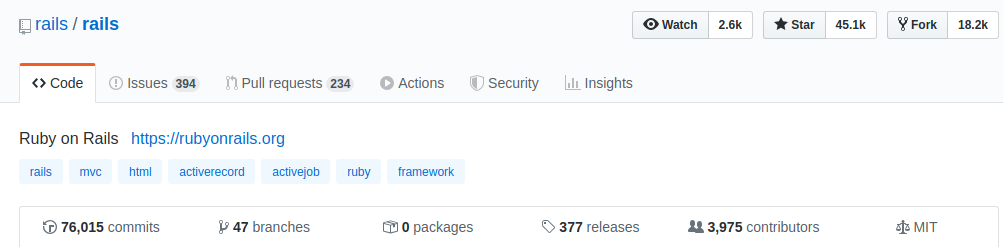
Screenshot of Ruby On Rails  Github page
A popular server side framework, Ruby on Rails (RoR) works on the MVC model to facilitate interconnection of parts. It uses HTML, CSS and JavaScript for user interfacing and for data transfer JSON and XML. You can use Convention over Configuration and DRY features which will speed up your overall coding process. RoR also makes testing easy via test automation thus accelerating the debugging process.
  • Release year- 2005
  • Programming language- Ruby
  • Use cases- AirBnB, Shopify, Github, Basecamp

Django

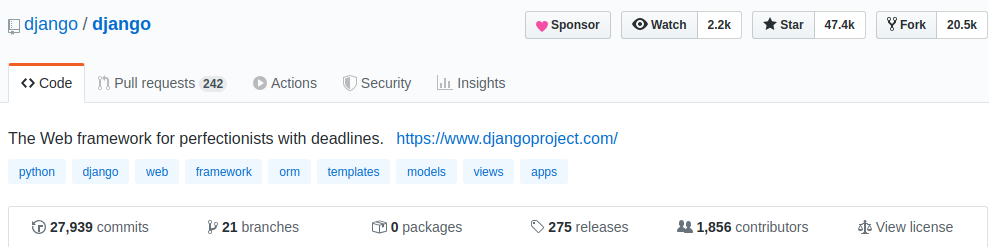
Screenshot of Django Github page
Django is a full stack Python development framework which uses the MVT (Model-View-Template) structure, a modification of MVC model. This framework comes with user authentication, ORM, testing, caching and many other mechanisms thus making the development process swift and efficient. The documentation is excellent and this was in fact one of it’s differentiating factors in the open source community. Till date, more than 12,000 projects are known to be built using this framework.
  • Release year- 2005
  • Programming language- Python
  • Use cases- Instagram, NASA, Pinterest, Quora

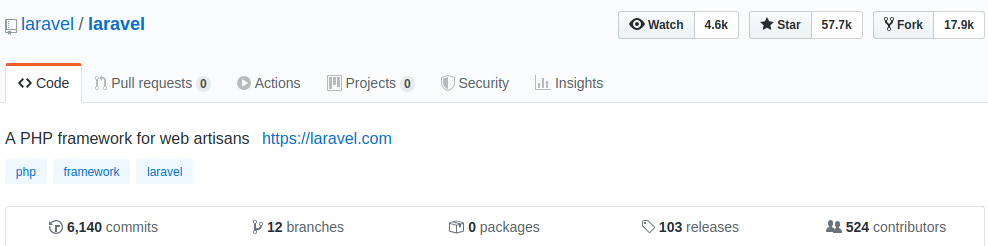
Laravel

Screenshot of Laravel Github page
Laravel comes with 20+ pre installed Object-Oriented and Modular libraries which helps in building responsive web applications. The Artisan built in command line tool automates all the major repetitive programming like database structure creation, skeleton code, etc. Advance security systems like Bcrypt hashing algorithm, salted and hashed passwords are used for storing all your user’s passwords in encrypted forms. And it also facilitates writing and running multiple unit tests.
  • Release year- 2011
  • Programming language- PHP
  • Use cases- Barchart, Alison, Mailcoach

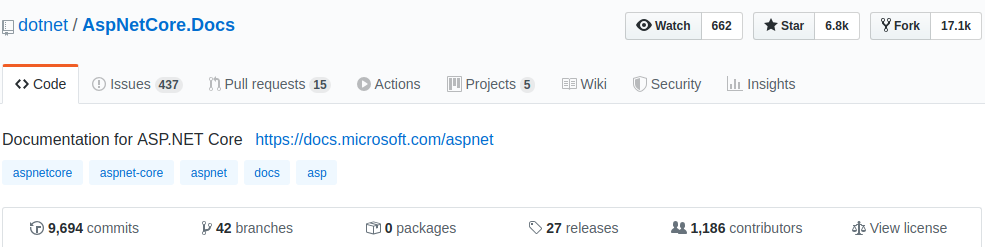
ASP.NET Core

Screenshot of ASP.net Core Github page
Developed and designed by Microsoft, ASP.NET Core is known for its ability to build rich and dynamic cross platform apps. Core applications made using ASP.NET do not require IIS hosting, they can now be self hosted. HTTP’s size request has come down to 2kb in core from ASP.NET’s 30kb, thus improving performance. The compilation is easy as it is executed within the memory which starts functioning as the browser is refreshed.
  • Release year- 2016
  • Programming language- .NET
  • Use cases- Kentico, elmah.io, SwitchThink

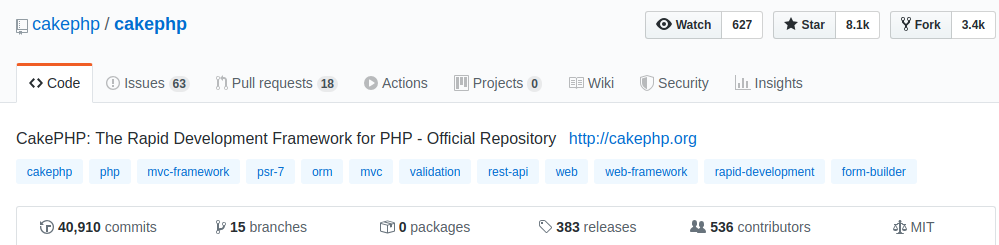
CakePHP

CakePHP comes with zero preconfiguration, making it a hassle free process for developers. It auto detects the settings and all you have to do is configure your database, rest will be taken care by the framework. This framework offers a range of core tests and custom made tests, fulfilling the requirements of all the developers on board. Built in tools like CSRF protection, SQL injection prevention, XSS prevention give a good security layer for your web app.
  • Release year- 2005
  • Programming language- PHP
  • Use cases- teamspeak, blendtec, BMW

CodeIgniter

To begin with, the entire source code of CodeIgniter is around 2MB only. This small footprint makes it easy to manage and update the framework. The error logging done in this framework helps in building a webapp with minimum errors. CodeIgniter helps in developing SEO friendly URLs by generating clean URLs. And security features like Input Data handling, XSS filtering, password handling give it an edge over other frameworks.
  • Release year- 2006
  • Programming language- PHP
  • Use cases- Buffer, Nissan, Casio Computer

Frontend frameworks

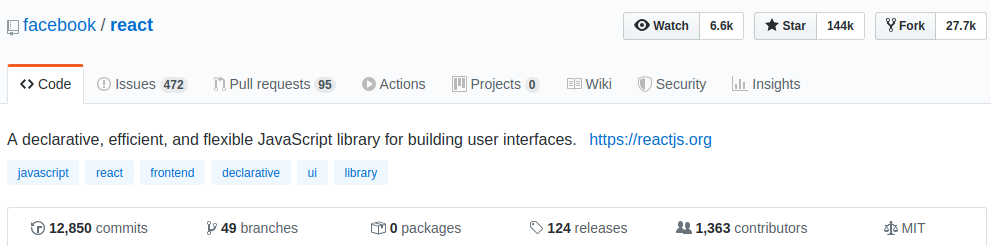
React

React is developed by facebook and is often referred to as a javascript library instead of a full fledged framework. But that did not hold it back from gaining popularity in the front-end community. Its features like component based architecture, JSX syntax for DOM manipulation and fast rendering views make it a popular choice among front end developers.
  • Release year- 2013
  • Programming language- JavaScript
  • Use cases- AirBnB, Uber, Medium

Angular

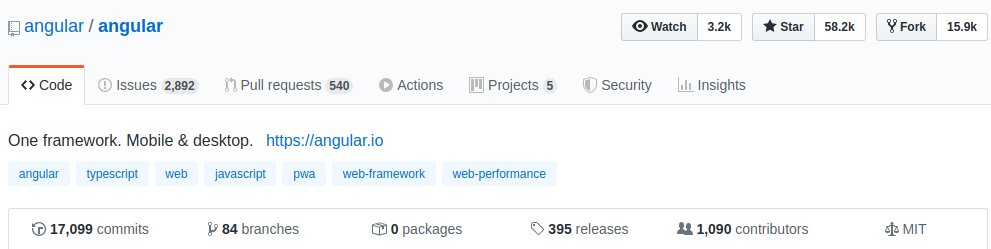
Angular was created by Google for making single page web apps and mobile apps. Within the MVC architecture two way data binding helps in automatic synchronization between model and view. Tree shakeable feature help in removing unused code, reducing your app’s size. There is limited data that is sent to and fro after the initial page is loaded, thus enhancing the overall user experience.
  • Release year- 2010
  • Programming language- JavaScript
  • Use cases- Forbes, Samsung Forward, Delta

Vue JS

Vue is a framework that was built taking inspiration from React and Angular, thus its learning curve is shorter. Vue is a progressive framework i.e. you can use Vue for any part of your already developed product and there will be no glitches. It’s simple and straightforward architecture makes error finding and solving much easier.
  • Release year- 2014
  • Programming language- JavaScript
  • Use cases- Louis Vuitton, Upwork, Wavetrotter
For every framework you deem fit for your product, you will come across some critics. And since no framework is perfect, you will need to stick to your selected framework and find ways to make it work for you. The more time you spend with one framework, it will help you in learning the others quickly.

Reinforcing leading training platform for heavy user load

For over 35 years, NHLS has been a robust source for enterprise technology and software training solutions offering industry-leading learning content. They provide computer courses and certifications to more than 30 million students through in-person and online learning experiences.

Understanding the challenges

NHLS turned to Galaxy to check the load the platform can withstand under certain user scenarios over different web pages, and wanted the system to be able to entertain 10,000 concurrent users. They expressed concerns over the performance of their learning platform seen during user interaction.

They wanted us to go for performance testing to pull off higher volume load tests, and implement required measures to optimize website load times and ensure zero-downtime during the busiest days.

Test planning and implementation

We developed an in-depth understanding of the client’s system architecture and the platform. We used Jmeter to simulate heavy loads on virtual servers, networks to check strength, test the ability to handle heavy loads and determine system performance for a variety of loads.

We started with 1000 users. Reports of regression and stress tests made it pretty clear that the webapp is not optimized, since even after the FMP (first meaningful paint), the load times were far from what we expected. Servers were running out of capacity even on a few requests, which was not ideal for the server architecture NHLS already had.

Their application concurrency target was 10,000 users which was initially crashing at 100 users. In order to identify the point of bottlenecks due to which application started degrading performance, we defined few performance test objectives:

  • Response Time: To check the amount of time between a specific request and a corresponding response. User search should not take more than 2 seconds.
  • Throughput: To check how much bandwidth gets used during performance testing. Application servers should have the capacity of entertaining maximum requests per second.
  • Resource Utilization: All the resources like processor and memory utilization, network Input output, etc. should be at less than 70% of their maximum capacity.
  • Maximum User Load: System should be able to handle 10,000 concurrent user load without breaking database by fulfilling all of the above defined objectives.

Bottlenecks we encountered and the Solutions we provided

We used Jmeter to start testing with 100 users and then ramped up progressively with heavier loads. We performed real-time analysis and conducted more thorough analysis using a variety of tests like load test, smoke test, spike test and soak test.

In order to get to grips first with inaccurate page load and slow page speed, we decided to test per page load. We onboarded with our team of developers and network/server engineers to look into the bottlenecks and solve the issues to get expected results.

Bottleneck #1: Obsolete code

Adding new features to old coding architecture accumulated unnecessary JS and CSS files, code controllers and models on every page. This was acquiring cumbersome and resource-heavy elements or code throughout the website, and exacerbating the page load.

Solution:

We minified static assets (JavaScript, CSS, and images) i.e. optimized scripts and removed unnecessary characters, comments and white spaces from the code to shrink file sizes. To further improve the page speed, the server team performed static code caching that reduced the bandwidth usage from the website.

This resulted in a significant size reduction in requested assets and improved the page speed taking only 2 seconds to load the home page.

Bottleneck #2: Memory

A single query was processing more data than needed, mainly accessing too many rows and columns, from so many parts of the database. This in case of large tables means that a large number of rows were being read from disk and handled in memory causing more I/O workload.

Solution:

We used RDS Performance Insights to quickly assess the load on the database, and determine when and where to take action, and filter the load by waits, SQL statements, hosts, or users.

We performed indexing, removed redundant indexes and unnecessary data from the tables to quickly locate data without having to scan/search every row in a database table every time a database table is accessed. Server team used Innodb storage engine for MySql to organize the data on disk to optimize common queries based on primary keys to minimize I/O time (minimizing the number of reads required to retrieve the desired data).

Bottleneck #3: CPU

Use of nested loops to process large data sets made it difficult to trace the flow of the code, hitting so many requests (1-10k requests) on the database by a single user. This caused the code to execute multiple times in the same execution context hitting the CPU limit and driving up its usage.

Solution:

We performed query performance optimization to remove unnecessary code in loop (by making sub queries of queries) and removed multiple loops thus reducing time of rendering content from looped code that resulted in sending only 100 requests by a single user now. This reduced page size, response time, and marked down CPU resources and memory from 8GB to 4GB on the application server.

Ridding the code off of redundancies and optimizing the database helped us get to the 5000 user traffic mark. This lessened the extra work of the MySQL server, reducing server cost to 10-20%.

We launched a single server on AWS and configured all the required packages such as Apache, PHP and PHP-fpm, load balancer, and others to run our application.

Bottleneck #4: Network Utilization

The former HTTP/1 protocol was using more than 1 TCP connections to send and receive for every single request/response pair. It utilized many resources on the web page making different requests for each file. As the overload continued, the server began to process more and more concurrent requests, which further increased the latency.

Solution:

We used HTTP2 to reduce latency in processing browser requests via single TCP connection. Enabling Keep-Alive avoided the need to repeatedly open and close a new connection. It helped reduce server latency by minimizing the number of round trips from sender to receiver. And with parallelized transfers, letting more requests complete more quickly thus improving the load time.

  • To identify the slow log queries, and requests taking long execution time in the code, we established a proxy connection between Apache web server and PHP-FPM (communicating through modules earlier) to identify the bottlenecks of individual entities by letting them functioning individually. Then we configured PHP-FPM to identify RAM capacity by calculating how many max. parallel connections RAM can handle, leaving the system memory free to process at the same time.
  • We found inadequate server capacity, while inserting the data in the login and without login scenario to create real-life testing environment.

We proposed a distributed server system so that more than 1 server can be auto generated. We added auto scaling and added 4 servers, but was still burning at the load of 8k users and saw an increased server cost. With Round Robin load balancing, we distributed incoming network traffic or client requests across the group of backend servers. This helped us identify that the load is increasing due to inaccurate working processes of sessions stored in the database.

Bottleneck #5: Session queues

The server was getting overloaded due to accumulating too many sessions when performing load of 10k users login concurrently. And because the sessions were stored in a database, increase in the wait activities decreased the transaction throughput taking session time upto 100s, thus increasing the load on the system.

Solution:

We switched storing sessions from database to Memcache server. It stored sessions and queries in memory/cache instead of files, thus reducing the number of times that the database or API needs to be read while performing operations. It cached the data in the RAM of the different nodes in the cluster, reducing the load in the web server.

Making such scalable and cost-efficient server infrastructure helped the client application achieve the load of 10k users in less than 5 mins using only 2 servers capacity.

The testing process was able to ensure a smooth customer experience and save significant capital expense by maximizing server capacity already in place.